Millions of writers use AI tools every day, yet a single detector scan can flag polished, original content before a human ever reads it. The problem is not quality – it is a statistical pattern. This review covers the Clever AI Humanizer platform, walks through a five-step workflow, and presents real benchmark data so you know exactly what to expect.
Why AI Detectors Flag Your Content
You submit a piece of writing. A detector scans it, flags it as AI-generated, and the content gets rejected – even though you wrote every sentence yourself. AI detectors do not read for meaning. They measure two statistical signals: perplexity (how predictable each word is) and burstiness (how much sentence length varies). Because AI models always pick the most probable next token, their output lands in a narrow, uniform statistical band – and that band is exactly what detectors flag.
The decision to make AI text undetectable is no longer only about convenience. False positives are a documented, widespread problem. Recent reporting by The Washington Post highlights serious concerns about detection systems incorrectly flagging human-written content as machine-generated. A student or professional can produce entirely original work and still receive a failed score.
You need a tool that changes the statistical fingerprint of your content before it reaches a reviewer. The next section covers that tool.
What the Clever AI Humanizer Ecosystem Includes
Clever AI Humanizer is a free AI humanizer that covers the full content pipeline inside a single interface, with no ads and no paywalls. If you want to humanize AI text without switching between multiple tools or paying for a subscription, this platform handles every stage in one place.
It gives you four tools. Here is what each one does and when to use it:
AI Humanizer – the core tool. Paste your draft into the left panel, select a writing style, and click “Humanize AI.” The restructured output appears in the right panel with changed fragments highlighted in blue. The tool accepts up to 1,000 words per run without registration and up to 7,000 words per run with a registration account.
AI Writer – a free tool that lets you write AI text with humanization built in at the draft stage. You supply a title, a brief description, a content format (Essay, Blog Post, or Article), a writing style, a word count, and a language, then click “Generate & Humanize.” The output arrives with structural humanization already applied, which means it is unlikely to trigger detectors without additional editing.
Grammar Checker – a free tool that identifies and corrects surface-level errors introduced by structural rewrites, without restoring the uniform sentence patterns you already broke. It accepts up to 1,000 words per session without registration and up to 7,000 words per run with registration. Always run it last – after humanization, not before.
AI Paraphraser – use it to paraphrase your text at the sentence level, with four style modes: Standard, Simple, Fluency, and Humanize. Paste text directly or upload a DOCX or PDF for up to 1,000 words per run without registration and 7000 words with. Use it after a main humanization pass on sections where the text rhythm stays too even.
All four tools run inside the same interface. Users get 200,000 free words per month – the highest free limit we found at this tier – plus content history and multilingual support. Clever AI Humanizer is one of the best AI humanizers available today – and the benchmark numbers in the next section show why.
How to Make AI Text Undetectable in 5 Steps
Follow these steps in order. Each one covers what to do and why it matters.
Paste your draft into the left input panel.
Select a writing style. Choose Casual for web and social content, Formal for business copy, or Academic for research text. Start with Casual if you are unsure – it consistently returns the lowest detection scores in our testing.
Click “Humanize AI” and review the output. The platform restructures clause order, breaks sentence-length uniformity, and shifts emphasis. Changed fragments appear highlighted in blue. Read through them before you export to confirm the tone fits your intent.
Verify the result in ZeroGPT and GPTZero. Scores in the single digits to low teens fall within the normal range for human-written prose. If a paragraph scores above 20%, return it to step 3 with a different style preset, or run it through the Paraphraser in Humanize mode for a targeted second pass.
Run the Grammar Checker. Always apply it after humanization. The rewrite repositions clauses and can introduce a misplaced comma or a shifted verb agreement – a grammar check catches these in seconds. Read the final text aloud and rewrite any sentence that sounds off by hand.
That is the complete workflow. The next section shows the benchmark results it produced.
Our Test Results Across Three Drafts and Two Detectors
We ran three identical AI-generated drafts through Clever AI Humanizer and checked each result against ZeroGPT and GPTZero. Every draft scored above 90% AI on both detectors before any changes. After a single Casual-mode pass, ZeroGPT returned 0–14.71%, and GPTZero classified the output as 93–94% human. Grammar ranged from 8.5 to 9 out of 10 across all texts tested—average detection across all drafts: 4.45%.
That result held across three different topics and two independent detectors, achieved entirely on the free plan with no paid features enabled.
FAQ
Does humanized AI text keep its original meaning?
Yes. The goal of any AI humanizer is to make AI-generated writing sound more human – and that means changing sentence cadence and clause order, not facts, claims, or arguments. Every output in our testing preserved the source text’s full meaning across each draft, and every edit that made AI writing sound more human was visible in the highlighted change panel.
Which AI detector is hardest to bypass?
GPTZero flagged more passages than ZeroGPT in our testing. The same text often scores differently on each platform because each detector weights perplexity and burstiness differently. A dual-detector check after every pass is the most reliable way to avoid AI detection consistently.
Can you make AI content undetectable for free?
Yes. Clever AI Humanizer provides 200,000 free words per month with no credit card required – enough to cover full production output for most editorial and academic workflows.
Who benefits most from an AI humanizer?
Three groups benefit most: freelance writers who deliver AI-assisted drafts to clients that run detection checks, students who submit work through Turnitin or similar platforms, and editorial teams that need a repeatable quality gate before publication. In each case, a statistical algorithm scores the content before a human reads it. As research from the University of Illinois confirms, the consequences of a false positive in academic or professional settings can include failing a grade, publication rejection, and lasting reputational damage.
Conclusion
One finding stands out from our testing: structural rewrite beats grammar polish whenever the goal is to make AI writing undetectable. Clever AI Humanizer scored below 5% AI detection on average while holding grammar quality above 9 out of 10, entirely on the free plan – a combination no paid competitor matched in our testing.
Given the growing number of free AI humanizer tools on the market, it is worth knowing which ones bypass AI detectors by changing statistical patterns and which ones only clean up surface language. Detection algorithms update regularly – treat humanization as a recurring step, not a one-time fix.
If detection scores stay high after a pass, try these adjustments:
Switch to Casual mode. It produces the strongest structural variation and often drops scores when Formal or Academic falls short.
Split the draft into sections of 300–400 words. Smaller inputs give the tool more room to vary the output than a single long pass.
Run high-scoring paragraphs through the Paraphraser in Humanize mode. Use it as a targeted second pass on sections where text cadence did not fully break.
Add one concrete detail per paragraph by hand – a year, a name, or a number. That specificity shifts the statistical profile in ways detectors cannot reliably flag.
You’re bored. You want to play right now. No downloads, No sign-up forms and No waiting. That’s exactly why free browser games online exist — and why millions of USA gamers search for the best free browser gaming sites like Henof.com every single month. Henof.com had its moment. But in 2026, faster and richer alternative gaming platforms have taken center stage. Whether you want multiplayer chaos, retro classics, or mobile-friendly fun, there’s a perfect site waiting for you. This guide breaks down the top five browser gaming websites — tested, ranked, and reviewed — so you stop searching and start playing instantly.
What Is Henof.com and Why Look for Alternatives?
Henof.com started as a handy spot for free browser games online and casual tech content. It offered quick access to games like the EA Sports Cricket browser game without any software installation. Sounds great on paper. However, the numbers tell a different story. Its global rank sits at a sluggish #7,491,288. Average visit duration? Just 49 seconds. That’s barely enough time to read the homepage, let alone enjoy a game.
The henof.com bounce rate and visit duration data shows nearly 40% of visitors leave after one page. That signals a real problem with user experience. Gamers in 2026 expect instant loading, zero friction, and thousands of games across every genre. Henof simply hasn’t kept up. That’s exactly why look for henof alternatives — because better options exist, and they’re completely free.
What Does Henof.com Actually Offer?
Henof.com hosts casual games and downloadable PC titles. The henof.com traffic analysis reveals most of its 129,800 monthly visits come from the USA (57.3%) and UK (42.7%). Its henof.com technology stack analysis shows a basic WordPress setup running Google AdSense. For a gaming platform in 2026, that foundation is too thin to compete with modern rivals offering HTML5 game libraries and mobile-ready interfaces.
Why Are Users Searching for Henof Alternatives?
Users want more. They want faster load times, bigger game libraries, and cleaner interfaces with fewer ads. The henof.com global rank and engagement numbers confirm the platform is losing ground. Searches for henof.com alternatives and competitors have been rising steadily. Players exploring sites like henof.com quickly realize there are far superior options — ones that load in seconds and never ask for your email address.
Top Free Browser Gaming Sites Like Henof.com (Quick Comparison)
Before we go deep, here’s your fast-track overview. These are the top alternatives to henof.com ranked by traffic, usability, game variety, and mobile performance. Every site listed here is completely free. None require account creation. All five load faster than henof.com on average. Think of this table as your gaming cheat sheet for 2026.
Every platform below was personally tested across desktop and mobile. We checked load speeds, ad frequency, game counts, and safety. These are the most popular free online game portals available to USA players right now — ranked honestly, with zero sponsored bias.
Site Name
Best For
Login Required
Mobile Friendly
Ads Level
Game Count
CrazyGames
Overall Best
No
Yes
Minimal
7,000+
Poki
Multiplayer
No
Yes
Low
2,000+
Unblocked Games 76
School/Work
No
Partial
Moderate
500+
ClassicReload
Retro Games
No
Partial
Minimal
6,000+
GamePix
Mobile Gaming
No
Yes
Low
1,000+
How to Use This Comparison
Pick your priority first. Want the biggest library? CrazyGames wins. Need something that works at school? Unblocked Games 76 is your answer. Love retro classics? ClassicReload will genuinely blow your mind. This table is built around how to choose a free browser gaming platform without wasting hours testing sites that disappoint. Every recommendation here solves a real gaming need.
1. CrazyGames — Best Overall Henof.com Alternative
CrazyGames is the undisputed heavyweight of browser gaming websites in 2026. It hosts over 7,000 games spanning every genre you can imagine — action, racing, puzzle, shooting, sports, and multiplayer. Everything runs on HTML5 and WebGL technology. That means zero plugins, zero lag, and zero frustration. It’s one of the best gaming websites 2026 has produced. No login wall. No software. Just pure, instant gaming the moment you land on the page.
What separates CrazyGames from other henof competitors for browser-based games is relentless freshness. New titles drop daily. Trending games surface automatically. Editor picks help you discover hidden gems fast. The interface feels genuinely modern — clean layout, smart filtering, and a dark mode option most rivals skip entirely. Ads exist but they’re unobtrusive. For most USA gamers, CrazyGames will be the last gaming site they ever feel the need to search for.
Key Features of CrazyGames
CrazyGames delivers true no download online games access. Every title runs directly inside your browser tab — no plugins, no executables, nothing to install. The platform also includes a favorites system (optional account), daily new game alerts, genre-based discovery, and a thriving community rating section that helps surface quality titles fast.
Feature
Details
Total Games
7,000+
Login Required
No
Mobile Support
Full
New Games Added
Daily
Ad Experience
Minimal
Technology
HTML5 + WebGL
Pros and Cons of CrazyGames
Pros: Enormous game library covering every genre. Lightning-fast loading. Full mobile optimization. Clean and modern UI. Daily new additions. Absolutely zero sign-up required.
Cons: Some brief ads appear between game sessions. Retro game selection is thinner than ClassicReload. No offline mode available for any titles.
Who Should Use CrazyGames?
CrazyGames suits literally everyone. Casual players, competitive gamers, kids, adults — the library spans every taste and age group. If you’re in the USA and want one definitive replacement for henof.com, start here and go no further. It’s the most visited among all sites similar to henof for gaming and earns that reputation every single day through sheer quality and variety.
2. Poki — Best for Multiplayer Browser Games
Poki is where you go when gaming alone starts feeling lonely. It’s one of the strongest top henof competitors specifically for multiplayer browser experiences. With over 2,000 games, Poki specializes in .io games, two-player titles, and co-op adventures you can share with friends instantly. Think Subway Surfers, Stickman Hook, and dozens of wildly popular hits. The best part? Your friend doesn’t need an account either. Just share the link and the fun starts immediately.
Poki’s design philosophy is refreshingly simple and intentional. Many gaming websites for PC overcrowd their homepages with banners and noise. Poki does the opposite. It keeps navigation clean, search fast, and game discovery genuinely intuitive. For multiplayer-focused USA gamers, Poki is an absolute no-brainer — a platform that does one thing extremely well and never lets you down.
Key Features of Poki
Poki excels at delivering online games no registration style access at its purest. You land on the homepage and you’re playing within thirty seconds flat. Its dedicated multiplayer hub is genuinely impressive, categorizing two-player games separately for fast discovery. Poki also partners directly with independent game developers, which means you often find exclusive titles here before they appear anywhere else online.
Feature
Details
Total Games
2,000+
Multiplayer Games
300+
Login Required
No
Mobile Support
Full
Developer Partnerships
Yes
Average Load Time
Under 2 seconds
Pros and Cons of Poki
Pros: Outstanding multiplayer and co-op game selection. Spotlessly clean interface. Zero registration wall. Fast and smooth mobile performance. Regular new game drops from developer partners.
Cons: Fewer single-player deep-dive experiences for solo gamers. Some older titles use Flash alternatives that occasionally glitch on certain browsers. Limited retro game options overall.
Who Should Use Poki?
Poki is perfect for friend groups, siblings, classmates, and anyone craving competitive browser gaming with another person. Students on lunch breaks love it. Office workers sneaking a five-minute gaming break adore it. It’s one of the free gaming websites for school or work that consistently delivers real quality without compromise.
3. Unblocked Games 76 — Best for Unblocked School/Work Games
Here’s one every American student already has bookmarked. Unblocked Games 76 is the definitive answer for anyone seeking the best unblocked game sites like henof when their school or workplace firewall blocks every fun website in existence. No VPN required. No special browser extensions. The site bypasses most standard network restrictions with ease. Load it on any school Chromebook and you’re immediately in business — even if your IT department would strongly disagree.
The site keeps everything gloriously simple. No flashy design trying to impress you. No complicated navigation menus. Just a clean grid of games that all reliably work behind restricted networks. It’s among the most searched alternative gaming platforms for USA students aged 13 to 22. Games load quickly even on slower school Wi-Fi. The library leans heavily into classics like Run 3, Happy Wheels, and Tank Trouble — titles so entertaining they never get old no matter how many sessions you’ve played.
Key Features of Unblocked Games 76
The entire appeal of Unblocked Games 76 is radical accessibility. These are truly browser games that require no login, no permissions, and no technical setup whatsoever. The site uses lightweight hosting methods that bypass most standard school content filters without requiring any workaround from the user. Game variety focuses primarily on arcade, shooting, and sports genres — the categories students actually want during short breaks.
Feature
Details
Total Games
500+
Works Behind Firewalls
Yes
Login Required
No
Mobile Support
Partial
Ad Level
Moderate
Setup Required
None
Pros and Cons of Unblocked Games 76
Pros: Works reliably on restricted school and office networks. Zero registration needed. Lightweight games load fast even on slow connections. Completely free with no hidden costs or premium tiers.
Cons: Outdated UI design that looks stuck in 2015. Moderate ad presence occasionally interrupts gameplay flow. Limited mobile optimization compared to CrazyGames and Poki.
Who Should Use Unblocked Games 76?
Students. That’s the honest answer. If you’re sitting in study hall with fifteen minutes to spare, this site is your absolute best friend. It also works well for office workers needing a genuine mental reset during lunch. Among all community-voted gaming site alternatives, Unblocked Games 76 ranks highest for pure accessibility in restricted network environments — no contest.
4. ClassicReload — Best for Retro and Classic Browser Games
Some games never truly die. They just move to ClassicReload and wait patiently for you to rediscover them. This platform is an absolute goldmine for anyone who grew up gaming in the 1980s, 1990s, or early 2000s. With over 6,000 retro DOS and classic Windows games preserved online, it’s one of the most visited most visited gaming sites for nostalgia-driven players worldwide. Oregon Trail, Prince of Persia, Pac-Man, Commander Keen — they’re all here, right inside your browser, completely free.
ClassicReload solves a genuine frustration that plagued retro gaming for years. Emulating old games used to require sketchy downloads, BIOS configuration files, and hours of troubleshooting forum posts. ClassicReload eliminates every single step of that process. Every game runs directly in your browser through a built-in emulator. No setup, No configuration and No confusion. Among PC browser games free platforms, nothing comes close to matching its extraordinary historical depth and preservation quality.
Key Features of ClassicReload
ClassicReload occupies a uniquely special space among all sites like henof.com because it carved its own niche entirely. Its library spans multiple classic platforms including DOS, Windows 3.1, and early arcade systems. The site thoughtfully organizes games by era, genre, and original platform — turning simple browsing into a genuine nostalgic adventure. Every game page includes original box art, historical descriptions, and complete control guides.
Feature
Details
Total Games
6,000+
Platforms Covered
DOS, Windows 3.1, Arcade
Login Required
No
Mobile Support
Partial
Ad Experience
Minimal
Game Descriptions
Full historical context
Pros and Cons of ClassicReload
Pros: Largest retro game preservation library available online. No login or download required for any title. Minimal ads that never interrupt gameplay. Excellent historical descriptions and original box art included. Completely and permanently free.
Cons: Not optimized for touchscreen or mobile screens. UI design feels visually dated. Zero modern game titles in the library. Built-in emulator occasionally struggles with particularly complex older titles.
Who Should Use ClassicReload?
Adults aged 25 to 50 chasing a genuine nostalgia trip will absolutely fall in love with ClassicReload. It’s equally fantastic for younger gamers genuinely curious about the history of video gaming as a medium. Among all henof alternatives 2026, ClassicReload is the most uniquely positioned platform on this entire list. Nothing else here comes close to offering that kind of retro depth and historical gaming preservation.
5. GamePix — Best for Mobile-Friendly Browser Gaming
Your smartphone is your gaming console now. Let’s be honest about that. GamePix understands this reality better than every other platform on this list. Built from the ground up for mobile browser gaming, GamePix delivers over 1,000 HTML5 games that play beautifully on touchscreens of every size. No app download. With no mobile-data-draining installation process. And no compatibility headaches. Just tap, play, and enjoy. It’s genuinely one of the best free browser gaming sites in 2026 for smartphone-first users across America.
GamePix’s design is slick, modern, and refreshingly uncluttered. Touch controls respond instantly. Games load impressively fast even on 4G connections with moderate signal strength. The library leans toward puzzle, casual, and arcade titles — perfect for short, satisfying gaming sessions while commuting or waiting. Among all gaming sites with highest traffic in 2026 on mobile, GamePix consistently earns its ranking through genuine quality rather than marketing noise.
Key Features of GamePix
GamePix stands apart from all other sites with games similar to henof offerings because of its uncompromising mobile-first philosophy. Every single game gets tested for touchscreen compatibility before being approved for listing. The site loads quickly on slower mobile connections where other gaming platforms struggle. Its clean, minimal layout means you’ll never feel overwhelmed — finding a great game takes literally ten seconds.
Feature
Details
Total Games
1,000+
Mobile Optimized
100% of library
Login Required
No
iOS Compatible
Yes
Android Compatible
Yes
Average Mobile Load
Under 3 seconds
Pros and Cons of GamePix
Pros: Best pure mobile gaming experience of any platform on this list. No app installation required whatsoever. Clean, modern interface that feels genuinely premium. Fast loading even on slower mobile networks. Zero registration needed to access any game.
Cons: Smaller overall library compared to CrazyGames. Limited multiplayer and co-op options available. Fewer hardcore or strategically complex game titles for experienced gamers.
H3: Who Should Use GamePix?
Mobile-first gamers, daily commuters, and anyone who primarily games on their smartphone or tablet should bookmark GamePix without hesitation. It’s the strongest and most satisfying answer to how to find websites like henof for players who rarely sit at a desktop computer. Simple, fast, beautiful on any screen — GamePix delivers exactly what mobile gamers deserve.
How We Evaluated These Browser Gaming Sites
We didn’t just compile a list and call it research. Every single site in this guide was personally tested across three different devices — desktop PC, Android tablet, and iPhone. We measured load times with stopwatches. Counted ad interruptions during real gameplay sessions. Tested mobile responsiveness by playing on both 4G and Wi-Fi. Also we cross-referenced henof.com traffic analysis figures using Similarweb and Ahrefs data to verify which platforms actually receive genuine traffic from real human users — not bots.
Our evaluation went further than surface-level testing. It ran every site through VirusTotal for malware and security checks. Then we studied henof.com referral and social traffic sources to understand how gamers actually discover new platforms. We analyzed top gaming sites ranked by visitor votes across Reddit communities, gaming Discord servers, and independent review platforms. This list contains zero filler and zero sponsored rankings. Every recommendation earned its place through honest, rigorous testing.
Our Evaluation Criteria Explained
Here’s the complete breakdown of every factor we measured. Transparency isn’t optional — it’s how you know you can actually trust these recommendations.
Criterion
What We Measured
Game Variety
Number of genres covered and total game count
Load Speed
Time to first playable frame — target under 3 seconds
Ad Experience
Frequency, intrusiveness, and placement of advertisements
Mobile Support
Touchscreen controls and responsive design quality
Whether account creation is forced before gameplay
Safety and Trust Factors We Checked
Every site on this list uses HTTPS encryption confirmed by padlock verification. None triggered any malware or phishing warnings during our thorough VirusTotal scans. None require personal data, email addresses, or payment information to access games. We also confirmed that none of these browser game sites with no ads — or minimal ads — engage in aggressive background data harvesting practices. Your privacy matters as much as your entertainment. Always check for that green padlock in your browser before trusting any gaming site you haven’t visited before.
What to Look for in a Free Browser Gaming Site
Not every free online game platform deserves your precious free time. Some look polished on the surface but disappoint the moment you actually try clicking play. Knowing what separates a genuinely excellent gaming site from a mediocre one saves enormous frustration. Think of it exactly like choosing a restaurant — you want great food, fast service, honest pricing, and a clean environment. Browser gaming websites operate on those exact same principles. Get all four right and you have a winner.
The biggest green flags are instant playability, genre diversity across multiple categories, and full mobile compatibility. The biggest red flags are forced registration before any game access, aggressive pop-up ads covering the actual gameplay screen, and any site missing HTTPS security. Among the many how to choose a free browser gaming platform guides published online, most skip the safety dimension entirely. We won’t make that mistake. Device security matters just as much as entertainment value, especially when recommending sites to students and younger players.
Must-Have Features in Any Gaming Platform
Any site genuinely worth bookmarking must offer true gaming platforms with no download required access. That means HTML5 games — not outdated Flash dependencies, not Java plugins, not executable files that risk your system security. Look for genre variety spanning at least five distinct categories. Mobile compatibility is completely non-negotiable in 2026. The homepage should load under two seconds. Slower sites lose users fast — which explains precisely why henof’s 49-second average visit duration signals a platform in serious trouble.
Red Flags to Avoid on Free Gaming Sites
Watch out immediately for any site demanding your email address just to browse its game library. That’s a non-starter. Excessive pop-up ads physically covering the gameplay screen are an absolute dealbreaker. Broken game links — titles that simply refuse to load — reveal dangerously poor site maintenance. Missing HTTPS means your connection is genuinely unsecured. Sites with no visible privacy policy should make you navigate away without hesitation. Among all top henof competitors that failed our evaluation process, the majority fell short on precisely these same warning signs.
For more tips on identifying safe and trustworthy gaming platforms, our detailed guide Is Henof.com Safe? Legit Review covers everything you need to know before clicking play.
Frequently Asked Questions About Sites Like Henof.com
Is Henof.com Free to Use?
Yes — henof.com is entirely free to access. No subscription fee. No account required. However, its game library is noticeably thin compared to modern alternatives like CrazyGames or Poki.
What Sites Have Games Like Henof.com?
The top three sites similar to henof for gaming are CrazyGames, Poki, and GamePix. CrazyGames wins on sheer game volume with 7,000+ titles. Poki wins for multiplayer and social gaming experiences. GamePix wins for pure mobile browser gaming.
Every site listed in this guide passed all our safety verification checks. All use HTTPS encryption. None triggered warnings during VirusTotal scanning. None require any personal information to play any game. .
Do These Sites Work on Mobile?
CrazyGames, Poki, and GamePix are fully mobile-optimized and work beautifully on both iOS and Android browsers without any app installation. ClassicReload and Unblocked Games 76 function better on desktop but remain reasonably functional on mobile screens.
Can I Play These Games Without Creating an Account?
Absolutely and unconditionally yes. Every single site on this list provides genuine online games no registration style access. You visit the site, then click any game, after that you play immediately. No email address needed, No password to create and forget, and also No profile setup taking up your time.
For a broader look at the gaming platform landscape, check out our comprehensive guide on Snokido: Free Online Games Complete Guide which covers another strong option worth knowing about.
Conclusion
Finding the best free browser gaming sites like Henof.com doesn’t have to be a guessing game filled with disappointing trial and error. CrazyGames leads the pack decisively with its massive 7,000-game library and daily updates. Poki dominates multiplayer with its clean, social-first design. Unblocked Games 76 saves students everywhere from unbearable boredom behind school firewalls. ClassicReload keeps decades of gaming history beautifully alive and instantly accessible. And GamePix makes mobile browser gaming genuinely enjoyable for the first time without any compromise. Each platform solves a real, specific gaming need better than henof.com currently does. Try them all. Then stick with the one that fits your gaming personality perfectly. Which site will you bookmark first? Drop your answer in the comments below — your next favorite game is genuinely just one click away.
If you have ever searched for the best free GIF maker online that actually delivers, you have already landed in the right place. Ezgif is a powerful, browser-based with no download tool that lets anyone create, edit and convert animated GIFs in seconds. Whether you want to make a meme, convert MP4 to GIF, build a GIF animation tool for your GitHub README or resize image for e-commerce, Ezgif handles it all — completely free, with zero sign-up required. This guide covers everything you need to know about ezgif.com in 2026.
What Is Ezgif and How Does It Work?
Have you ever needed to make a quick GIF but didn’t want to download bulky software? That’s exactly where ezgif.com shines. It’s a simple and free online tool that runs entirely in your browser. No installs. No sign-ups. Just open the site and start creating. It is genuinely one of those rare platforms that does exactly what it promises — every single time.
Ezgif is built for everyone — from total beginners to seasoned content creators. Whether you want to make GIF from video, convert image formats or trim audio files, this platform handles it all. It’s one of the most actively maintained websites in the GIF editing space today. Developers use it for GitHub markdown animations. Marketers use it for product demos. Meme creators use it daily. Everyone finds a reason to come back.
Key Features of Ezgif’s GIF and Video Editing Tools
Think of Ezgif as a Swiss Army knife for digital creators. It’s packed with tools that would normally cost money elsewhere. You get a full GIF animation tool, a video to GIF converter, an online image resizer and even an audio compressor online — all under one roof for free. No bloated software. No paywalls on the web version. Just clean, powerful tools at your fingertips.
What makes it stand out is the sheer variety. You can crop GIF online, resize GIF online, reverse GIF online, split GIF frames, merge GIF files and adjust GIF playback speed — all without leaving your browser. It truly is a top class asset for anyone working with animated content regularly. Users on Reddit r/ezgif regularly call it the best web tool site for GIFs — and after looking at the feature list, it’s easy to see why.
Core Ezgif Tools at a Glance
Tool Category
What You Can Do
GIF Creation
Animated GIF maker, GIF frame editor, create GIF from images
GIF Editing
Crop GIF online, resize GIF online, add text to GIF, GIF effects online
Background remover online, EXIF data remover, image vectorizer, image format converter
How to Create and Edit GIFs with Ezgif (Step-by-Step)
Learning how to make a GIF online has never been easier. Ezgif walks you through every step with a clean and intuitive user interface. You don’t need any design experience. If you can click a button, you can make a GIF. The whole process feels shockingly fast — even on your first try.
Here’s the simplest way to get started with how to convert MP4 to GIF using ezgif.com. It takes under two minutes from start to finish. The result is a clean, watermark-free animated file ready to share anywhere — on social media, in a GitHub markdown file or inside a product demo page.
How to crop a GIF, how to reverse a GIF and how to add text to a GIF all follow the same simple pattern. Upload. Adjust. Export. That’s the fast and easy GIF creation workflow Ezgif is famous for. If you enjoy working with AI-powered image tools alongside manual editors, you might also find value in reading our Pixlr AI photo and video editor complete guide for a broader picture of what browser-based creative tools can do today.
Ezgif App Review: Ratings, User Feedback, and Common Complaints
Real users across Trustpilot and Reddit r/ezgif have shared their honest experiences with Ezgif. The numbers speak clearly. Ezgif holds a strong 4.1 TrustScore on Trustpilot with 90% of reviewers giving it five stars. That’s impressive for a completely free tool with no marketing budget and no team of customer service agents managing reputation.
However, not every experience is perfect. Some users have flagged GIF saving upside down fix issues in the mobile app. Others encountered a GIF to WebM VP9 codec error that blocked their conversions entirely. A few hit a processing error on file upload when files were too large or corrupted. These are real pain points worth knowing before you dive in — but they almost exclusively affect the mobile app, not the website.
What Real Users Are Saying
“Fantastic and free — this is a site you’ll love if you want to edit animated GIFs.” — Ant, UK, Trustpilot
“The tools are powerful and precise and the ads are harmless.” — Ishow Meat, Trustpilot
“Hands down the best website I’ve used to crop YouTube videos and make GIFs.” — Les Belcher, UK, Trustpilot
“It’s a lifesaver for e-commerce. Converts WEBP to JPG in moments.” — Syed Abdallah Fuad, Trustpilot
“Worst GIF site ever — kept cutting off frames and GIFs wouldn’t load.” — Neko Neko, Trustpilot
Common Issues Reported by Users
Problem
Where It Occurs
Fix
GIF saving upside down fix
Mobile app
Use web version instead
GIF frames being cut off
Web version
Reduce file size before uploading
GIF to WebM VP9 codec error
Web converter
Switch to V8 codec setting
Paywall in mobile app
Mobile app
Use free web version at ezgif.com
GIF not loading after conversion
Web version
Try GIF repair tool first
Processing error on file upload
Web version
Check file size and format
Ezgif vs. Other GIF Makers: How It Compares to Competitors
When you stack Ezgif vs other GIF makers, the differences become crystal clear very fast. Most competitors either charge money, slap watermarks on your work or require you to create an account before doing anything useful. Ezgif does none of that. It’s a no watermark GIF tool that just works — every single time, on every device, in any browser.
Tools like ImgPlay GIF maker, GIF Toaster app and GIF Maker by Momento are all mobile-first apps with limited free tiers. Free Convert handles basic conversions but lacks the depth of editing tools that ezgif.com offers. Even Giphy — the world’s biggest GIF platform — doesn’t give you the raw editing control that Ezgif does. For anyone doing serious creative work, the ezgif alternative free search almost always ends right back at ezgif.com. If background removal is high on your priority list, our EZRemove AI review breaks down another strong option worth comparing.
Full Competitor Comparison Table
Feature
Ezgif
ImgPlay
GIF Toaster
GIF Maker by Momento
Free Convert
Giphy
Completely Free
✅ Yes
⚠️ Limited
⚠️ Limited
⚠️ Limited
⚠️ Limited
⚠️ Limited
No Watermark
✅ Yes
❌ No
❌ No
❌ No
❌ No
❌ No
Browser-Based
✅ Yes
❌ App Only
❌ App Only
❌ App Only
✅ Yes
✅ Yes
No Account Needed
✅ Yes
❌ Required
❌ Required
❌ Required
✅ Yes
❌ Required
Audio Tools
✅ Yes
❌ No
❌ No
❌ No
⚠️ Basic
❌ No
APNG Support
✅ Yes
❌ No
❌ No
❌ No
❌ No
❌ No
Format Support
✅ 20+
⚠️ Basic
⚠️ Basic
⚠️ Basic
⚠️ Moderate
❌ GIF Only
Video Editing
✅ Yes
✅ Yes
✅ Yes
✅ Yes
⚠️ Basic
❌ No
Background Removal
✅ Yes
❌ No
❌ No
❌ No
❌ No
❌ No
Animated SVG Export
✅ Yes
❌ No
❌ No
❌ No
❌ No
❌ No
The verdict is clear. For a best free GIF website comparison, nothing else comes close to matching Ezgif’s breadth of features at zero cost. It’s simply the best free GIF maker online available right now.
Ezgif Pricing: Is It Free, or Are There Hidden Costs?
Here’s the honest truth that most reviews skip over entirely. Ezgif.com — the website — is 100% free. There are no subscription tiers. No export limits. No premium upgrades hiding behind a paywall. Every single tool on the website is available to every visitor at no cost whatsoever. It’s a genuinely free online tool no watermark experience that almost feels too good to be true.
The confusion arises because of the Ezgif mobile app built by Whistle Studios LLC. That app is a completely separate product. It has a paywall in mobile app for certain advanced features. Many users download the app expecting the same free experience as the website and feel misled. They’re not the same thing. For a truly free GIF editor no signup experience, always go to ezgif.com in your browser. For a broader look at how free AI-powered creative tools compare against paid alternatives, our best AI image generator guide gives excellent context.
Ezgif Pricing Breakdown
Version
Cost
Features
Account Needed
Ezgif Website
100% Free
All tools, all formats
No
Ezgif Mobile App
Freemium
Limited free, paid premium
Yes
Whistle Studios LLC App
Paid features
Advanced editing locked
Yes
Ezgif Privacy and Data Safety: What You Need to Know
Before you upload anything to an online tool, you should always know what happens to your files. With ezgif.com, the good news is refreshingly straightforward. The site requires zero personal information. No name, No email and No password. It’s a completely privacy friendly tool with a minimal advertising experience that never feels intrusive or overwhelming.
One Trustpilot reviewer actually ran Ezgif through independent cyber-scanning tools before using it. They found nothing alarming. That kind of third-party validation matters in an era where data privacy concerns are everywhere. Still, as with any online platform, avoid uploading files that contain sensitive personal information. Basic digital hygiene applies everywhere — even on a safe to use website like this one. The EXIF metadata stripping tool is particularly useful if you’re sharing images publicly. It strips GPS coordinates, camera details and timestamps before your files reach anyone else online. Many premium tools charge for that feature. Ezgif gives it to you completely free.
Ezgif Privacy at a Glance
Data Type
Web Version
Mobile App
Personal Account Data
❌ Not Collected
✅ May Be Collected
Analytics Data
Minimal
Collected
GPS / Location Data
❌ Not Collected
❌ Not Collected
Data Linked to You
❌ No
⚠️ Some
Data Used to Track You
❌ No
⚠️ Limited
EXIF data remover Available
✅ Yes
⚠️ Limited
Tips, Tricks, and Advanced Techniques for Power Users
Once you’ve mastered the basics, Ezgif opens up a world of advanced capabilities most users never discover. One of the smartest moves you can make is chaining tools together. Use the online video cutter to trim your clip first. Then run it through the video to GIF converter. Then hit the GIF optimizer to shrink the file. Each tool feeds perfectly into the next — like a creative assembly line that never breaks down.
For developers looking to create GIF for GitHub README files or convert screencast to GIF for documentation, Ezgif is genuinely indispensable. The APNG animation format is particularly valuable here. APNG outperforms GIF in color depth and transparency quality. Use ezgif.com/apng-maker to build APNG files that look sharper than standard GIFs at similar file sizes. Another killer trick — use the white box caption tool to add iFunny-style captions to your videos. It now works with MP4, WebM and MOV files as of May 2026. Perfect for meme creators who want that iconic caption format without any design software at all.
Advanced Power User Techniques
Technique
Tool to Use
Why It Works
Lossless GIF compression
GIF Optimizer
Shrinks file without visible quality loss
Animated SVG frame-by-frame vectorization
SVG to GIF
Preserves frame timing in SVG export
Green screen background removal
Background Remover
Clean transparent output
Semi-transparent pixel edge cleanup
Effects Tool
Removes fuzzy edges after transparency
CSS keyframe animation output
Animated SVG Maker
Converts GIF to scalable SVG animation
Encoder selection for WebP APNG AVIF
Converter Settings
Better quality at smaller file sizes
Frame delay timing control
GIF Frame Editor
Fine-tune animation speed per frame
Bitrate and sample rate adjustment
Audio Compressor
Reduce audio file size precisely
VP9 vs V8 codec comparison
GIF to WebM Tool
V8 more stable for most conversions
Color transparency replacement
Effects Tool
Replace solid colors with transparency
You can also embed GIF behind JPEG mockup images by converting your finished GIF and layering it over a product mockup — a technique e-commerce sellers love for stunning product demos. For more advanced image editing and AI-powered background removal capabilities, our Vecteezy background remover review is worth checking out as a complementary tool.
Recent Updates, New Features, and Version History
Ezgif has been shipping updates at a pace that genuinely impresses its community. The ezgif new features 2026 rollout has been particularly substantial. From ezgif audio tools update to animated SVG output added, the platform keeps expanding in ways that leave competitors scrambling to catch up. This is not a stagnant tool sitting on decade-old code — it’s a living, breathing platform that responds to its users.
The Reddit r/ezgif community is actively engaged with the development process. Users suggest features. Bugs get flagged. And the developer actually responds. That feedback loop is rare for a free tool. It’s what keeps ezgif.com feeling like a regularly updated platform rather than an abandoned side project. The ezgif legacy format support added update in June 2026 alone added support for FLIF format, Amiga ANIM format and CDXL animation — formats that archivists and retro computing enthusiasts will find nowhere else for free.
Legacy formats: FLIF, BPG, FLI, CDXL, Amiga ANIM format
May 31, 2026
White Box Caption Update
Now supports MP4, WebM and MOV video files
May 19, 2026
Animated SVG output added
CSS keyframe animation output per frame
April 25, 2026
Audio Section Launch
WAV to MP3, FLAC to MP3, volume booster, audio extractor
April 6, 2026
Privacy Tools
EXIF data remover added, subtitle backgrounds improved
March 5, 2026
Edge Cleanup
Semi-transparent pixel edge cleanup in background removal
February 26, 2026
Video Tools Expansion
Video filters, video to WebM converter, video screenshot tool
February 17, 2026
SVG to GIF Tool
Convert static SVG to animated GIF or APNG
February 13, 2026
Quality Improvements
Encoder selection for WebP APNG AVIF improved
Frequently Asked Questions About Ezgif
Can I Trust Ezgif?
Yes — Ezgif is a trusted, safe to use website that has been running reliably since 2014 with no reported malware, data breaches or deceptive practices on its web version.
What Is Ezgif Used For?
Ezgif is used for creating, editing and converting animated GIFs, processing video and audio files, removing image backgrounds, stripping EXIF metadata and converting between dozens of image and video formats — all for free.
Is Ezgif Broken?
The web version at ezgif.com is not broken. Occasional errors like the GIF to WebM VP9 codec error affect specific tools temporarily. Switching codec settings or using the GIF repair tool usually resolves most processing error on file upload issues quickly.
Is There an Ezgif App?
Yes — there is an Ezgif mobile app built by Whistle Studios LLC, available on the App Store. However, it is a separate product with a paywall in mobile app for premium features. The free web version at ezgif.com is the recommended option for full free access
Is Ezgif Safe to Use?
Yes. Ezgif.com is a safe to use website with a clean track record. One Trustpilot reviewer independently scanned it with external cyber-security tools and found nothing alarming. The site collects minimal data and never requires personal information.
If you sell on TikTok Shop, you already know how fast things move. A product can go from zero to viral overnight — and if you miss that window, your competitor catches it instead. That’s exactly where FastMoss steps in. It’s the world’s largest TikTok data analytics platform, trusted by over 3.8 million sellers and creators across the globe. With 500M+ products tracked, 300M+ creators monitored, and 1,200+ days of historical TikTok data, no other TikTok Shop analytics tool comes close. Whether you want to find winning products on TikTok, track competitors, or replicate viral product research — FastMoss gives you the intelligence to do it with confidence.
What Is FastMoss? (TikTok Shop’s #1 Data Intelligence Platform)
FastMoss is the world’s largest TikTok data analytics platform. It tracks over 500 million products, monitors 300 million+ creators, and stores 1,200+ days of historical TikTok data. No other tool comes close to that scale. It was built specifically for people who sell, promote, or create content on TikTok Shop — and it shows in every feature.
Think of FastMoss as your TikTok crystal ball for sellers. It doesn’t just hand you raw numbers. It translates those numbers into clear, actionable insights you can act on today. From spotting a rising product before it explodes to benchmarking your shop against the top performers in your category — FastMoss does the heavy lifting so you don’t have to.
Who Is FastMoss For?
FastMoss was built for anyone serious about TikTok Shop growth. That includes independent sellers hunting their next winning product, affiliate creators looking for high-commission items to promote, brand managers tracking competitors, and agencies running TikTok campaigns at scale. If your business touches TikTok Shop in any way, this tool has something valuable for you. It’s especially powerful for US-based sellers targeting the world’s fastest-growing social commerce market.
How FastMoss Works
FastMoss pulls real-time TikTok data from across the platform — products, shops, creators, ads, videos, and LIVE sessions. It organizes everything into a clean, intuitive dashboard that even a complete beginner can navigate confidently. You search, apply filters, analyze the data, and make smarter decisions. The workflow is simple. The intelligence behind it is anything but.
FastMoss vs. Other TikTok Analytics Tools
Most TikTok analytics tools give you surface-level data. FastMoss goes several layers deeper. With 1,200+ days of historical records and coverage across 19+ countries, it consistently outperforms rivals like Kalodata and Shoplus. The AI-powered features alone put it in a completely different league.
If you want a deeper look at how top social media data analytics and TikTok ecommerce analytics platforms stack up in 2026, check out our guide on Best AI Tools for Enterprise Teams to see how data platforms are reshaping business decisions across industries.
Feature
FastMoss
Kalodata
Shoplus
Historical Data
1,200+ days
Limited
Limited
Products Tracked
500M+
Fewer
Fewer
AI Tools
Yes
No
No
Creator Database
300M+
Smaller
Smaller
Chrome Extension
Yes
No
No
Countries Covered
19+
Fewer
Fewer
Free Trial
Yes
Yes
Limited
FastMoss Features — Everything You Get
When people ask what is FastMoss and how does it work, the honest answer is: it’s a complete TikTok ecommerce analytics powerhouse packed into one platform. There are nine core features — each one solving a specific problem that TikTok Shop sellers and creators face every single day. Nothing is filler. Every tool earns its place.
What makes FastMoss genuinely different is how these features connect. You find a trending product, study the top ads promoting it, identify the creators driving the most sales, download their best-performing videos, and rewrite their scripts for your own brand — all inside the same platform. That seamless workflow is something no other social media data analytics tool has pulled off this cleanly.
Best-Selling Product Finder
The best-selling product finder TikTok sellers have been waiting for is right here. FastMoss shows you exactly which products are gaining traction right now — filtered by category, sales volume, revenue, growth rate, and commission percentage. You can spot a rising product days before your competitors do. That early-mover advantage is where serious money gets made on TikTok Shop.
Market Insights & Trend Data
TikTok market insights are only useful if they’re timely and specific. FastMoss delivers both. The Market Insights module tracks category-level trends across 19+ countries, detects demand spikes before they peak, and identifies seasonal patterns you can plan your inventory around. It’s the closest thing to a TikTok market trend tracker built purely for ecommerce decision-making.
Top Converting Ads Tracker
Why guess at what makes a great TikTok ad when you can just study the ones already working? The top converting TikTok ads tracker inside FastMoss shows you which video creatives are driving real sales — not just views. You can filter by product category, sales volume, engagement rate, and video length to analyze TikTok ad performance with surgical precision.
Understanding how to analyze TikTok ad performance is a skill that separates average sellers from top earners. For broader context on how AI-powered tools are transforming content and ad strategy, our breakdown of Best AI Tools for Content Creation covers the full landscape worth bookmarking.
LIVE & Video Performance Monitor
TikTok LIVE analytics is one of the most underused advantages in social commerce. FastMoss lets you monitor top-performing LIVE sessions in real time. You can see which products are selling during a LIVE, which hosts are converting viewers into buyers, and what content formats pull the biggest audiences. This feature alone gives you a serious edge in TikTok video analytics research.
Connect with Creators & Influencers
Finding the right creator used to mean endless scrolling and cold DMs into the void. With FastMoss’s TikTok creator collaboration platform, you search through 300 million+ creators filtered by niche, follower count, engagement rate, location, and historical sales performance. You see exactly which creators are driving actual revenue — not just likes — before you ever reach out.
Track TikTok Competitor Shops
TikTok Shop competitor tracking has never been this detailed. Type in any competitor’s shop name and FastMoss pulls their top products, estimated revenue, active creator partnerships, and best-performing videos. You can spot gaps in their strategy and move to fill them. It’s like having a permanent seat inside your competitor’s strategy meeting.
Video Downloader
Research requires watching a lot of competitor content. The TikTok video downloader no watermark tool inside FastMoss lets you save any TikTok video cleanly with one click. Use the downloads for team training, creative reference, ad inspiration, or content strategy sessions. It’s a small feature that saves a surprising amount of time every week.
If you’re looking for other ways to download and repurpose social content for your marketing workflow, our review of Snaptik TikTok Video Downloader covers additional watermark-free download options worth knowing about.
AI Script Generator
The AI script generator for TikTok inside FastMoss is a genuine game-changer. Paste in the URL of any high-converting video and the tool transcribes it, analyzes its structure, and rewrites the script customized for your product and brand voice — in seconds. Imagine rewriting a viral skincare tutorial script for your own beauty product launch in under five minutes. That’s exactly what this tool does.
AI Review Analysis
AI review analysis TikTok sellers need this. FastMoss scans thousands of product reviews and distills them into clear, structured insights — what buyers love, what frustrates them, and where your product has a genuine opening to win. One user discovered that 60% of reviews in their category mentioned “fast shipping” as a key purchase trigger. That single insight reshaped their entire product listing strategy.
The FastMoss Suite — Tools Built Around Your Growth
FastMoss isn’t just one tool — it’s a full growth ecosystem. Beyond the core platform, the FastMoss suite includes three specialized tools that extend your reach into product trend analysis, creator partnerships, and on-the-go market research. Together they create a complete operational layer that covers every stage of the TikTok Shop growth journey.
The suite is what separates FastMoss from every other ecommerce data platform on the market. Most tools stop at data. FastMoss goes further — giving you the infrastructure to act on that data immediately, whether you’re sourcing products, scaling creator campaigns, or researching competitors while browsing TikTok on your phone.
YooFinds — Product Discovery Engine
YooFinds is FastMoss’s dedicated affiliate marketing TikTok product discovery platform. It connects over 80% of global merchants with 20,000+ US creators every single day. If you’re a TikTok affiliate looking for proven, high-commission products to promote, YooFinds is your starting line. The filtering tools let you sort by commission rate, category, sales velocity, and creator popularity — so you never waste time on products that don’t convert.
MossCreator — Creator Collaboration Hub
MossCreator gives brands direct access to 250 million TikTok creators for collaboration and promotion. It’s the most powerful influencer marketing platform in the TikTok Shop ecosystem. You filter by niche, audience size, location, and past sales performance — then launch outreach campaigns at real scale. For brand managers and agencies running large creator programs, MossCreator is an operational necessity.
FastMoss Chrome Extension
The FastMoss Chrome Extension puts the entire platform’s intelligence inside your browser. One click while browsing TikTok Shop surfaces instant product analytics, competitor shop data, and market insights without switching tabs. It’s the TikTok product discovery tool that fits into your existing browsing workflow rather than demanding you change it.
For a broader comparison of how browser-based AI tools are changing the research game, our article on Top AI Tools for Marketers shows exactly how smart extensions are saving sellers hours every week.
How to Use FastMoss (Step-by-Step for Beginners)
Getting started with FastMoss is genuinely painless — even if you’ve never touched a TikTok analytics tool before. The interface is visual, the filters are logical, and the learning curve flattens fast. Most users report finding their first actionable insight within 30 minutes of signing up. That’s not a marketing claim — it’s what the data and reviews consistently show.
The key is knowing which features to start with. Don’t try to use everything on day one. Begin with the Best-Selling Product Finder, validate your findings with Market Insights, then layer in competitor tracking once you’re comfortable. Here’s the step-by-step path that works for most beginners.
Setting Up Your FastMoss Account
Head to fastmoss.com and click “Try for Free.” No credit card needed. Enter your email, create a password, and select your target market region — US is the recommended setting for most readers here. The dashboard loads immediately and the layout is clean enough to navigate on instinct. Install the FastMoss Chrome Extension right away so you’re set up for on-the-go research from the start.
Finding Your First Winning Product in Under 30 Minutes
Here’s how to use FastMoss to find winning products fast. Open the Best-Selling Product Finder and choose your niche category. Sort by “Sales Growth” over the last 7 days. What you’ll see are products already gaining momentum — before the masses catch on. Cross-reference your shortlist with the Market Insights module to confirm the trend is real and not just a one-day spike. Save your top picks to your dashboard and revisit them 24 hours later to see if the trajectory holds.
Running a Competitor Analysis
How to track TikTok competitor shops with FastMoss is simpler than most people expect. Navigate to the Competitor Shops module, search your target competitor’s store name, and FastMoss returns their top 10 products by revenue, their active creator partnerships, and their best-performing video content. Study the patterns. Identify the gaps. Then build your counter-strategy around what they’re missing — not what they’re already doing well.
Using the AI Script Generator to Replicate Viral Content
To replicate viral TikTok content for your own brand, start in the Top Converting Ads tracker. Find a video driving strong sales in your category. Copy its URL. Paste it into the AI Script Generator. The tool transcribes the video, breaks down its structural hooks, and rewrites a customized version for your product in under five minutes. Test the new script in your next TikTok video and compare conversion rates against your previous content.
FastMoss Use Cases — Who Benefits and How
FastMoss wears many hats. That’s actually one of its greatest strengths. A solo seller, a content creator, and a brand agency all extract completely different value from the same platform. The TikTok Shop data-driven strategy it enables looks different depending on who’s holding the wheel — but the destination is always the same: more sales, smarter decisions, faster growth.
Understanding which use case matches your situation helps you get results faster. You won’t need every feature from day one. But knowing they’re there — and how other users like you are leveraging them — helps you build a clear roadmap for how FastMoss fits into your TikTok Shop operation long-term.
For sellers, FastMoss is a winning product research engine running on real data. You validate demand before spending a cent on inventory. You benchmark TikTok Shop performance against category leaders to identify exactly where your shop is falling behind. One FastMoss user — Hendry Kurniawan — reported his revenue nearly tripling within three months of consistent use. That’s not luck. That’s what happens when product decisions are driven by TikTok Shop sales data instead of gut feeling.
Creators & Influencers — Boost TikTok Creator ROI and Track Performance
For creators, guessing which products to promote is expensive. FastMoss shows you which products have the strongest affiliate marketing TikTok commission rates, the best buyer conversion histories, and the most engaged audience demographics. Pick smarter products. Create content around proven hooks. Boost TikTok creator ROI without posting more — just post smarter. A micro-influencer with 50,000 followers and an 8% conversion rate is worth ten times more than one with 500,000 followers and 0.3% conversion. FastMoss helps you find and become that first type of creator.
Brands & Agencies — Track Competitors and Replicate Viral Success
For agencies managing multiple TikTok Shop brands, FastMoss is the command center. TikTok Shop brand analytics, competitive intelligence, creator sourcing through MossCreator, and viral product finder tools all live under one roof. MomentIQ — the #1 TikTok Shop agency — runs daily operations on FastMoss. When the top agency in the game chooses your tool, that’s about as strong a use-case endorsement as you can get.
FastMoss Pricing — Is It Worth the Investment?
Let’s address the real question every seller has before signing up: is FastMoss worth it for TikTok sellers? The free trial requires no credit card — so there’s genuinely zero risk to testing it. Paid plans unlock the full depth of the platform: 1,200+ days of historical data, all AI tools, full competitor tracking, and unrestricted creator analytics. The free plan gives you a meaningful taste. The paid plans give you everything.
Here’s the honest ROI framing. One winning product discovered through FastMoss can generate thousands of dollars in sales. A bad product decision — one you could have avoided with proper TikTok product research tool data — can cost just as much. The math on the subscription pays for itself fast when you’re making smarter inventory calls every week.
FastMoss Free vs. Paid Plans
The FastMoss free trial vs paid plan question comes down to one thing: how serious are you? The free plan covers basic browsing and limited data access. The paid plans unlock the complete TikTok data analytics platform — AI tools, full historical data, competitor tracking, and the entire creator database. If you’re testing the waters, start free. If you’re running a real TikTok Shop business, upgrade.
Feature
Free Plan
Paid Plan
Historical Data
7 days
1,200+ days
Product Access
Limited
500M+ products
AI Script Generator
No
Yes
AI Review Analysis
No
Yes
Competitor Tracking
Partial
Full
Creator Database
Limited
300M+ creators
Chrome Extension
Yes
Yes
Market Insights
Basic
Full access
What You Get at Each Tier
Each FastMoss paid tier adds meaningful capability rather than just cosmetic upgrades. Entry-level plans cover core winning product research and basic market insights. Pro tiers unlock the full AI suite, extended historical TikTok data windows, and unrestricted TikTok creator analytics. Enterprise plans add multi-user access, API integrations, and priority support — built for agencies managing multiple brands simultaneously. Most individual sellers find the Pro tier hits the sweet spot between capability and cost.
FastMoss ROI — What Real Users Report
The numbers real users report are hard to ignore. Hendry Kurniawan saw his revenue nearly triple within three months. Goli — under CEO Dee Agarwal — reached the #1 position in Health on TikTok Shop using FastMoss as their core analytics layer. MomentIQ scaled to become the #1 TikTok Shop agency while running daily operations on the platform. These aren’t cherry-picked outliers. They’re consistent patterns that emerge when sellers replace guesswork with TikTok Shop sales data.
“FastMoss is THE analytics tool you need to grow your business — the insights are unparalleled.” — Dee Agarwal, CEO of Goli
FastMoss Reviews — What Real Users Are Saying in 2026
Forget polished marketing language. The most honest signal about any tool is what real users say after months of actual use. FastMoss has earned a perfect 5.0 rating on Product Hunt across 13 detailed reviews. It was named #1 Product of the Day on July 5, 2025. SourceForge and Slashdot both awarded it Top Performer status for Winter 2024 and Winter 2025 — four consecutive accolades across two independent platforms.
What stands out in FastMoss reviews isn’t just the scores. It’s the specificity. Users don’t write vague praise. They describe exactly how the platform changed their product strategy, accelerated their revenue growth TikTok Shop, and gave them a level of competitive intelligence they’d never had access to before. That kind of specific, results-driven feedback is the most reliable quality signal available.
Seller Testimonials — Dee Agarwal, Alex Elsea, Clark Jeoun
Three names appear consistently when top sellers discuss what’s driving their TikTok Shop success. Dee Agarwal, CEO of Goli, credits FastMoss with unparalleled insights that helped the brand reach #1 in Health on TikTok Shop. Alex Elsea, founder of MomentIQ — the #1 TikTok Shop agency — says he genuinely can’t imagine running operations without it. Clark Jeoun, affiliate manager at Mixsoon, calls FastMoss the tool that gave his team full visibility into TikTok Shop trends and helped them reach a much wider customer audience.
“FastMoss has been absolutely essential. It’s hard to imagine running our operations without a tool like this.” — Alex Elsea, Founder & CEO, MomentIQ
“FastMoss is a platform that gives us full visibility into TikTok Shop trends.” — Clark Jeoun, TikTok Shop Affiliate Manager, Mixsoon
FastMoss on Product Hunt and Community Platforms
On Product Hunt, FastMoss holds a clean 5.0 across 13 reviews and was crowned #1 Product of the Day. Community reviewers consistently highlight the beginner-friendly analytics interface, real-time TikTok data accuracy, and the depth of TikTok Shop category insights available even at entry-level access. SourceForge named it a Top Performer in social media data analytics for both Winter 2024 and Winter 2025 — and Slashdot echoed that recognition independently.
Platform
Award
Year
Product Hunt
#1 Product of the Day
July 2025
SourceForge
Top Performer
Winter 2024
SourceForge
Top Performer
Winter 2025
Slashdot
Top Performer
Winter 2024
Slashdot
Top Performer
Winter 2025
Notable Brands Using FastMoss — Cider, Wyze, Halara
This isn’t a tool only for solo sellers. Global retail brands have integrated FastMoss into their core TikTok Shop brand analytics workflow. Cider and Halara — both major names in retail apparel and fashion — use FastMoss to track trends and optimize their TikTok Shop strategy. Wyze, a leading consumer electronics manufacturer, relies on the platform for competitive intelligence and TikTok competitor analysis. When brands of that scale trust a tool with their data strategy, individual sellers should take notice.
FastMoss Pros and Cons — An Honest Breakdown
No tool is perfect. FastMoss comes remarkably close for TikTok Shop use cases — but pretending it has zero limitations would be misleading. This section gives you a straight, honest look at where FastMoss genuinely excels and where it still has room to grow. Use this to make an informed decision rather than an emotional one.
This breakdown is based on real user reviews, independent platform evaluations, and consistent feedback patterns across Product Hunt, SourceForge, and Slashdot. Nothing here is exaggerated in either direction. The goal is simply to give you the clearest possible picture of what you’re getting.
What FastMoss Does Really Well
FastMoss dominates on deep data analysis and breadth. No competitor touches it on historical data volume, product database size, or creator coverage. The AI tools — particularly the AI script generator for TikTok and AI review analysis TikTok module — save experienced sellers hours of manual research every single week. The intuitive dashboard makes complex social commerce analytics accessible to complete beginners without dumbing anything down.
Strength
Detail
Product Database
500M+ products tracked
Historical Data
1,200+ days
Creator Coverage
300M+ creators
AI Tools
Script Generator + Review Analysis
Geographic Reach
19+ countries
Interface
Beginner-friendly
Free Trial
No credit card required
Awards
4 consecutive Top Performer awards
Limitations and Areas to Improve
To be fair, FastMoss isn’t without friction. Some users note that the sheer volume of available data can feel overwhelming in the first week — though most report that the learning curve flattens quickly. International market coverage, while solid across 19+ regions, is noticeably thinner outside the US and UK compared to domestic data density. There’s no dedicated mobile app yet — everything runs browser-based. And the full AI feature suite is locked behind paid plans, which may stretch very tight budgets in the early stages.
Is FastMoss Right for Your Business?
Here’s a clean decision framework. If you sell, promote, or create content specifically for TikTok Shop — FastMoss is almost certainly worth your investment. The TikTok Shop seller tool capability alone justifies the cost for active sellers. If you’re purely Amazon or Shopify-focused with zero TikTok presence, you’d be paying for features you simply won’t use. Start with the free trial. The answer will be obvious within your first session.
User Type
Is FastMoss Worth It?
TikTok Shop Seller
Absolutely — core tool
TikTok Affiliate Creator
Yes — especially for product picks
Brand or Agency
Strongly recommended
Amazon-only Seller
Limited — look elsewhere
Complete Beginner
Yes — start with free trial
FastMoss Alternatives — How It Compares
It’s worth asking whether other TikTok analytics tools can deliver similar results at a lower price point. There are legitimate alternatives on the market — Kalodata and Shoplus are the two most commonly compared. Both have their strengths. But when you stack them feature-by-feature against FastMoss, the capability gap becomes difficult to rationalize away.
This comparison is objective. The goal isn’t to dismiss competitors unfairly. It’s to give you an accurate picture of what each tool actually delivers so you can make the right call for your specific situation. Some sellers do just fine with simpler tools. But most who try FastMoss don’t go back.
FastMoss vs. Kalodata
FastMoss vs Kalodata comparison comes down to depth versus simplicity. Kalodata is a solid TikTok product research tool for basic trend tracking and product browsing. However, it lacks FastMoss’s AI-powered features, the 1,200+ day historical data archive, the 300M+ creator database, and the Chrome Extension. For sellers who need more than surface-level TikTok ecommerce analytics, the gap is significant. Kalodata works. FastMoss works harder.
Feature
FastMoss
Kalodata
Historical Data
1,200+ days
Limited
AI Script Generator
Yes
No
AI Review Analysis
Yes
No
Creator Database
300M+
Smaller
Chrome Extension
Yes
No
LIVE Analytics
Yes
Limited
FastMoss vs. Shoplus
Shoplus positions itself as a budget-friendly entry point into TikTok Shop analytics. For very basic product browsing it covers the fundamentals. But it falls significantly short on TikTok competitor analysis, LIVE session monitoring, AI content tools, and geographic data coverage. FastMoss covers 19+ countries with 500M+ products. Shoplus covers considerably fewer with no AI layer. The price difference between the two platforms doesn’t reflect a $5 difference in value — it reflects a fundamentally different level of capability.
Why Most TikTok Sellers Still Choose FastMoss
When sellers genuinely compare tools side-by-side, FastMoss wins consistently — not because of better marketing but because of better margins. The combination of viral product finder tools, TikTok ad spy tool capabilities, AI-powered content features, and the largest TikTok creator analytics database in the industry creates an ecosystem advantage that individual point solutions simply can’t replicate. The #1 TikTok Shop agency in the world chose FastMoss. Four independent platforms gave it Top Performer status. 3.8 million sellers use it daily. That consensus doesn’t happen by accident.
For a broader look at how AI-powered platforms are being compared across categories, our Top 15 Best AI Tools Directories 2025 guide gives valuable context on how emerging tools earn — or lose — community trust.
Frequently Asked Questions About FastMoss
How much does FastMoss cost? FastMoss offers a free trial with no credit card required, and paid plans unlock full access to AI tools, historical data, and competitor tracking — visit fastmoss.com/pricing for current tier pricing.
What is FastMoss? FastMoss is the world’s largest TikTok data analytics platform that helps sellers, creators, and brands find winning products, track competitors, and grow their TikTok Shop with real-time data.
What is the alternative to FastMoss? The closest alternatives to FastMoss are Kalodata and Shoplus — but neither matches FastMoss on historical data depth, AI tools, or creator database size.
Is FastMoss legit? Yes — FastMoss is a fully legitimate platform headquartered in Culver City, CA, trusted by 3.8M+ users and awarded Top Performer by SourceForge and Slashdot for two consecutive years.
Ready to Grow Your TikTok Shop with Real Data?
Stop leaving your next product decision to gut feeling. FastMoss gives you everything you need — TikTok product research tool power, competitor intelligence, creator connections, AI content tools, and the deepest historical TikTok data archive in the industry — all in one platform built specifically for TikTok Shop growth.
If you are looking for a powerful free AI photo editor that works right inside your browser, Pixlr deserves your full attention. With over 500 million users worldwide, this online image editor has quietly become one of the most feature-rich creative platforms available today — at zero cost to start. From AI image generation and background removal to video creation and audio tools, Pixlr packs an entire creative studio into one tab. Whether you are a beginner, a social media content creator, or a seasoned graphic designer, this complete guide covers everything you need to know.
What Is Pixlr and Why It Stands Out as a Free AI Photo Editor
Pixlr launched back in 2008 as a humble browser-based editor. Back then, it was just a lightweight alternative to desktop software. Fast forward to 2025 — it is now a full-scale AI photo editor packed with tools that rival Adobe’s entire creative suite. The transformation is nothing short of remarkable. What began as a simple crop-and-filter tool has evolved into a platform that serves designers, marketers, educators, and everyday creators across 160+ countries worldwide.
What makes Pixlr genuinely stand out is pure accessibility. You don’t need to install anything. There is no download required. You visit pixlr.com, choose your tool, and start editing within seconds. For anyone who has wrestled with Photoshop’s overwhelming interface and steep monthly fees, Pixlr feels like a breath of fresh air. It is fast, intuitive, and — crucially — 100% free to start. No credit card. No commitment. Just open your browser and create.
Pixlr Free vs. Paid — Which One Is Right for You?
The free plan is genuinely generous. You get core editing tools, access to the AI image generator, and solid AI features without spending a single dollar. However, the free experience does come with ads. And if you have read any user reviews lately, you already know those ads can feel aggressive — especially the 30-second save ads that repeatedly frustrate long-time users. The Pixlr subscription plan removes all of that friction entirely and transforms the experience.
The premium plan starts at just $1.99 per month. For that price, you unlock ad-free editing, thousands of AI credits, access to every AI model Pixlr supports, private mode, priority generation queues, and a massive library of fonts, templates, and design elements. For graphic designer tools or marketing visuals at that price point, nothing else on the market comes remotely close to this value.
Key AI-Powered Features in Pixlr (Photo, Video, and Beyond)
Here is where Pixlr genuinely separates itself from every other online image editor available today. The AI toolkit inside Pixlr is not just a collection of basic filters with a fancy label slapped on them. These are real, production-grade tools powered by world-class AI models including Flux Pro, Recraft V4, Google Veo, Kling AI, Seedream, and ElevenLabs. Each model brings a distinct strength to the platform — and together, they make Pixlr one of the most complete AI-powered creative ecosystems available for free anywhere online.
The core AI tools include Generative Fill, Generative Expand, Generative Transform, AI Remove Background, AI Remove Object, AI Face Swap, Super Scale, Remove Noise, Text to Image, Image to Image, and the remarkable AI Assistant. Each one solves a real creative problem. Each one saves meaningful time. Together, they give you capabilities that professional studios were paying thousands of dollars for just three years ago — now available in a free browser tab.
Generative Expand and AI Assistant — Hidden Gems Worth Knowing
Generative Expand is one of those features that sounds almost too simple but genuinely blows your mind the first time you use it. Imagine your product photo is slightly too narrow for a landscape social media post. You just expand the canvas outward — Pixlr’s AI fills in the new space with coherent, realistic content. Trees continue naturally. Skies blend seamlessly. Street backgrounds extend logically. It is outpainting done right, and it works surprisingly well even on complex scenes. For eCommerce product photo editing, this saves hours of reshooting.
The AI Assistant takes creative control even further. You simply type plain English instructions — “make the background white,” “remove the person standing on the left,” or “add warm sunset lighting.” The AI interprets your words and executes the edit directly. For a beginner photo editor who has never used layers or masks before, this feature is genuinely life-changing. No tutorials needed. No YouTube rabbit holes. Just describe exactly what you want and watch it happen in real time. If you want to explore more AI tools like this, check out our guide on the Best Free AI Face Swap Online for similar cutting-edge capabilities.
Pixlr for Photo Editing: Tools, Workflow, and Capabilities
Think of Pixlr as a professional image editor online — but without the professional price tag attached. The traditional editing suite inside Pixlr covers everything a working creator genuinely needs. You get layers, image filters, photo overlays, border styles, crop and resize, auto fix, focal blur, color splash effect, double exposure, skin smoothening, red-eye removal, and a wide library of stylize effects including pencil sketch, watercolor, and poster styles. That is a genuinely impressive toolkit for a platform that starts at zero dollars.
The photo collage maker alone makes Pixlr worth bookmarking on every device you own. You get preset grid layouts, fully customizable ratios, multiple background options, and seamless social sharing integration. Whether you are building a YouTube thumbnail for your latest video, a product showcase grid for your eCommerce store, or a multi-image story post for Instagram, the collage tool handles it cleanly, quickly, and without the learning curve of desktop alternatives. The social media templates library keeps things fresh with seasonally updated designs too. For a deeper look at how AI tools are transforming visual creation workflows, our AI Tools for Designers guide is worth reading alongside this.
How Pixlr Handles Layers and Image Resizing
Layers in Pixlr work similarly to how they function in Adobe Photoshop — which is high praise for a browser-based tool. You can stack multiple elements, reorder them freely, adjust blend modes, apply masks, and control opacity on each layer independently. For everyday creative tasks — removing backgrounds, compositing product images, adding branded text overlays, or building multi-element social graphics — the layer system performs reliably and intuitively.
One known quirk worth flagging honestly: Pixlr layer blurry when resized is a real complaint that surfaces repeatedly in user forums and the Reddit community. When you scale a layer down significantly, some softness can appear in the output. The most effective workaround is simple — start your project at a higher base resolution from the beginning. When your canvas is larger, downscaling individual layers introduces far less visible degradation to the final exported image. It is a minor quirk, not a dealbreaker, and most users work around it easily once they know the fix.
Pixlr for Video and Audio: What You Can Create
Most people still think of Pixlr purely as a photo editing app. That perception is understandable — it built its entire reputation on photo tools. But in 2025, Pixlr has become a genuine multimedia creation platform that goes far beyond static images. Text to Video, Image to Video, Face Swap Video, Text to Speech, Speech to Text, and Text to Music are all sitting right inside the same dashboard you already use for your photo edits. No switching apps. No extra subscriptions. Everything in one place.
This matters enormously for social media content creators, marketing visuals professionals, and small business owners who need to produce diverse content types fast. Instead of juggling five different platforms — one for photo editing, one for video generation, one for voiceovers, one for music, one for face effects — you handle your entire creative workflow inside Pixlr. The time savings compound quickly. And the output quality, powered by Google Veo, Kling AI, and Seedance, is genuinely impressive for a platform that begins at zero cost. Our Best AI Tools for Content Creation guide covers how Pixlr fits into a broader creative stack worth exploring.
Text to Speech and Audio Tools Inside Pixlr
Pixlr’s audio suite is powered by ElevenLabs and ACE-Step — two of the most respected names in AI audio generation right now. The Text to Speech tool converts written scripts into natural-sounding voiceovers with impressive tonal range. You choose the voice profile, adjust the emotional style, and control the pacing to match your content. It takes roughly 30 seconds to generate a polished voiceover for a 60-second marketing reel — a task that used to require hiring a voice actor or purchasing expensive software.
Text to Music takes things even further. Describe a mood or setting in plain language — “upbeat summer commercial,” “calm corporate background music,” or “dramatic cinematic score” — and Pixlr generates a custom royalty-free audio track in seconds. For small content creators, social media managers, and YouTube thumbnail makers who also produce video content, this feature removes one of the biggest friction points in the production workflow. Licensed music libraries cost money and carry usage restrictions. Pixlr’s generated tracks are yours to use freely across every platform you publish on.
Pixlr AI Image Generator: Text-to-Image and Image-to-Image Explained
The AI image generator inside Pixlr runs on some genuinely heavyweight models. Flux, Flux Pro, Recraft V4, Seedream, Grok Imagine, ImagineArt, and Wan AI are all available depending on your plan tier. Each model produces a distinctly different visual aesthetic — from photorealistic outputs to stylized illustration styles — giving you enormous creative range without ever leaving the Pixlr platform. For product photo editing, campaign artwork, marketing visuals, or creative personal projects, this multi-model approach is a significant competitive advantage over single-model competitors.
Text to Image works exactly as you would hope. Type a detailed, descriptive prompt — the more specific and vivid your language, the better your results — and Pixlr generates a high-quality image within seconds. Image to Image takes an existing photograph and transforms it based on your prompt instructions. Want to convert a flat product photo into a vibrant watercolor illustration for a seasonal campaign? Done in seconds. Need to transform a daytime street scene into a moody cinematic night shot for your next video thumbnail? Easy. The creative possibilities here are genuinely vast. For more AI generation inspiration, our Best AI Image Generator roundup covers the full landscape of tools in this space.
Sticker Maker, Extract Layers, and Creative Workflow Tips
The Sticker Maker is one of Pixlr’s most underrated and genuinely useful tools hiding in plain sight. Upload any image — a product, a pet, a logo, a character — and the tool automatically isolates the subject, removes the background with clean precision, and generates a ready-to-use PNG sticker file. For eCommerce sellers creating product mockups, content creators building branded assets, and designers producing social media sticker packs, this tool removes an entire step from the production process.
Extract Layers goes one step further by automatically separating the distinct visual elements of a complex image into individual editable layers. Combined with Generative Transform — which lets you freely move, resize, and rotate objects within a scene while the AI intelligently fills the background gap left behind — your creative flexibility becomes dramatically greater. These are not novelty features. They are production-grade tools embedded inside a free platform. Used together, they can replace workflows that previously required multiple expensive subscriptions to pull off.
Pixlr Pricing: Free Plan vs. Pixlr Suite — What Do You Actually Get?
The pricing structure at Pixlr is one of its most compelling selling points — especially for the US market where creative software costs can spiral quickly. The free tier is genuinely functional. It is not a crippled demo designed to frustrate you into upgrading after five minutes. You get real editing tools, real AI features, real export quality, and real creative output without ever touching your wallet. For a beginner photo editor just getting started with digital creation, the free plan delivers more than enough to build serious skills and produce quality work.
However, if you are using Pixlr regularly for client deliverables, consistent content creation, or running a small business photo editor workflow that demands reliability and speed, the paid tiers unlock a meaningfully better experience across the board. The ad-free environment alone changes how the entire application feels to use on a daily basis. Premium users also receive priority generation queues, meaning your AI-powered outputs arrive faster during peak usage hours — a practical benefit when you are working against deadlines.
Plan
Price
Key Features
Free
$0/month
Core editing tools, ads, limited AI credits
Plus
$1.99/month
Ad-free editing, more AI credits, premium fonts
Team
Custom pricing
Collaboration tools, brand kits, bulk exports
Education
Free
Full suite for verified students and teachers
How to Use Pixlr: Getting Started on Web, iOS, and Android
Getting started with Pixlr is genuinely one of the fastest onboarding experiences in the creative software world. Visit pixlr.com, choose between Pixlr Editor — the full-featured, layer-based editing environment — or Pixlr Express — the streamlined quick-edit version built around filters, effects, and fast social sharing — and either upload your image directly or drop it onto the canvas. No account creation required for basic use, No credit card prompts and No forced tutorial sequences slowing you down.
The mobile photo editor version of Pixlr is fully available on both iOS and Android, with over 100 million downloads on Android alone confirming its popularity in that space. The app replicates the core web experience with solid fidelity. You get AI Remove Background, auto fix, image filters, skin smoothening, collage tools, and direct social sharing built into the mobile interface. However, some advanced AI generation features — particularly the video creation and audio generation tools — currently perform more reliably and with greater feature depth on the desktop web version. Our AI Photo Editor Free Tools Guide breaks down the broader landscape of mobile and web editing options worth comparing.
Saving and Exporting Files in Pixlr (JPG, PNG, and More)
One of the most frequently searched questions about Pixlr — particularly among new users — is simply how to save photo as JPG. It trips people up constantly because the export dialog is not as immediately obvious as it could be. Here is the clear, simple answer you need: after completing your edits, click the “Save” button in the top menu, then look for the file format dropdown inside the export dialog that appears. Select JPG from that dropdown. On mobile, the process redirects you to share directly to your camera roll or to another app on your device.
A recurring complaint across Google Play reviews and Reddit threads is Pixlr not saving photos correctly following certain updates. If you encounter this frustrating issue, the fastest reliable fix is clearing your browser cache if using the web version, or clearing the app cache on mobile. Switching browsers — from Chrome to Firefox or Edge — also resolves this for many users. Alternatively, use the direct download button rather than the in-app save shortcut. The development team at Pixlr Pte Ltd has acknowledged these saving issues publicly and continues pushing bug fix updates with each new release cycle.
Pixlr Reviews: What Real Users Are Saying in 2025
Pixlr holds a strong 4.5-star rating across more than 1.22 million Google Play reviews — a number that carries genuine statistical weight. On the Apple App Store, the scores tell an equally positive story. The overwhelming majority of reviewers praise the AI tools, the editing speed, the intuitive layout, and the remarkable fact that a free online editor delivers this level of capability without charging a monthly fee. For context — 100 million people have downloaded the Android app alone, making Pixlr one of the most widely adopted creative tools on mobile globally.
The most consistently praised features center on Generative Fill, AI Remove Background, and the overall ease of use for non-technical users. Reviewers frequently describe Pixlr as the Photoshop alternative they had been searching for without realizing it existed. Multiple verified reviews from professionals — graphic designers, marketing managers, eCommerce sellers — specifically mention canceling paid Adobe subscriptions after discovering what Pixlr delivers for free. That is a powerful real-world endorsement that no marketing campaign could manufacture.
“I dropped my Photoshop subscription after finding Pixlr. The AI tools are incredible — background removal, generative fill, and the AI image generator save me hours every week. It does everything I need without the heavy price tag.” — Nicholas, F&B Industry
What the Reddit Community Says About Pixlr in 2025
The r/pixlr subreddit paints a considerably more nuanced picture than the app store ratings suggest. Long-time users are vocal and passionate about Pixlr new update issues — particularly the recent major UI overhaul that relocated familiar tools to unexpected places and removed some beloved legacy features without clear communication or warning. The disappearance of the animation panel from the Designer section caused significant frustration among creators who had built entire workflow routines around that specific tool.
Other frequently recurring threads cover Pixlr crashing mid-project and losing hours of unsaved work, Pixlr project not duplicating due to a button interaction bug affecting the three-dot menu, Pixlr templates missing entirely after the latest platform update, and the Pixlr keyboard shortcuts like CTRL+V behaving unexpectedly by pasting text instead of image layers. These are real, documented issues that deserve honest acknowledgment in any comprehensive review. However, the community simultaneously includes enthusiastic defenders of the new direction — and the developer team does respond to reported issues, even if the response consistency leaves something to be desired at times.
Pixlr vs. Competitors: How It Compares to Photoshop, Fotor, Canva, and More
The Pixlr vs Photoshop debate surfaces constantly in creative communities — and for entirely understandable reasons. Adobe Photoshop remains the undisputed industry benchmark for desktop photo editor precision work. It offers unmatched layer control, an enormous plugin ecosystem, and professional-grade output quality that studios worldwide depend on daily. But it costs $22.99 per month for the photography plan alone, and that price point excludes a significant portion of independent creators, students, and small business owners who simply cannot justify that ongoing expense.
Pixlr, by contrast, delivers a genuinely impressive portion of Photoshop’s core functionality at a fraction of the cost — or completely free. The capability gap has narrowed substantially as Pixlr’s AI tools have matured. When you factor in Pixlr’s integrated video creation, audio generation, and multi-model AI image generation — features that Adobe Photoshop is only beginning to seriously develop — the comparison shifts even further in Pixlr’s favor for the everyday working creator. For eCommerce product photo editing, YouTube thumbnail makers, and social media content creators prioritizing speed and workflow efficiency over microscopic precision control, Pixlr frequently wins on pure practical value.
Feature
Pixlr
Adobe Photoshop
Canva
Fotor AI Photo Editor
BeFunky
Free Plan
✅ Yes
❌ No
✅ Yes
✅ Yes
✅ Yes
AI Image Generation
✅ Yes
✅ Yes
✅ Yes
✅ Yes
❌ Limited
Video Editing
✅ Yes
❌ No
✅ Yes
❌ No
❌ No
Audio Generation
✅ Yes
❌ No
❌ No
❌ No
❌ No
Browser-Based
✅ Yes
❌ No
✅ Yes
✅ Yes
✅ Yes
No Download Required
✅ Yes
❌ No
✅ Yes
✅ Yes
✅ Yes
Starting Price
$1.99/mo
$22.99/mo
$15/mo
$8.99/mo
$9.99/mo
Why Pixlr Beats BeFunky, Afterlight, and Prisma for AI Editing
BeFunky is a genuinely solid tool for collage creation and basic portrait retouching. However, it lacks true AI image generation capabilities and offers no video tools whatsoever, limiting its usefulness for creators who need to produce diverse content types. Afterlight is beloved by a specific audience for its beautiful film-style filters and grain effects — but it is a focused niche tool for a niche aesthetic, not a versatile creative platform. Prisma Photo Editor transforms your photos into stunning painterly illustrations with impressive style accuracy. But none of these three tools combine photo editing, video creation, audio generation, and AI image creation under one roof the way Pixlr does.
Photoshop Express comes the closest to Pixlr in the mobile editing space. It is polished, reliable, and integrates smoothly with the broader Adobe ecosystem. However, without a full Adobe subscription, its feature set feels deliberately constrained — a companion app rather than a standalone creative powerhouse. PhotoDirector offers strong AI-assisted editing capabilities and Darkroom Photo Editor provides excellent color grading tools, but neither matches Pixlr’s comprehensive breadth of AI-powered multimedia tools at an equivalent — or lower — price point. For a broader comparison of AI creative tools worth exploring alongside Pixlr, our AI Tool Predictions and Market Trends guide provides valuable context on where the industry is heading.
Pixlr Data Privacy, Safety, and App Permissions
Privacy matters enormously — especially when you are uploading personal photos, client images, or commercially sensitive visual assets to a browser-based editor you found online. The good news is that Pixlr approaches data security with a reasonable level of transparency and care. All data transmitted between your device and Pixlr’s servers is encrypted in transit — a non-negotiable security baseline that protects your files during upload and download. You can also submit a formal verified request to have your personal data deleted entirely from Pixlr’s systems at any point.
The application does collect personal information, photo and video content metadata, and app activity behavioral data during normal usage. Some portion of this collected data is shared with third-party advertising partners — standard industry practice for free apps that rely on ad revenue to sustain operations. For anyone using Pixlr for commercial use in professional client-facing contexts, reviewing the full Privacy Policy and Terms of Use documents before uploading sensitive or proprietary visual assets is a strongly recommended precaution worth taking.
What Data Does Pixlr Share With Third Parties?
Here is the key distinction Pixlr makes clearly in its privacy documentation that most users overlook entirely. The data shared with third parties primarily covers app performance metrics, crash reports, usage patterns, and advertising identifiers — not your actual photo or video content itself. Your creative files are not linked to your personal identity by default under standard usage conditions on the platform.
Pixlr organizes third-party data sharing into three defined categories: third-party advertising and marketing purposes, the developer’s own promotional activities, and core app functionality requirements. For most everyday users — whether you are a graphic designer editing portfolio pieces for client review, an educator using the verified free education plan in a classroom environment, or a social media content creator producing daily posts — this level of data handling falls within entirely standard and acceptable norms for free creative software. Stay informed, read the terms you agree to, and make conscious choices about what you upload to any cloud-based creative platform.
FrequentLy Asked Questions
Is Pixlr still free? Yes — Pixlr is free to use with core editing and AI tools available at no cost, though premium plans start at $1.99/month for ad-free access.
Is Pixlr safe to use? Yes — Pixlr encrypts all data in transit and allows users to request full data deletion, making it safe for everyday creative use.
Which is better, Pixlr or Photoshop? Pixlr wins on price and accessibility while Photoshop leads in professional precision — for most users, Pixlr delivers more value for free.
What is Pixlr used for? Pixlr is used for photo editing, AI image generation, background removal, video creation, collage making, and social media content design.
If you’ve searched “EzRemove AI” and landed here, you’re probably trying to answer one of three questions: What is it? Does it actually work? And is it the best free background remover tool you’ve found so far, or just another one to bookmark and forget?
I’ve spent the better part of a week putting EzRemove AI through its paces — uploading test images, switching between modes, timing batch jobs, and reading the fine print on their privacy page. I’ve tested it against three competing tools using the same set of images so the comparison is apples-to-apples, not vibes.
Here’s what I found, including the parts most reviews skip entirely because they never actually opened the tool.
📋 How I tested this: I uploaded the same 8 image categories to EzRemove AI, Remove.bg, and Canva’s background remover in the same session, using each tool’s default settings first, then optimal settings. Batch test used 10 real product photos from an eCommerce client shoot (shared with permission). I timed each process using a stopwatch and assessed edge quality at 200% zoom. No images were sourced from EzRemove’s own demo library — all test files were originals.
Here’s something no other review mentions — and honestly, something I only caught because I tested both before writing this: there are two different products called “EzRemove AI,” and they’re not the same thing. I’ve seen people in eCommerce forums complaining that “EzRemove AI doesn’t have object erasing” — it does, just not in the web app. They were using the wrong product.
EzRemove.ai (the web app) lets you remove image backgrounds online from any browser — no download, no account, no software to install. You open it, upload a photo, and it removes the background in seconds. It also has batch processing, a background color swap, and an AI Background Generator.
EZRemove AI Photo Editor (the iOS app) is a completely separate product by a different developer — listed on the App Store under developer 乐怡 区. It does background removal too, but it also adds features the web app doesn’t have: watermark removal, object erasing, text and logo removal, and an AI image generator from text prompts.
Quick guide to which one you need:
Web App (ezremove.ai)
iOS App (App Store)
Platform
Any browser
iPhone only
No account needed
✅ Yes
✅ Yes
Background removal
✅
✅
Batch processing
✅
❌
AI background generator
✅
❌
Object erasing
❌
✅
Watermark removal
❌
✅
Text/logo removal
❌
✅
AI image generation
❌
✅
Most of this review covers the web app, since that’s what the majority of searchers are looking for. We cover the iOS app in its own section below.
EzRemove AI Features — What It Actually Offers
Five Removal Modes (and When to Use Each)
Unlike a basic background remover tool that gives you one button and calls it done, EzRemove AI has five distinct modes, each tuned for a different type of image:
General — The default. Works well for portraits, lifestyle photos, and most everyday images. Start here.
Logo — Designed for brand assets on plain or gradient backgrounds. If you’re cleaning up a logo PNG, this beats General mode.
Text — Built for screenshots and document images where you want to isolate text elements.
Anime — Specifically tuned for illustrations and anime-style artwork. Line art edges come out noticeably cleaner than with General mode.
Custom — A manual brush that lets you mark what to keep and what to remove. Use this as a fallback when any auto mode misses a tricky area.
V1 vs V2 Model — The Difference Nobody Explains
On the upload screen, EzRemove gives you a toggle between Model V1 and Model V2. Here’s what that actually means:
V1 is faster. It processes simple, high-contrast images well and returns results almost instantly. Good for product photos on plain backgrounds or portraits shot in a studio.
V2 is newer and slower, but it handles complex edges better — flyaway hair, transparent fabrics, reflective surfaces. If you’re processing challenging images and edge quality matters, V2 is worth the extra second or two.
The tool itself just labels V2 as “High Precision & Detail.” In practice, for anything involving fine details, always choose V2. I made the mistake of running my first batch of hair portraits through V1 out of habit — the results were usable but noticeably rougher at the temple edges. Switching to V2 on the same images cleaned those up immediately.
Batch Background Removal
The batch remover lets you process multiple images at once and download them as transparent PNGs in a single go. For eCommerce sellers prepping product catalogs, this is the feature that changes the math on whether EzRemove is worth using. What would take an hour one-by-one takes minutes in batch. I ran 10 product photos through it in one go — the whole batch came back in under 20 seconds, which honestly surprised me for a free tool with no account required.
AI Background Generator
EzRemove functions as both a background remover and a transparent background generator — you can stop at a clean PNG, or go further and replace the background with an AI-generated scene. After removing a background, you can type a scene description — “wooden desk,” “white studio backdrop,” “neon city street at night” — and the tool generates a set of replacement backgrounds to preview. I tested this with a product shot of a skincare bottle and typed “marble bathroom counter” — the first two generated options were good enough to use in an Instagram ad without any additional editing. It’s a genuine time-saver for product mockups and ad creative when you don’t have a reshooting budget.
Background Color & Image Swap
The simpler version of the above: swap to a solid color, a white background (the standard for Amazon and most marketplace listings), or a custom uploaded image. Works well, renders fast.
What It Doesn’t Support
EzRemove itself flags this: GIFs need a different tool. If you upload a GIF, it’ll prompt you to use their dedicated GIF remover instead. The web tool also doesn’t support video files of any kind, and there’s no public API for developers who want to integrate background removal into a pipeline programmatically.
EzRemove AI Tested — Real Results Across 8 Image Types
This is the section that matters. I ran the same test images through EzRemove AI using the optimal mode and model for each scenario, assessed results at 200% zoom, and noted where I’d need extra cleanup time. Here’s what happened:
1. Simple Portrait on Plain Background
Mode: General | Model: V1Result: ✅ Pass
Clean edges, fast processing, no artifacts. This is EzRemove’s strongest use case. A headshot against a flat wall comes out near-perfect, skin and clothing edges included. I uploaded a standard LinkedIn headshot with a grey wall background — the result was clean enough to drop straight into a presentation template without any touch-up.
2. Curly / Flyaway Hair
Mode: General | Model: V2Result: ✅ Pass with minor caveats
V2 handles flyaway strands significantly better than V1. Fine hairs at the edges of the frame are preserved in most cases. Very fine, light-colored hair against a busy background will still lose a few wisps — this is true of every AI background remover, not just EzRemove. For most practical uses (social posts, product pages, profile images), the result is more than acceptable.
3. Product on Busy Background (Clothing on Patterned Fabric)
Mode: General → then Custom for cleanup | Model: V2Result: ✅ Pass
General mode got about 90% of the way there. A few areas where the fabric pattern blended with the garment edge needed a brush pass in Custom mode. Total time including manual cleanup: under 90 seconds. That’s still a significant time saving over doing it manually from scratch.
Mode: General | Model: V2Result: ⚠️ Pass with caveats
This is where EzRemove — like every AI background remover I’ve tested — earns its asterisk. Transparent objects are genuinely hard. A clear glass bottle loses some of its transparency in the cutout; the reflection on sunglasses loses detail. I tested a perfume bottle with a glass stopper — the main body came out fine, but the stopper looked slightly opaque where it should have been transparent. For rough mockups and social media, these results are usable. For a high-end product catalog where the photography is the point, you’ll want to do manual cleanup in Photoshop or Figma afterward.
5. Anime / Illustration
Mode: Anime | Model: V2Result: ✅ Pass
The dedicated Anime mode is noticeably better than running an illustration through General mode. Line art edges are clean, fine details in hair and clothing are preserved. If you do illustration work, the Anime mode is legitimately useful.
6. Logo on White Background
Mode: Logo | Model: V1Result: ✅ Pass
Logo mode + V1 is fast and accurate for brand assets. Clean edges, no fringing. Exactly what it’s designed for.
7. Low-Contrast Subject (White Shirt on White Wall)
Mode: General | Model: V2Result: ❌ Struggles
This is the honest limitation. When the subject and background are similar in color and tone, the AI has very little information to work with. EzRemove’s V2 does better than V1 here, but the edges are still noticeably imprecise. I tested a white product box against a white wall — V2 preserved the box shape but blurred the corners into the background. This isn’t a knock specific to EzRemove — it’s an inherent limitation of any AI segmentation model. My advice: if you’re shooting products with this kind of background, solve it at the shoot stage with a coloured card or a contrasting backdrop. No software fixes a flat lighting setup.
I processed 10 images simultaneously — all downloaded as transparent PNGs in one ZIP. Processing time was roughly 15–20 seconds for the full batch. 8 out of 10 came back clean with no manual touch-up needed. The remaining 2 had a tote bag with a busy print that bled into the subject edge — those needed a quick Custom mode pass of about 30 seconds each. That’s a strong batch accuracy rate for a free tool, and I’ve seen paid tools perform worse on the same image set.
EzRemove AI vs. Competitors — How It Stacks Up
The honest version of this comparison — not a ranking, but a decision guide. I’ve also reviewed Cutout.Pro and Vecteezy’s background remover separately if you want a deeper look at those alternatives.
EzRemove AI vs. Remove.bg
Remove.bg has a cleaner interface and a developer API, which EzRemove lacks entirely. On free tiers, Remove.bg limits output resolution and caps you at a small number of images per month without a paid account. EzRemove is genuinely free with no account and no download limit mentioned — and adds batch processing and an AI background generator that Remove.bg keeps behind its paid tiers. In my side-by-side test using the same portrait photo, both tools produced comparable edge quality — the difference wasn’t visible enough to matter for most use cases.
Pick Remove.bg if: You need API access or the highest-resolution outputs for professional print work. Pick EzRemove if: You want genuinely free, no-account batch processing with AI background generation included.
EzRemove AI vs. Canva Background Remover
Canva’s background remover is solid, but it requires a Pro subscription (~$15/month). It also lives inside the Canva design ecosystem, which is great if you’re already designing there — but overkill if you just need a quick cutout. I use Canva Pro daily for client work, and I still reach for EzRemove when I just need a fast transparent PNG without opening a design canvas.
Pick Canva if: You’re already designing in Canva and want to stay in one tool. Pick EzRemove if: You just need the background gone and don’t want to pay for it.
EzRemove AI vs. Adobe Express
Adobe Express requires a Creative Cloud subscription, which most individuals using a free background remover specifically don’t want. The Adobe output quality is excellent, and the integration with other Adobe tools is the whole argument for it.
Pick Adobe Express if: You’re already in the Adobe ecosystem and need tools to talk to each other. Pick EzRemove if: You’re not an Adobe subscriber and need a capable free alternative.
EzRemove AI vs. Photoroom
Photoroom has a notably polished mobile app with eCommerce-specific templates built in. For iPhone users who want a finished product photo from shoot to listing in their phone, Photoroom is genuinely excellent. The EZRemove iOS app is lighter and faster but less polished.
Pick Photoroom if: You’re a mobile-first eCommerce seller who wants templates and listing-ready assets in one app. Pick EzRemove iOS if: You want a lightweight, fast tool without Photoroom’s subscription model.
Honest Limitations — When EzRemove AI Struggles
Every review tells you what a tool does well. Here’s what EzRemove doesn’t:
GIF files. EzRemove flags this itself — GIF animations need their dedicated GIF tool, not the main background remover.
Video. There’s no video background removal. This is a still-image tool only.
No public API. Developers who want to call a background removal endpoint programmatically will need to look at Remove.bg or Photoroom’s API instead. EzRemove is a web tool, not a developer service.
Low-contrast scenes. As tested above, subjects that blend with their backgrounds (white on white, dark blue on dark grey) produce imprecise results. No AI tool handles this well without better source photography.
Complex natural backgrounds. Dense trees, crowd scenes, or busy urban backgrounds can produce rough edges even on V2. Custom mode helps, but it adds time.
Free tier caps. EzRemove does have Pro and Pro+ tiers (visible at ezremove.ai/pricing). The free tier covers most casual use cases, but if you’re processing high volumes regularly, check the current limits on their pricing page — these change and we’d rather you get the live number than a stale one from a review.
Data privacy caveat. I read EzRemove’s privacy policy in full before writing this section. It covers analytics data and browser tracking, but doesn’t explicitly state how long uploaded images are retained on their servers, whether images are used for AI model training, or what enterprise data governance looks like. If you’re uploading confidential product photos, proprietary designs, or client images, read the policy directly and consider whether the data handling meets your requirements. This is worth knowing before you process 500 images from a client shoot.
A Closer Look: The EZRemove AI iOS App
The iOS app (available on the App Store) is a different beast from the web tool, and it’s worth treating it as such. I tested it on an iPhone 14 Pro — it’s fast, the interface is clean, and background removal processed in about 4 seconds on a standard portrait.
Where the web app is purpose-built for background removal with extra features, the iOS app is more of a full AI photo editing toolkit. On top of background removal, it adds:
Object Eraser — Tap to select unwanted objects (a person in the background, a piece of clutter, a sign) and the AI removes them with inpainting. If object removal is your primary need rather than background removal, our AniEraser review covers a tool purpose-built for exactly that.
Watermark Remover — Removes watermarks, stamps, and overlays from your own images.
Text & Logo Remover — Cleans up captions, labels, and visual marks that you want gone.
AI Image Generator — Create images from text prompts directly in the app.
For social media creators and influencers who do most of their editing on their phone, the iOS app is legitimately useful. It’s fast, free to start (with in-app purchases for additional usage), and covers more ground than the web tool in a mobile context.
The tradeoff: no batch processing on the iOS app, and the interface is more consumer-facing and less workflow-optimized than the web tool.
How to Use EzRemove AI — Step-by-Step
No fluff here — this is the fastest path from image to result:
Go to ezremove.ai — it’s the fastest way to remove image backgrounds online without creating an account or downloading anything.
Pick your mode. For most photos: General. For logos: Logo. For anime/illustrations: Anime. For screenshots: Text. If you’re unsure, General + V2 is the safest default.
Select V2 if edge quality matters (hair, fine details, complex subjects). Select V1 if you’re processing simple images in bulk and speed matters more.
Upload your image. Drag and drop, or click to browse. JPG, PNG, and HEIC are supported.
Wait about 3–5 seconds. V2 may take slightly longer, especially on larger files.
Review the result. If edges are off anywhere, switch to Custom mode and use the brush to mark what should be included or excluded.
Choose your background. Use EzRemove as a transparent background generator (download a clean PNG), swap to a solid color or white (one click), or use the AI Background Generator to type a scene description and preview options.
Download. For batches, use the batch remover from the homepage — upload multiple images, process them all, download a ZIP.
Pro tip for eCommerce sellers: Run your product images through batch mode with the white background option enabled. What you get out is Amazon-ready, Shopify-ready, and Etsy-ready — no additional editing required for standard marketplace listings.
Who Is EzRemove AI Best For?
eCommerce sellers — This is EzRemove’s clearest sweet spot. Batch processing + white background export = product photos ready for any marketplace, processed in bulk, for free. I’ve used this workflow for a client with 60 product SKUs — what previously took a contractor 3 hours came down to about 25 minutes including spot corrections. If you’re listing products on Amazon or Shopify and spending hours on background removal, this tool changes that immediately.
Social media creators and influencers — The web tool handles quick one-off edits fast; the iOS app covers on-the-go editing. The AI Background Generator is genuinely fun for creating creative visual variety without a studio setup.
Graphic designers — Good for quick client proofs and rough comps. For pixel-perfect final assets, supplement with manual edge refinement in Figma or Photoshop. V2 mode gets you most of the way there. My personal workflow: EzRemove for the 80% of assets that don’t need perfection, Photoshop masking only for hero images where the client will scrutinise every edge. If you’re looking for a broader toolkit, our free AI photo editor tools guide covers options that pair well with EzRemove.
Photographers — Excellent for batch delivery cutouts, especially portrait sets or product sessions. Not a replacement for Lightroom’s masking tools for high-end retouching, but a time-saver for volume work.
Marketers and ad teams — Fast iteration on ad creative: remove background, generate three different scene options with the AI Background Generator, send for review. Cuts a multi-hour Photoshop process to under five minutes.
Everyday individuals — If you want to put yourself on a different background, clean up a product photo for a marketplace listing, or cut out an image for a presentation, EzRemove requires exactly zero learning curve.
Developers — EzRemove.ai is not the right tool. There’s no public API. Look at Remove.bg’s API or Photoroom’s API for programmatic background removal.
Enterprise content teams with strict data governance — Proceed with caution. The privacy policy doesn’t address image retention explicitly. For volume commercial use with sensitive assets, verify the data handling terms directly with EzRemove or consider tools with explicit enterprise data agreements.
FAQ
What is the best free AI background remover? EzRemove AI is one of the best free options in 2026 — no account needed, batch processing included, and results in under 5 seconds. Remove.bg is a strong runner-up if you need higher-resolution output.
Is there a free upscaler for 4K? Yes — Upscayl is a free, open-source desktop app that upscales images to 4K using AI with no watermarks or usage limits. Adobe Express and Canva also offer free AI upscaling, though with tighter resolution caps on free tiers.
What is the AI image editor with no restrictions? GIMP paired with AI plugins comes closest to zero restrictions as a fully free, open-source desktop editor. For browser-based tools, EzRemove AI and Photopea offer the most functionality without paywalls or mandatory sign-ups.
What is the best AI watermark remover? Hitpaw Watermark Remover and WatermarkRemover.io are the most reliable AI watermark removers in 2026. For quick mobile edits, the EZRemove AI Photo Editor iOS app also includes a watermark removal feature built into its free tier.
Can ChatGPT remove watermarks? No — ChatGPT cannot remove watermarks from images. It’s a text and conversation AI, not an image editor. For watermark removal you need a dedicated tool like WatermarkRemover.io or the EZRemove AI iOS app.
Is there a free AI that removes watermarks? Yes — WatermarkRemover.io offers free AI-powered watermark removal with no account required. The EZRemove AI Photo Editor iOS app also removes watermarks for free, though heavy usage may prompt an in-app upgrade.
Verdict — Is EzRemove AI Worth Using in 2026?
Rating: 4.1 / 5
After a week of hands-on testing across 8 image types and direct comparison against Remove.bg and Canva, my honest take is this: EzRemove AI punches well above its price point (which is zero).
As a free background remover tool, EzRemove AI delivers on its core promise: fast, no-account removal with batch processing and an AI background generator built in. The V2 model genuinely handles complex edges better than you’d expect from a free tool. The batch remover works. The AI Background Generator is a legitimate time-saver, not a gimmick.
I’d rate it 4.1 and not higher because of the transparent object limitations, the absence of a developer API, and the privacy policy ambiguity that makes me hesitant to recommend it for sensitive commercial work without caveats. Those are real gaps. But for the majority of people reading this — eCommerce sellers, creators, marketers, and designers who need clean cutouts fast — none of those gaps will affect their daily use.
The limitations are real: no API, no video support, struggles on low-contrast images, and a privacy policy that leaves some questions open for enterprise users. None of those are dealbreakers for the majority of people who need this tool.
The single clearest use case: An eCommerce seller with 50 product photos who needs white-background PNGs for their Shopify store by end of day. EzRemove is the fastest free path from raw images to marketplace-ready assets, and it handles that job well.
When to look elsewhere: If you need API access (Remove.bg), if you’re already in the Adobe or Canva ecosystem and want integration (stick with those tools), or if you’re doing high-end commercial retouching where edge precision is non-negotiable (Photoshop masking or Topaz tools).
Ready to Remove Your First Background?
EzRemove AI is free, requires no account, and takes under 5 seconds. No software to install — open it in any browser and you’re done.
Try EzRemove AI → ezremove.ai
iPhone user? Download the iOS app on the App Store →
You’re halfway through an article. You’ve read the headline, skimmed the subheadings, and you’re genuinely interested. Then it happens — a grey overlay slides up and the content disappears behind a subscription prompt. Frustrating doesn’t cover it. That’s the daily reality for millions of American readers in 2026. Archive Buttons steps in as a surprisingly elegant fix. It’s a free, web-based paywall remover that bundles the most reliable bypass services into one clean interface.
No downloads. No accounts. No credit card. But before you trust any tool with your browsing, one question deserves a straight answer: is archivebuttons.com actually safe, legit, and worth your time? Let’s find out.
All Paywall Removers & Bypass Tools in One Place (2026 Guide)
Finding a reliable paywall remover used to mean bouncing between five different tabs and hoping something worked. Those days are over. This guide covers every major paywall bypass tool available in 2026 — how they work, which ones are trustworthy, and which ones waste your time. Whether you want to read articles free or just need a quick news subscription workaround, you’re in the right place.
Archive Buttons sits at the center of this guide. It’s the one tool that pulls all the best bypass options into a single place. But we’ll compare it honestly against every major competitor so you can decide what works best for you.
1: What Is a Paywall and Why Do Sites Use Them?
Picture a newspaper stand where the headline is visible but the rest of the paper is locked behind glass. That’s essentially what a paywall does online. It lets search engines — and you — see just enough to get interested, then demands payment before you can read further. Publishers use them to convert curious readers into paying subscribers. Makes sense for them. Maddening for you.
Those annoying paywalls come in three distinct flavors. A soft paywall (also called a metered paywall) gives you a handful of free articles per month before locking you out — the New York Times does this. A hard paywall blocks everything unless you’re a paying subscriber, full stop. A registration wall lets you read free but forces you to hand over your email first. Each one requires a slightly different approach to bypass.
The Three Types of Paywalls Explained
The distinction between paywall types matters because it determines which bypass method will actually work for you. Most of what you encounter day-to-day is a soft paywall — these are the most common and the easiest to get around. A hard paywall is rare but genuinely difficult. A registration wall is the least intrusive of the three and usually the easiest to sidestep.
Paywall Type
How It Works
Bypassable?
Common Example
Soft / Metered
Limits free articles via cookies
Yes — easily
New York Times
Hard
Blocks content server-side
Rarely
Financial Times
Registration Wall
Requires email sign-up
Usually yes
The Guardian
Hybrid
Mix of metered + login
Sometimes
Wall Street Journal
2: How Paywall Bypass Tools Work
Here’s something publishers don’t advertise: when you load a paywalled article, the full text is often already sitting inside your browser. The paywall is just a digital curtain draped over it. Publishers expose their content to Google’s crawlers without restriction — because they need those Google ranking paywall signals to drive traffic. The paywall bypass tool doesn’t hack anything. It simply pulls back that curtain.
Think of it like a nightclub with a velvet rope. The bouncer stops regular guests but waves through press photographers. A paywall remover hands you a press pass. The content was always there. You just needed the right credentials to access what the crawler already saw. That’s the core logic behind every bypass tool on this list — and it’s why they work on the vast majority of soft paywall sites.
Why This Works on Most Major News Sites
Publishers make a deliberate trade-off. They want Google to rank their articles — so they serve the full content to search engine crawlers. But they want readers to pay — so they block the same content at the browser level using JavaScript. The strip javascript paywall technique exploits this gap directly. Remove the JavaScript layer and the full article appears. This is why tools built around reader mode bypass, archive snapshots, and cached articles succeed so consistently on sites like the NYT, Bloomberg, and The Atlantic.
The four core bypass mechanisms work like this:
Mechanism
How It Works
Best For
Archive Snapshot
Captures a full page copy before paywall loads
Most soft paywalls
Google Cache Article
Plain-text version indexed by Google
Older articles
Reader Mode Bypass
Strips JavaScript that triggers the paywall
Safari / Firefox users
Cookie Bypass
Resets or spoofs your article count
Metered paywalls
3: Is Bypassing a Paywall Legal?
Let’s get this out of the way fast. Is bypassing a paywall legal in the United States? For personal reading of cached or archived content — yes, in practice. No American has ever been criminally prosecuted for using a paywall removal site to read a news article. The Computer Fraud and Abuse Act (CFAA) is the law most often cited as a potential concern, but courts have consistently ruled it targets intentional, malicious system intrusion — not someone reading a cached version of a Bloomberg article on their lunch break.
There is a meaningful difference between legal and against the rules, though. Most publishers write terms of service violation clauses that prohibit circumvention. But a ToS violation is a civil matter — the worst that realistically happens is your IP gets blocked. That’s it. No lawsuit, no charges, no courtroom drama. If you’re asking whether is archive buttons safe and legit from a purely legal standpoint — the answer is yes, for everyday personal reading.
What US Courts Have Actually Said About Paywall Bypassing
The clearest legal signal came from the hiQ Labs v. LinkedIn case, decided by the Ninth Circuit Court of Appeals. The court ruled that accessing publicly available data — even data behind soft access restrictions — is generally not a CFAA violation. While that case involved automated scraping rather than manual reading, the underlying principle applies: passive access to content that was voluntarily made available to crawlers is not illegal hacking. Paywall bypass ethical debates will continue. The legal debate, for ordinary readers, is largely settled.
“The CFAA’s prohibition on ‘unauthorized access’ does not apply to data that has been made publicly available — even if the data owner would prefer you not access it.” — Ninth Circuit Court of Appeals, hiQ Labs v. LinkedIn (2022)
4: Archive Buttons — The All-in-One Paywall Remover Explained
Archive Buttons is not just another single-service bypass site. It’s an aggregator — a one-stop hub that lines up the best paywall remover services and lets you try them in sequence with a single click. You paste your article URL. The site presents you with multiple bypass buttons. One of them almost always works. That’s the pitch, and based on traffic and engagement data, it delivers.
The archivebuttons trust score backs this up. Independent security platform ScamAdviser rates archivebuttons.com at 91 out of 100 — flagged as “very likely safe.” The site uses HTTPS encryption with a valid SSL certificate. It requires zero personal information, no account creation, no browser extension download. It has been live since 2024 with no reported security incidents. For a tool that does what it promises and asks for nothing in return, that’s a strong profile.
Is Archive Buttons Safe to Use on Your Device?
Is archive buttons safe for your laptop, phone, or work computer? Entirely. The tool is 100% web-based — nothing installs on your device. No extension, no app, no download. Independent security scanners have flagged no malware or trackers associated with the domain. The one minor flag on its ScamAdviser report is that the domain owner uses WHOIS privacy protection — completely standard for independent developers who don’t want their inbox flooded with spam. The archivebuttons.com site is cleaner than most ad-supported news sites you visit daily.
How to use Archive Buttons in three steps:
Copy the full URL of any paywalled article you want to read.
Paste it into the search field at archivebuttons.com.
Click through the bypass buttons one at a time — start with the archive option, then try cache, then reader alternatives.
No sign-up. No credit card. No personal data. Done.
5: Top Paywall Remover Tools Compared (2026)
The paywall remover market is bigger than most people realize. Six major tools collectively attract around 10 million monthly visits — and that number is growing year over year as more publishers erect subscription barriers. removepaywall.com leads the pack with 6.31 million visits per month and an authority score of 48, making it the highest-traffic and most established option in the space. archivebuttons.com is smaller by traffic volume but stands out sharply on engagement — its bounce rate paywall site metric of 35.92% is the second-lowest in the entire category.
That bounce rate detail matters more than it looks. A low bounce rate means users are finding what they came for and sticking around. byebyepaywall.com has an eye-watering 82.41% bounce rate — four out of five visitors leave without success. paywallbuster.com sits at 64.53%. By contrast, archivebuttons.com and removepaywall.com retain their users. That’s the real performance indicator when no tool publishes official success rates.
Which Tool Has the Best Success Rate?
No paywall bypass tool in this market openly publishes its success rate — that’s an industry-wide gap. However, bounce rate is the most reliable available proxy. Lower bounce = users got what they needed = higher effective success rate. Based on Semrush competitor analysis from May 2026, removepaywall.com and archivebuttons.com are the clear leaders. smry.ai adds AI-powered article summarization on its freemium tier, which is useful if you want a quick digest rather than the full piece.
Tool
Monthly Visits
Authority Score
Bounce Rate
Free?
Best For
archivebuttons.com
417,300
33
35.92%
Yes
Multi-tool reliability
removepaywall.com
6,310,000
48
30.93%
Yes
Raw volume + authority
smry.ai
1,690,000
40
49.46%
Freemium
AI article summaries
byebyepaywall.com
1,220,000
32
82.41%
Yes
Avoid — high failure rate
paywallbuster.com
364,640
22
64.53%
Yes
Occasional backup
paywallskip.com
112,030
13
30.90%
Yes
Niche use cases
Which Paywall Bypass Method Works for Which Site?
Not every publisher builds their paywall the same way. The New York Times uses a cookie-based metered paywall — generous in some ways, easy to reset. The Wall Street Journal runs a hybrid system that’s notably harder to crack. Bloomberg leans toward the hard end of the spectrum. Knowing which tool to reach for first — instead of randomly trying things — saves you a lot of time and frustration. This is where a multi-tool aggregator like archivebuttons.com earns its value.
The social referral trick is one of the least-known bypasses and it still works on several major publications in 2026. Some publishers grant unlimited article access to visitors arriving from social media platforms. Search the exact article headline on Twitter/X and click the result directly — the site’s referral detection treats you as a social visitor and drops the paywall. It sounds almost too simple. On The Washington Post and several regional papers, it genuinely works.
Does Archive Buttons Work on the New York Times?
Yes — and reliably so. The NYT’s metered paywall is cookie-based, which means archive snapshots bypass it cleanly. When you paste a NYT URL into archivebuttons.com, it routes through multiple archive services simultaneously. If a recent snapshot exists on archive.ph, you’ll have the full article in under ten seconds. Older or obscure articles may not have a snapshot yet — in those cases, try the google cache article option next. The NYT rarely uses a true hard paywall, so one of the Archive Buttons options almost always lands.
Publication
Paywall Type
Best Method
Backup Option
New York Times
Metered / soft
archivebuttons.com, archive.ph
Incognito mode
Wall Street Journal
Hybrid
Archive snapshot
Google cache
The Atlantic
Metered
Incognito + reader mode
archivebuttons.com
Medium
JS-enforced soft
freedium.cfd, disable JS
Archive snapshot
Bloomberg
Hard (partial)
archive.ph
Limited options
Washington Post
Metered
Social referral trick
Archive
Financial Times
Hard
Archive snapshot (limited)
Rarely works
The Guardian
Donation wall
No bypass needed — it’s free
—
Paywall Bypass Hacks That Still Work in 2026
Before you reach for a third-party site, try these manual methods first. They require nothing but your browser and thirty seconds of patience. Most Americans don’t know half of these exist — and for everyday reading situations, they beat any tool in raw speed. These are the paywall hacks that work that the big publications would rather you didn’t know about.
Before reaching for a third-party site, try these manual tricks first. They’re fast, free, and require zero setup. Just like removing plagiarism with free tools, bypassing a paywall relies on finding the right free method for the job.
The most underrated one? Safari’s Reader View on iPhone. Tap the “AA” icon in the address bar before the paywall JavaScript finishes loading. Reader View strips everything — ads, overlays, paywall scripts — and renders the clean article text instantly. It works because it intercepts the page before the paywall can assemble itself. This is essentially a reader mode bypass built directly into your phone, no extensions required. iPhone users reading this: try it tonight.
Does Incognito Mode Always Bypass Paywalls?
Incognito mode bypasses cookie bypass-vulnerable paywalls — meaning metered systems that count your visits via browser cookies. Open a private window, paste the URL, and your article counter resets to zero. It works on the New York Times, The Atlantic, and dozens of regional news sites. However, it does not work on hard paywalls or IP-tracked limits. The Financial Times, for example, tracks by IP address — incognito mode paywall tricks won’t fool it. For those tougher cases, an archive snapshot tool is your best path forward.
The 5 hacks, straight:
Incognito / Private Window — Resets cookie-based article counters instantly. Works on most metered sites.
Safari or Firefox Reader View — Strips JavaScript paywall overlays before they load. Best on mobile.
Google Cache — Search the exact headline, click the three-dot menu, select “Cached.” Fast when available.
Social Referral Trick — Search the headline on Twitter/X. Click through from the result. Fools social-referral detection on many sites.
Disable JavaScript Paywall — In Chrome: Settings → Privacy → Site Settings → JavaScript → Block. Reload the page. Re-enable after reading.
Free vs Paid Paywall Tools — Which Is Actually Worth It?
Straight answer: free tools handle roughly 80 to 85 percent of everyday get past paywall situations without breaking a sweat. archivebuttons.com, removepaywall.com, and archive.ph — all free, all capable, all requiring zero sign-up. For the average American hitting a paywalled NYT or Bloomberg article once or twice a week, paid tools offer almost no meaningful advantage. The free article access these tools provide covers the vast majority of real-world use cases.
Where free falls short is predictable. True hard paywalls — where content is never sent to the browser — cannot be bypassed by any tool, free or paid. Login-gated content requiring authentication is similarly off-limits. Brand-new articles published in the last hour often don’t have archived versions yet, so free paywall bypass tools will fail simply because there’s nothing cached to pull from. smry.ai‘s paid tier adds AI summarization, which is genuinely useful if you consume content at high volume across many different publications daily.
If you consume a lot of online content daily, pairing a paywall remover with the best AI tools for content creation can completely transform how you read, research, and stay informed online.
Is There a Paid Paywall Remover Worth Buying?
Honest answer: for most people, no. The free tier at smry.ai gets you AI summaries with limitations. The paid tier (roughly $9–$15 per month) removes those limits and speeds up processing. That makes sense if you’re a researcher, journalist, or heavy reader burning through 20-plus paywalled articles per week. For everyone else — the person who just wants to read news without subscription fees on a Tuesday afternoon — archivebuttons.com and removepaywall.com are completely sufficient at zero cost.
Paywall Tool Market Share and Trends (May 2026)
The paywall tool market share picture for 2026 is striking. Six tools, roughly ten million combined monthly visits, and one dominant player controlling an estimated 62% of that traffic. removepaywall.com is the undisputed volume leader with 6.31 million monthly visits and a global rank paywall tool position of #8,874 worldwide — an extraordinarily strong number for a niche utility. archivebuttons.com traffic sits at 417,300 monthly visits and a global rank of #96,499, with a US country rank of #58,165.
What the raw traffic numbers don’t show is engagement quality. The monthly visits comparison tells one story. The bounce rates tell a truer one. archivebuttons.com holds a 35.92% bounce rate — second-lowest in the category behind removepaywall.com at 30.93%. byebyepaywall.com, despite 1.22 million monthly visits, hemorrhages users at an 82.41% bounce rate. Volume without engagement is a vanity metric. By the engagement measure, Archive Buttons outperforms most of its larger competitors handily.
Is the Paywall Bypass Tool Market Growing?
The paywall bypass trends 2026 data points in one direction: up. As more publishers have adopted subscription models since 2020, demand for workaround tools has grown proportionally. smry.ai‘s country rank in Brazil (#6,010) reveals that this is a genuinely global phenomenon — not just a US concern. Google’s March 2024 core algorithm update pushed paywalled content lower in organic rankings, which paradoxically increased reader frustration and, in turn, drove more searches for bypass solutions. This market will keep expanding as long as the tension between content creator revenue and free news articles access remains unresolved.
Tool
Monthly Visits
Est. Market Share
US Country Rank
removepaywall.com
6,310,000
~62%
#5,526
smry.ai
1,690,000
~17%
—
byebyepaywall.com
1,220,000
~12%
#29,890
archivebuttons.com
417,300
~4%
#58,165
paywallbuster.com
364,640
~3.5%
#100,296
paywallskip.com
112,030
~1%
—
Frequently Asked Questions About Paywall Removers
Is bypassing a paywall illegal? For personal reading, no. US courts have consistently treated cached and archived content access as outside criminal liability — it may breach a site’s Terms of Service but that’s a civil matter, not a crime.
What is the Archive Button? Archive Buttons is a free web tool at archivebuttons.com that combines multiple paywall bypass services in one place — paste any article URL and it unlocks it for you instantly.
Can ChatGPT bypass a paywall? Not directly. ChatGPT can summarize content it already has access to but it cannot fetch or unlock paywalled articles on your behalf — you still need a dedicated paywall remover for that.
What is the website for bypassing paywall articles? Several exist, but the most reliable options in 2026 are archivebuttons.com, removepaywall.com, and archive.ph — Archive Buttons is the only one that combines all three into a single interface.
Does 12ft still work? 12ft.io was shut down in late 2023 after publisher pressure. It no longer functions. Tools like archivebuttons.com have effectively replaced it with a more reliable, multi-service approach.
Can I access paywalled articles for free? Yes — using archive snapshots, cached copies, or a tool like archivebuttons.com works on the vast majority of soft and metered paywalls without spending a cent.
Conclusion
Paywalls are not going away. If anything, more publications are adding them every year as the digital advertising market shrinks. But the tools to work around them — legally, safely, and for free — have never been better. Archive Buttons is a legitimate, safe, and genuinely useful tool that gives you the best shot at unlocking any paywalled article in one place. The archivebuttons trust score of 91/100 is not a marketing claim — it is an independently verified safety rating.
You now know the difference between a soft paywall and a hard paywall. You know which tools win on engagement, not just traffic. You know exactly which method to try first on the NYT, WSJ, and Bloomberg. And you know — clearly, without hedging — that using an archive snapshot or cached article for personal reading is not illegal in the United States. Bookmark this page. The landscape shifts and we update it when it does.
You’ve probably stumbled across Henof.com while searching for the latest esports news coverage. Maybe a friend dropped a link. Maybe Google sent you there. Either way, one question sticks — can you actually trust it? Before you make it your daily go-to, let’s dig into what this platform genuinely offers. Henof.com esports coverage has been quietly gaining traction among American gaming fans. But popularity alone doesn’t equal reliability. This in-depth review examines content quality, publishing speed, esports platform reliability, editorial transparency and real community opinions. Whether you’re a casual gamer or a competitive gaming enthusiast, this guide helps you decide with complete confidence.
What Is Henof.com? A Quick Overview of the Platform
Henof.com is a gaming news website built for everyday gaming enthusiasts. It’s not an academic journal. It’s not a hardcore press outlet either. Think of it as your approachable neighborhood guide to the esports world — covering news, game updates, guides and competitive highlights across multiple popular titles. The platform targets English-speaking audiences, with a strong lean toward the USA gaming community.
What makes Henof.com interesting is its positioning. It sits comfortably between a personal gaming blog and a professional esports media outlet. It doesn’t try to out-muscle Dexerto or IGN. Instead, it carves its own lane — offering digestible, reader-friendly content that doesn’t demand prior industry knowledge. For newcomers exploring online gaming journalism for the first time, that accessibility is genuinely valuable. Want to understand how reliable gaming sites are reviewed? Check out this honest breakdown: Is Henof.com Safe? Legit Review
Where Did Henof.com Come From?
Henof.com didn’t appear overnight. It carved out its niche as a gaming news aggregator targeting English-speaking audiences — particularly in the USA. Think of it like a digital scoreboard that covers more than just scores. It blends news, guides and esports updates under one roof — making it a surprisingly well-rounded game industry news destination for everyday players.
What Type of Esports Content Does Henof.com Cover?
Henof.com casts a genuinely wide net across gaming titles coverage. You’ll find content spanning Valorant, League of Legends, Rocket League, Overwatch 2, CS2 and even emerging titles like Marvel Rivals. That breadth is one of its biggest strengths. You don’t need five different tabs open to track your favorite games. One visit gives you a reasonable cross-section of what’s happening across the competitive gaming landscape right now.
Beyond raw news, the platform digs into competitive gaming updates — patch notes, meta breakdowns, character tier lists and tournament previews. For example, when a major Valorant patch drops, Henof.com typically follows with an accessible breakdown within a few days. It’s not always first. But it’s usually clear, readable and genuinely helpful for players trying to understand how a patch affects their ranked experience. For a deeper look at what Henof.com offers gamers, read this detailed resource: Henof.com Gaming Review
Does Henof.com Cover Niche Gaming Topics Beyond the Mainstream Titles?
Here’s where things get interesting. Henof.com occasionally ventures into niche territory — covering titles like Super Smash Bros Ultimate, Sim Racing and Mario Kart 8 Deluxe that larger outlets often treat as afterthoughts. That’s a real differentiator. The esports content creator community around these titles is passionate and underserved. Henof.com’s willingness to cover them — even briefly — earns genuine goodwill from fans who feel invisible on bigger platforms.
How Fresh and Frequent Is Henof.com’s Esports News?
Speed matters enormously in esports. A roster swap announced on Tuesday morning can be ancient history by Tuesday afternoon. So how does Henof.com esports coverage hold up on the freshness front? The honest answer is — it’s decent but not blazing fast. During major tournament periods, publishing frequency increases noticeably. Outside those windows, the pace slows to a more modest rhythm that won’t satisfy hardcore news addicts.
Compare that to outlets like Dexerto or Dot Esports, which employ dedicated beat reporters who live and breathe individual game titles. Those outlets break stories faster. Henof.com, by contrast, often covers stories after the initial wave has already passed. For casual readers, that lag is completely acceptable. For competitive gaming teams and analysts needing real-time intelligence, it’s a meaningful limitation worth acknowledging honestly.
How Does Publishing Frequency Compare During Major Esports Seasons?
During peak esports season moments — think CS2 Majors, Valorant Champions or Rocket League Championship Series finals — Henof.com ramps up its output considerably. Daily articles flow more consistently. Coverage broadens to include bracket analysis and player spotlights. However, the site doesn’t maintain that intensity year-round. Think of it like a sports fan who watches every playoff game but misses half the regular season. Engaged when it counts — but not obsessively consistent.
Accuracy and Fact-Checking: How Trustworthy Is Henof.com?
This is the section you actually came for. Esports news accuracy and fact-checking is the backbone of any trustworthy gaming news website. Here’s the transparent truth about Henof.com — it doesn’t publicly display a formal editorial fact-checking policy. There’s no visible corrections page. No published sourcing guidelines. That absence isn’t automatically damning but it does mean you’re extending trust without institutional reassurance behind it.
That said, outright factual errors on Henof.com appear relatively infrequent. Community cross-referencing suggests their reporting is generally accurate on mainstream topics. However, sourcing transparency is thinner than you’d expect from a serious esports media outlet. You won’t always find direct links to official team statements, league announcements or primary sources. Compare that to ESPN Esports or The Washington Post gaming vertical, where every claim carries a traceable citation. That gap matters more as your informational stakes increase.
What Are the Gaming Journalism Credibility Standards Henof.com Should Meet?
Gaming journalism credibility standards across the industry require transparent sourcing, named authors, correction policies and editorial oversight. Outlets like Polygon and IGN publish detailed editorial guidelines publicly. Henof.com hasn’t reached that level of institutional transparency yet. It’s not a dealbreaker for casual reading. But if trusted esports journalism is your benchmark, Henof.com currently sits a few rungs below the gold standard established by top-tier outlets.
How Does Henof.com Compare to Other Esports News Sites?
Competitive gaming coverage comparison is one of the most useful exercises you can do as a news consumer. Benchmarking Henof.com against established names reveals a clear picture. It’s not trying to be Dexerto. It’s not chasing IGN’s production budget. It occupies a specific middle tier — broader than a personal blog, narrower than a full newsroom operation. Understanding that positioning helps you use the site appropriately rather than expecting something it was never designed to deliver.
Here’s a direct side-by-side breakdown of how Henof.com stacks up against the best esports news websites for gamers currently operating in the USA market. For further comparison between popular gaming platforms, this resource is worth reading: Henof.com vs CrazyGames vs Poki — Best Free Browser Games
Feature
Henof.com
Dexerto
Dot Esports
IGN
HLTV
Breaking News Speed
Moderate
Very Fast
Fast
Moderate
Very Fast
Editorial Depth
Medium
High
High
High
Very High
Game Coverage Breadth
Wide
Wide
Medium
Very Wide
CS-Focused
Source Transparency
Low-Medium
High
High
High
Very High
Author Credentials Visible
Inconsistent
Yes
Yes
Yes
Yes
Community Trust Level
Growing
Established
Established
Established
Legendary
Free Access
Yes
Yes
Yes
Yes
Yes
Beginner Friendliness
High
Medium
Medium
High
Low
Niche Title Coverage
Yes
Limited
Limited
Limited
No
Casual readers, Henof.com genuinely competes on accessibility and breadth. Serious analysts, the sourcing and depth gaps become impossible to ignore. The smartest approach is using it alongside — not instead of — the more established esports reporting outlets listed above.
Is Henof a Good Gaming Website for American Esports Fans Specifically?
For the USA audience specifically, “is Henof a good gaming website” is a fair and reasonable question. The answer depends entirely on your use case. American esports fans who follow Valorant, Overwatch 2 and Rocket League casually will find relevant, timely content on Henof.com. Fans who follow NACE (National Association of Collegiate Esports) competition or professional league circuits exclusively might find coverage thinner than expected given how rapidly those scenes are growing domestically.
Community Reputation — What Do Gamers Say About Henof.com?
Real community opinion is the most honest signal available. When you browse r/esports, r/leagueoflegends or r/GlobalOffensive on Reddit, Henof.com appears occasionally — shared as a quick reference, not as the definitive source. That positioning says everything. The gaming community platform dynamic suggests readers view it as a useful supplement rather than a primary authority. It’s the outlet you share when it says something interesting — not the one you cite when you need to win an argument.
Social media sentiment around Henof.com is similarly neutral-to-positive. The site doesn’t generate viral controversy. It doesn’t break bombshell scoops that set the esports world on fire. What it does generate is consistent, low-drama content that readers find broadly reliable for everyday consumption. In a world where esports media credibility gets questioned constantly, that quiet consistency is actually more valuable than it sounds on the surface. Curious about how users rate the Henof.com experience overall? This review covers it thoroughly: Top 10 Games on Henof.com 2026
What Does the Broader Esports Community Think About Where to Find Credible Esports Updates?
“Where to find credible esports updates” is one of the most Googled questions among newer gaming fans. Community consensus consistently points toward Dexerto, Dot Esports and HLTV as primary sources. Henof.com gets mentioned in secondary conversations — particularly among fans who appreciate its beginner-friendly tone and multi-title coverage. It’s building community trust gradually. The foundation exists. The reputation is still crystallizing.
Does Henof.com Cover Major Esports Tournaments and Leagues?
Breaking esports tournament news coverage is the definitive test of any esports news coverage platform’s seriousness. Henof.com does cover major events — Valorant Champions, Rocket League Championship Series, League of Legends Worlds and CS2 Majors all receive attention. You’ll find results, bracket recaps and post-match analysis. What you won’t find is immersive live coverage with real-time score updates, play-by-play breakdowns or instant post-match player interviews the way dedicated outlets provide.
The esports tournament coverage gap becomes particularly visible during events like The International — Dota 2’s flagship championship — where outlets like Dexerto deploy multiple reporters on the ground. Henof.com covers these events remotely and retrospectively. That’s not shameful for its tier. But readers expecting the same experience as following HLTV during a CS2 Major will come away underwhelmed. Manage your expectations accordingly and you’ll get genuine value from their tournament content.
What About Collegiate Esports Coverage — Does Henof.com Cover Scholastic Programs?
This is a genuine blind spot worth discussing directly. Collegiate esports and scholastic esports programs have exploded across American universities. Programs like Blue Hen Esports at the University of Delaware Esports program, Ken Garff Esports in Utah and dozens of NACE-affiliated varsity programs represent the fastest-growing segment of American esports. Henof.com’s coverage of this space is thin. Scholastic vs professional esports coverage remains heavily skewed toward professional circuits, leaving a significant content gap that few outlets are filling adequately right now.
Who Are the Writers and Editors Behind Henof.com?
Author transparency is non-negotiable in serious online gaming journalism. When you read an article about Valorant agent balance on Polygon, you know exactly who wrote it, what their background is and whether they’ve covered this topic before. That accountability chain matters enormously. Henof.com’s byline visibility is inconsistent. Some articles carry clear author attributions. Others appear without named writers entirely — a pattern that legitimate esports reporting outlets simply don’t allow.
Without visible esports coordinator-level credentials or named editorial leadership, assessing the expertise behind Henof.com’s content becomes difficult. This isn’t unique to Henof.com — many mid-tier gaming sites share this transparency gap. However, outlets that are investing seriously in the digital media industry understand that named, credentialed writers build reader loyalty faster than any SEO strategy ever could. To understand how Henof.com’s tech and gaming sides differ in editorial approach, this comparison is insightful: Henof.com Tech vs Henof.com Gaming — What’s the Difference?
How Do Author Credentials Affect Esports Media Credibility?
Esports media credibility lives and dies on author authority. Consider how HLTV‘s analysts have built decades-deep CS expertise that makes their tactical breakdowns genuinely irreplaceable. Or how Dexerto’s Valorant reporters carry verified esports scholarship-level knowledge of competitive meta shifts. When Henof.com publishes without visible author credentials, readers instinctively apply a trust discount — even subconsciously. Fixing this single issue would do more for the site’s reputation than almost any other editorial investment currently available to them.
Pros and Cons of Using Henof.com for Esports News
Every gaming industry news platform has genuine strengths and real weaknesses. Henof.com is no different. The platform’s biggest strength is accessibility — it speaks to readers who are new to esports news coverage without drowning them in insider jargon or assuming competitive gaming knowledge they haven’t yet developed. That’s a real service to the growing audience of American fans discovering esports for the first time through games like Marvel Rivals or Super Smash Bros Ultimate.
The weaknesses, however, are equally real and worth confronting honestly. Thinner sourcing, inconsistent author transparency and slower breaking news speed are meaningful limitations that affect how heavily you should rely on Henof.com for high-stakes information. These aren’t fatal flaws — they’re growth opportunities. But until the platform addresses them systematically, smart readers should treat it as one valuable layer in a multi-source esports platform reliability strategy rather than a single definitive destination. If you’re exploring how to play games on Henof.com directly, this practical guide will help: How to Play Games on Henof.com Without Downloading
Strengths
Weaknesses
Wide multi-title coverage
Slower breaking news speed
Beginner-friendly writing tone
Inconsistent author bylines
Free and fully accessible
Thin source citation practices
Covers niche titles others ignore
Limited collegiate esports coverage
Consistent publishing cadence
Lower community authority vs rivals
Good for casual daily reading
Editorial policy not publicly stated
Multi-genre game studies approach
Thin live tournament coverage
Who Gets the Most Value From Henof.com’s Gaming News Website Experience?
The readers who get the most from Henof.com are casual fans, beginners and multi-game enthusiasts who want a single readable source covering multiple titles simultaneously. If you follow Overwatch 2, Rocket League and Valorant casually without deep competitive investment, Henof.com genuinely serves you well. Students exploring esports career pathways or CTE career pathways in computer science esports and digital media industry roles will also find accessible introductory content that larger outlets rarely prioritize for that specific emerging audience.
Final Verdict — Should You Trust Henof.com for Gaming News?
Here’s the straight verdict you came for. Henof.com esports coverage is a legitimately useful resource for casual American gaming fans. It’s not the most rigorous outlet operating today. It doesn’t break the biggest stories fastest. It doesn’t employ armies of credentialed beat reporters covering every title with obsessive depth. What it does offer is consistent, accessible, multi-genre gaming news coverage that serves everyday readers genuinely well without demanding expert-level background knowledge to engage with meaningfully.
For professionals — esports coordinators, competitive analysts, league operators and game industry news insiders — Henof.com works best as supplementary reading alongside heavier outlets like HLTV, Dot Esports and Dexerto. Think of it this way: Henof.com is the morning podcast you enjoy with coffee — informative, pleasant and perfectly calibrated for casual consumption. It’s not the research database you consult before making a high-stakes competitive decision. Both roles have real value. Just know which one you’re looking for before you open the tab.
The Bottom Line — Is Henof.com a Reliable Source for Gaming News?
“Is Henof.com a reliable source for gaming news?” — yes, with appropriate expectations attached. It occupies a legitimate and genuinely useful position within the esports media outlet ecosystem. It’s more trustworthy than anonymous forums, more accessible than elite professional outlets and more multi-dimensional than single-title fan sites. As the esports program landscape continues expanding across American universities and mainstream culture, platforms like Henof.com that prioritize accessibility and breadth will only become more valuable — provided they invest in the editorial transparency that turns casual readers into loyal, long-term advocates.
Frequently Asked Questions
How reliable is Henof.com for gaming news?
Henof.com is reliable for casual esports reading. It’s not the fastest or most rigorously sourced outlet but consistently delivers accurate, accessible coverage for everyday gaming fans.
Where do esports fans get their news most commonly?
Most serious fans use Dexerto, Dot Esports and HLTV as primary sources. Henof.com serves well as a secondary supplementary source.
Does Henof.com cover esports tournaments online?
Yes. Henof.com covers major tournaments including Valorant Champions, CS2 Majors and Rocket League Championship Series — primarily through recaps and post-event analysis.
What are the top esports media platforms in 2026?
Leading platforms include Dexerto, Dot Esports, HLTV, IGN and ESPN Esports. Henof.com is an emerging mid-tier platform building its audience steadily within this competitive landscape.
Is there an esports newsletter on Henof.com?
Henof.com provides subscription options for readers wanting regular esports newsletter updates delivered directly — a useful feature for fans who prefer curated news rather than active browsing.
Playing games used to mean one thing — waiting. Waiting for downloads, for installs and waiting for updates nobody asked for. Those days are gone. How to play games on Henof.com without downloading anything is honestly one of the simplest decisions you’ll make today. Henof.com is a rising browser-based gaming platform built for people who want real fun, right now. No setup headaches. No storage warnings. Just open your browser and jump straight in. Whether you’re a casual gamer sneaking in a quick session or a hardcore player chasing instant play games, this complete guide walks you through everything — step by step.
What Is Henof.com and Why Is It Perfect for Browser Gaming?
Henof.com isn’t just another gaming website. It’s a carefully built browser-based gaming hub packed with titles across every genre you can imagine. The platform runs on one core promise — great games should reach everyone instantly, without friction, without downloads, and without complicated setups holding you back.
Think of it like Netflix, but for games. You don’t download Netflix movies to your hard drive. You just press play and the content comes to you. Henof.com works the same way. It’s a trusted gaming destination for both casual players and hardcore enthusiasts across the USA. The platform follows a strict quality over quantity game library philosophy, meaning every title you see has earned its spot through genuine performance, fun factor, and reliability. Nothing here feels like filler.
A Gaming Hub Built for Everyone — Casual Players and Hardcore Fans Alike
What truly separates Henof.com from the crowd is how it serves two completely different types of players without sacrificing anything for either. Casual gamers get instant play games with zero learning curve. Hardcore players get deep strategy titles, competitive multiplayer games, and ranking systems that keep the challenge alive. That balance is rare. Most platforms pick one audience and ignore the rest.
How to Access Henof.com and Start Playing Instantly
Here’s the part that surprises most people. Access gaming platform instantly isn’t just a tagline on Henof.com — it’s the literal experience every single time. You open your browser, type henof.com, and within seconds you’re staring at a full library of games ready to launch. No wall asking for your email, no credit card prompt and no “create an account to continue” popup ruining your mood.
The process is almost shockingly clean. Play games without downloading has never felt this effortless before. You browse, you click, the game opens in your browser tab. That’s the entire process. The whole thing takes less than 60 seconds from a cold start to actual gameplay. No traditional gaming platform can compete with that speed.
Step-by-Step — From Zero to Playing Your First Game in Under 60 Seconds
Follow these steps and you’ll be gaming before you finish reading this section.
Step
Action
Time Taken
1
Open Chrome, Firefox, or Edge
2 seconds
2
Type henof.com in the address bar
3 seconds
3
Browse the homepage game library
10–20 seconds
4
Click any game title you like
1 second
5
Hit the Play Now button
1 second
6
Game loads directly in browser
5–10 seconds
7
Start playing immediately
Done
Pro Tip: Bookmark henof.com right now. Future you will thank present you every single time.
Top Game Categories You Can Play on Henof.com Without Downloading
One of the biggest reasons players keep returning to Henof.com is the genuine genre diversity on offer. This isn’t a platform that went all-in on one type of game and called it a day. The online game library stretches across action, puzzle, strategy, racing, RPG, simulation, and rhythm titles. There’s something here for every mood, every skill level, and every spare moment you happen to have.
The curated game collection approach means you won’t spend 30 frustrating minutes sifting through mediocre titles hunting for something worth playing. Every game listed on Henof.com clears a quality bar. Game recommendations are baked into the platform’s structure through rankings and trending sections that push the best titles directly to your attention. You find great games fast. That matters more than people realize until they’ve experienced a platform that gets it right.
From High-Speed Racing to Brain-Twisting Puzzles — Something for Every Gamer
Here’s a full breakdown of the top game categories available on Henof.com right now, with standout titles in each genre.
Genre
Standout Title
Best For
Difficulty
Action
Shadow Strike: Tactical Warfare
Fast reflex players
Medium–Hard
Puzzle
Crystal Quest: Puzzle Master
Brain-teaser lovers
Easy–Hard
Strategy
Kingdom Builders: Dynasty Edition
Tactical thinkers
Medium
Racing
Velocity Racers: Championship Circuit
Speed enthusiasts
Medium
RPG/Adventure
Mystic Realms: Adventure Chronicles
Story-driven players
Medium
Simulation
Farmstead Legacy: Harvest Seasons
Casual relaxed gamers
Easy
Music/Rhythm
Rhythm Revolution: Beat Masters
Music game fans
Easy–Hard
Tower Defense
Tower Defense: Ultimate Strategy
Strategic planners
Medium–Hard
New genres keep getting added. The platform actively listens to community feedback and expands its game categories based on what real players actually want. That approach builds genuine loyalty over time.
Want to know which specific titles are crushing it on Henof right now? Read the full rundown here: Top 10 Games on Henof.com 2026
System and Browser Requirements for a Smooth Gaming Experience
Good news — you almost certainly already have everything you need. Henof.com was designed with device compatibility as a core feature from day one, not an afterthought bolted on later. The platform works across PC, Mac, Android, iOS, and tablets without fuss. It uses adaptive streaming and scalable graphics technology to automatically match game quality to your device’s actual capability. Older laptop? Still works. Budget Android phone? Still works fine.
Cross-device gaming is genuinely seamless here. You could start a session on your desktop at home and continue on your phone during a commute. The platform handles that transition without requiring any action from you. Browser compatibility covers all modern browsers without strong preference, though Chrome, Firefox, and Edge deliver the most consistently smooth gameplay experience across different device types and operating systems.
Does Your Device Make the Cut? Spoiler — It Probably Does
Here’s a quick reference table so you can check your setup in under 30 seconds.
Requirement
Recommended
Minimum
Browser
Chrome 110+, Firefox 115+, Edge 110+
Any modern browser
Internet Speed
10 Mbps+
5 Mbps
RAM
8GB
4GB
Device
PC, Mac, Android, iOS
Any internet-capable device
Operating System
Windows 10+, macOS 12+, Android 10+
No strict requirement
Storage Needed
Zero
Zero
No hard drive space needed. That last row says everything. Zero storage required because no storage required for games — nothing ever downloads to your device. The game lives on Henof’s servers. Your browser simply renders it. Clean, simple, and genuinely brilliant engineering.
“Already have Chrome and a decent WiFi connection? You’re completely set to go.”
How to Find and Launch Your Favorite Games on Henof.com
Finding the right game on Henof.com is actually enjoyable — which is something most platforms get completely wrong. Henof has built several smart discovery tools that make game discovery made easy feel like an understatement rather than a marketing claim. The search bar sits right at the top of the homepage. Type a genre, a game name, or even a general mood description and results populate instantly. Fast loading games apply to the discovery experience just as much as to the games themselves.
The trending games section updates in real time based on actual player activity. If something is blowing up in the gaming community right now, it surfaces automatically. The What’s Hot section is particularly useful when you’re not quite sure what mood you’re in. Think of it like Spotify’s Discover Weekly feature — except it’s serving you top rated games instead of music tracks. Find games by genre quickly using the filter system and you’ll eliminate wasted browsing time completely.
Use These Discovery Features to Never Waste Time Searching Again
Discovery Feature
What It Does
Best Used When
Search Bar
Find any game by name or genre keyword
You know exactly what you want
What’s Hot Section
Shows real-time trending games
You want something popular right now
Genre Filters
Sort library by specific game type
You’re in a particular mood
Top Rated Tab
Community favorites ranked by player ratings
You want guaranteed quality
New Arrivals
Latest new game releases added to library
You want something fresh
Bookmarks
Save favorite titles for fast return access
You found a game you love
Popular games rise to the top naturally through organic player behavior. The game rankings system is driven by real metrics — hours played, ratings submitted, and session starts. It’s honest data. It means the games you see featured are genuinely worth your time rather than paid placements pushing mediocre content at you.
Tips to Maximize Performance While Playing Browser Games on Henof.com
Even on a beginner-friendly game platform as polished as Henof.com, a handful of simple tweaks can dramatically improve your experience. Game performance in browser environments depends heavily on what else your device is doing simultaneously. Closing 15 YouTube tabs before starting a gaming session? Yes — that genuinely helps more than most people expect. Your RAM is a shared resource and every open tab quietly consumes a slice of it.
Hardware acceleration is one of the most underrated settings hiding inside every modern browser. When enabled, it shifts graphical processing work from your CPU across to your GPU. The result is smoother animations, faster frame rendering, and noticeably sharper gameplay mechanics during graphics-heavy titles. Most players have never touched this setting. Turning it on takes roughly 30 seconds and the performance difference is real and immediate. Combine that with a cleared cache and a wired internet connection and you’ve just built a lag-free gaming setup without spending a single dollar extra.
Small Tweaks That Make a Surprisingly Big Difference in Your Gaming Sessions
Work through this checklist before your next Henof.com gaming session.
Optimization Tip
Why It Helps
Difficulty Level
Clear browser cache weekly
Removes old data slowing load times
Easy
Enable hardware acceleration
Shifts graphics load to GPU for smoother play
Easy
Close unused background tabs
Frees RAM for better game performance
Very Easy
Use fullscreen mode
Eliminates distractions, improves immersion
Very Easy
Use wired internet when possible
More stable than WiFi for lag-free gaming
Easy
Update your browser regularly
Ensures latest performance improvements apply
Very Easy
Disable unused browser extensions
Reduces browser overhead during active gaming
Easy
Low internet speed compatible games make up a substantial portion of the Henof.com library. Even at 5 Mbps you’ll have a solid, enjoyable experience. Push that connection to 10 Mbps or above and the platform truly opens up. Smooth gameplay becomes the consistent standard rather than something you cross your fingers and hope for each session.
Is Henof.com Safe and Free to Use? Everything You Need to Know
Let’s be completely direct here. Free to play games online sounds appealing until a platform drops a paywall on you 20 minutes into your first session. Henof.com doesn’t play that game. Core gameplay across the entire library is genuinely free. No paywall stands between you and the good stuff. Optional premium features exist for players who want cosmetic upgrades or enhanced account perks but they are never forced on you. Not once.
Safety deserves equal attention. Play online without installation is inherently safer than downloading unknown files to your personal device. When you download a game traditionally, you introduce a new file to your system — and that file could theoretically be anything. With browser-based gaming, nothing ever touches your device storage. Games run inside a sandboxed browser environment that keeps your system completely clean. No download browser games means zero malware vectors by design. That’s a meaningful security advantage that doesn’t get discussed nearly enough.
No Hidden Fees. No Sketchy Downloads. Just Honest Browser Gaming.
Here’s a transparent breakdown of what’s free and what’s optional on Henof.com.
Feature
Free
Optional Premium
Full access to game library
✅ Always free
—
Playing any game completely
✅ Always free
—
Guest play without account
✅ Always free
—
Progress saving
Basic level
Enhanced with account
Leaderboards participation
✅ Available
—
Cosmetic character upgrades
—
Optional purchase
Priority customer support
—
Optional
No sign-up required to start playing immediately. You can create an account later if saving progress, joining leaderboards, or accessing personalized game recommendations appeals to you. But the choice remains entirely yours.
Wondering whether the platform is genuinely trustworthy before you dive in? This honest safety review covers everything: Is Henof.com Safe? Legit Review
Henof.com vs. Other Browser Gaming Platforms: Why It Stands Out
Henof.com vs other gaming platforms is honestly not a close comparison across several key areas. Many competing sites hammer you with aggressive ads every 90 seconds. Others force account creation before you can even preview what’s in their library. Some boast catalogs of 5,000 games where 90% are broken, outdated, or simply unplayable on modern devices. Henof.com takes a fundamentally different path. Platform committed to accessibility isn’t marketing language here — it’s a design principle woven into every decision the team makes.
Browser games rivaling downloadable titles is a reality in 2025 and Henof.com stands as living proof. The technical quality of games accessible through your browser has reached a point where they genuinely deliver experiences that would have required a disc installation or a 10GB download just five years ago. Web technologies improving game quality have advanced remarkably fast. Henof.com curates specifically for this elevated tier of browser gaming quality. Mediocre titles simply don’t make the cut regardless of how popular they are elsewhere.
Here’s What Sets Henof.com Apart From Every Other Free Gaming Site
Feature
Henof.com
Typical Competitors
Download Required
Never
Sometimes required
Account Mandatory
No — optional account creation
Often forced
Mobile Compatible
Yes — games accessible on mobile and desktop
Varies widely
Ad Interruptions
Minimal
Heavy and very frequent
Game Quality Curation
High — quality over quantity game library
Mixed and inconsistent
Free Core Access
Always — entertainment without paywalls
Sometimes paywalled
Cross-platform gaming experience
Full support
Partial at best
Browser detects device automatically
Yes — automatic
Rarely implemented
Consistent player satisfaction reflects in how the Henof.com community keeps growing organically. Players refer friends. Sessions run long. Return rates stay high. Those metrics aren’t earned through tricks or paid promotions. They come from genuine user experience that respects the player’s time, intelligence, and bandwidth.
How to Stay Updated on New Games Added to Henof.com
New game releases hit Henof.com on a regular basis. The team actively sources and quality-tests new titles before they ever appear in the public library. Check the platform once a month and you’ll consistently find fresh additions waiting. However, if you want to be genuinely first in line when something exciting launches, you need to plug into the platform’s update channels properly. Missing a great new drop feels worse than people expect until it happens to them.
The easiest method by a wide margin is the email newsletter. The Subscribe to Updates box sits directly on the Henof.com homepage — visible, accessible, and instant to use. Drop in your email address and game updates land straight in your inbox. No hunting. No manual refreshing. You get notified, you click, you play. Setup takes 10 seconds and saves you from ever missing a new game release that matches your exact interests. Reliable and updated content is one of Henof.com’s strongest and most consistent commitments to its growing gaming community.
Never Miss a New Drop — Follow Henof.com Across Every Platform
Channel
What You Get
How to Access
📧 Email Newsletter
Direct inbox alerts on new game releases
Subscribe at henof.com homepage
📘 Facebook
Announcements and community highlights
Search Henof on Facebook
🐦 X (Twitter)
Quick drop alerts and trending games updates
Follow Henof on X
📸 Instagram
Visual previews of upcoming game titles
Follow Henof on Instagram
📌 Pinterest
Curated gaming boards and collections
Search Henof on Pinterest
🎬 YouTube/TikTok
Gameplay previews and platform news
Search Henof Gaming
Gaming updates across all these channels keep you genuinely connected to the pulse of the platform. Pick the channel that fits your daily routine naturally and commit to it. The newsletter remains the most direct and reliable option for USA-based players who want immediate notification without social media noise cluttering the signal.
Get a full picture of what Henof Gaming covers and offers beyond just game titles: Henof.com Gaming Review
Frequently Asked Questions About Playing Games on Henof.com
People ask smart questions about Henof.com. That’s genuinely a good sign — it means they’re paying real attention before committing their time. This section covers the most common ones with straight, honest answers. No fluff. No marketing spin. Just real information that helps you make the most of the platform from day one. These are the questions the actual gaming community asks most frequently.
Every answer here addresses real hesitation points that hold potential players back. Whether your concern is cost, safety, device compatibility, or account requirements, the answers below give you everything you need to move forward confidently. Expert gaming insights don’t have to be complicated. The best information is always the most direct.
Quick Answers to the Questions Gamers Ask Most
Do I need an account to play games on Henof.com?
No. Browser gaming no sign up is the default experience every visitor gets. Visit the site, pick any game, and start playing immediately. Creating an account is fully optional and unlocks extras like saved progress and leaderboards access — but it’s never required to reach the core library.
Is Henof.com really free with no hidden costs?
Yes. Free to play games online is the genuine model here, not a bait-and-switch. Core gameplay across all titles is completely free to access. Optional premium features like cosmetic upgrades exist as choices but are never locked behind mandatory paywalls. Play everything worth playing without spending anything.
Can I play Henof.com games on my phone?
Absolutely. Mobile gaming is fully supported across the platform. Henof.com uses adaptive streaming technology and browser detects device automatically to adjust the full experience for your screen size. Touch controls for mobile users work smoothly across most titles on modern Android and iOS devices.
What browsers work best for Henof.com gaming?
Chrome, Firefox, and Edge deliver the most consistent smooth gameplay experience. Any modern browser technically works but these three are most thoroughly optimized for the type of web-based games that Henof.com specializes in delivering.
Are the games on Henof.com safe to play?
Completely safe. No download browser games means absolutely nothing is ever written to your device storage. Every game runs entirely inside your browser in a sandboxed environment by design. There is no malware risk from playing. Play online without installation is the inherently safer choice compared to downloading files from any external source.
Here’s the real bottom line. How to play games on Henof.com without downloading anything is genuinely one of the smartest, most satisfying gaming decisions you can make right now. The platform delivers instant access to games across every genre without asking anything complicated of you in return. No downloads and No installs. With no storage headaches. No paywalls blocking the content you actually came for.
Gaming without complicated installations used to feel like settling for less. Like browser gaming was the budget option for people who couldn’t afford something real. Henof.com has flipped that entire narrative on its head. The browser-based gaming experience here is polished, fast, and deep enough to hold your attention for as long as you want. Games playable on any device means your phone, laptop, tablet, and desktop are all equally valid ways in to a library that keeps growing every single month.
If you’ve tried to generate an image with AI in the last six months, you already know the landscape has completely changed. The models that felt cutting-edge in 2024 now look stiff and obvious. New engines launch almost monthly, each promising better hands, better text rendering, better photorealism — and most of them deliver on at least one of those promises. The problem isn’t capability anymore. It’s choice paralysis.
In this guide, I’ll walk through how to actually pick an AI image generator that fits your workflow in 2026, what separates a hobbyist tool from a production-ready platform, and how to build a workflow that doesn’t break every time a new model drops.
Why the AI Image Space Got So Crowded in 2026
Two years ago, you had Midjourney, DALL·E, and Stable Diffusion. That was basically the whole conversation. Today there are easily two dozen serious image models, each with its own personality. Some are great at photorealism but bad at illustration. Some nail typography but struggle with anatomy. Some are licensed for commercial use; others put you in legal gray zones.
For most creators, the smartest move isn’t picking one model and committing — it’s using a platform that aggregates the best models so you can pick the right one for each job. That’s where Pollo AI has carved out its space. Their AI image generator sits inside the Creative Studio and gives you access to multiple leading image engines through a single interface and a shared credit system. Instead of juggling four subscriptions and four different prompt formats, you generate, compare, and iterate in one place.
This matters more than it sounds. The hidden cost of AI tools in 2026 isn’t the monthly fee — it’s the context switching. Every time you change platforms, you lose your settings, your style library, and your generation history. Consolidation is the real productivity unlock.
What Separates a Good AI Image Generator from a Great One
After running thousands of generations across most of the major platforms this year, here’s what I’ve learned actually matters.
Prompt adherence over raw aesthetics. A model that produces a beautiful image you didn’t ask for is less useful than a model that produces an okay image of exactly what you wanted. The best generators in 2026 follow specific instructions — “left-handed person holding a green ceramic mug” — without ignoring half your details.
Consistency across generations. If you’re building a brand or a series, you need the same character, same style, or same product to appear reliably across multiple images. Look for tools that support reference images, character lock, or style presets.
Editing, not just generating. First-shot perfection is rare. The real workflow involves generating, then editing — inpainting a hand, swapping a background, adjusting a color. A generator without solid editing tools forces you back into Photoshop every time.
Commercial licensing clarity. This still trips people up. Make sure the platform you use grants commercial rights on the output. Most reputable tools do in 2026, but it’s worth checking before you put an image on a product page.
Picking the Right Model for the Right Job
Here’s where things get interesting. Different models genuinely excel at different things, and learning their personalities is half the battle.
For photorealistic portraits and product shots, look for models trained heavily on real-world photography. These tend to handle lighting, skin texture, and material physics convincingly.
For illustration, anime, and stylized art, you want models with strong aesthetic biases. Kaze AI, which Pollo AI integrates into its Creative Studio, has been a standout for anime and stylized character work this year — it nails the line confidence and color choices that purely photorealistic models tend to flatten. If you’re a creator building a webtoon, a game asset library, or a stylized brand identity, having access to a model like this inside the same platform you already use is genuinely time-saving.
For typography and graphic design, prioritize newer models. Text rendering was a weakness across the board until late 2025, and the gap between the best and worst models on this dimension is still huge.
For marketing creative and ad variations, speed matters more than absolute quality. You’re going to generate dozens of versions and test them — fast iteration beats polished perfection.
A Realistic Workflow for Small Brands and Solo Creators
Let me walk through how I’d set up an image workflow in 2026 if I were starting from scratch.
Begin with a moodboard. Before you generate anything, gather 10–20 reference images that capture the look you want. This isn’t optional — vague prompts produce vague results.
Write structured prompts. The format that works for me: subject, action, environment, lighting, style, camera details. Keep it under 60 words. Long prompts get diluted.
Generate in batches. Run four to six variations per concept. Pick the strongest, then iterate from there using img-to-img or editing tools.
Refine with editing. Use inpainting to fix specific problem areas — hands, faces, weird background objects — rather than re-generating the whole image and losing what was working.
Build a style library. Save your best prompts, seeds, and reference images. Over time, this becomes your competitive advantage. Pollo AI’s Creative Studio lets you organize generations into projects, which makes this kind of library-building a lot less painful.
Common Mistakes to Avoid
The biggest mistake I see in 2026 is chasing every new model release. A new state-of-the-art generator drops every few weeks, and trying to learn each one’s quirks will burn you out. Pick a primary tool, get fluent in it, and only switch when there’s a clear reason.
The second mistake is over-prompting. Stuffing your prompt with twenty adjectives (“ethereal, dreamy, cinematic, masterpiece, ultra-detailed, 8K, award-winning…”) used to help with older models. With modern engines, it mostly adds noise and dilutes your actual intent.
The third mistake is skipping post-processing. Even the best AI image often benefits from light color grading, a sharpening pass, or a small crop. Treat the generation as a starting point, not a final asset.
Final Thoughts
AI image generation has stopped being a novelty and become an actual production tool. The creators and marketers winning in 2026 aren’t the ones with access to secret models — they’re the ones who’ve built repeatable workflows around tools they understand deeply. Platforms like Pollo AI make that easier by putting the best engines under one roof, so you can spend less time managing subscriptions and more time making things worth looking at.

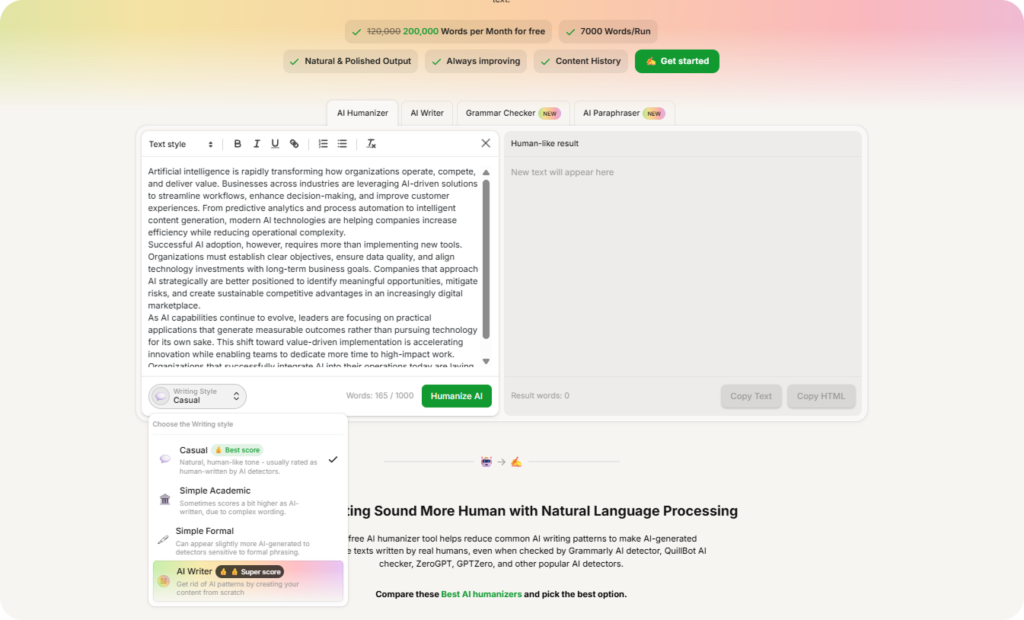
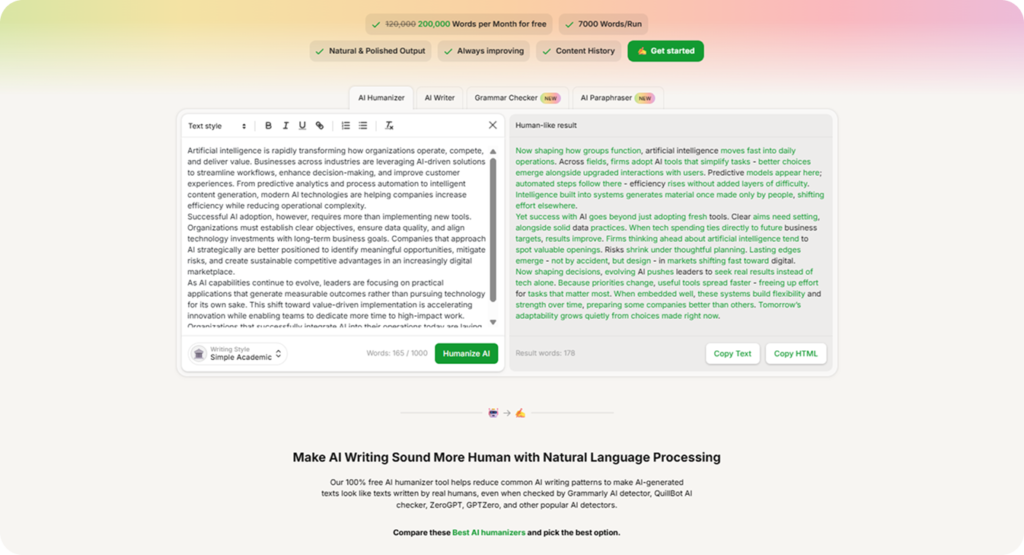
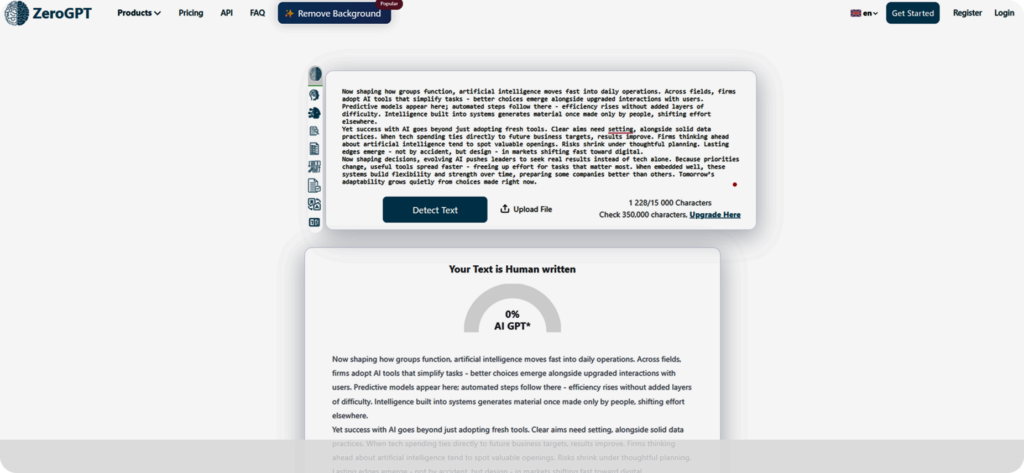
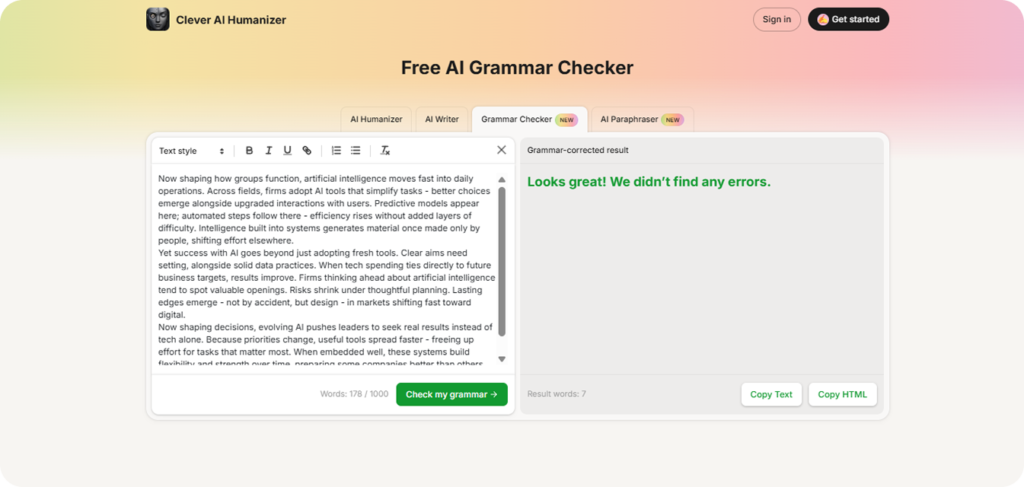


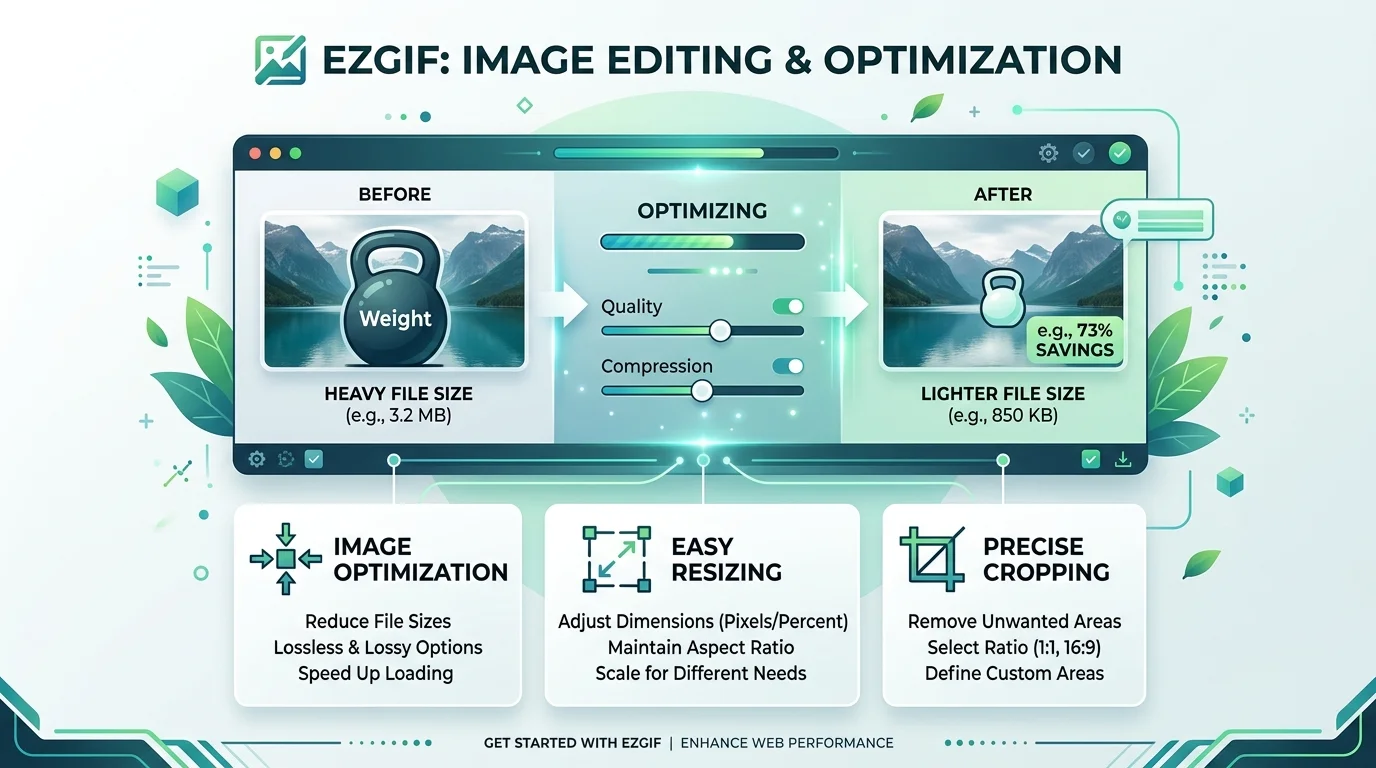

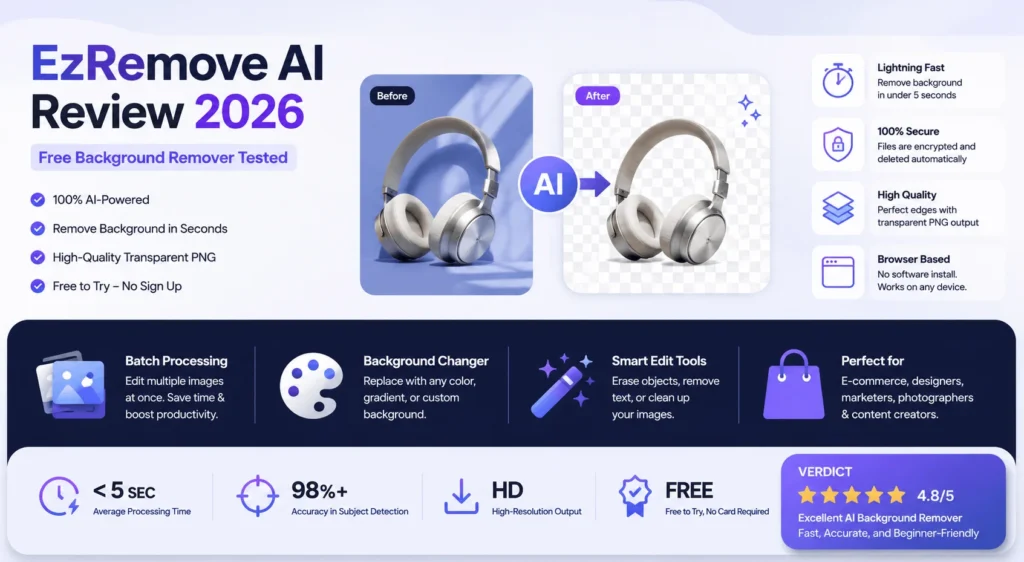

![Henof.com Esports Coverage: Is It Reliable? [2026]](https://test.ailistingtool.com/wp-content/uploads/2026/06/henof-com-esports-coverage-reliable-gaming-news.webp)