Blog

  • Komiko AI: Features, Pricing, Tools & Reviews 2026

    Komiko AI: Features, Pricing, Tools & Reviews 2026

    Turning a manga idea into something visible used to take hours of sketching before you even knew if the scene worked. Komiko AI changes that. It is a prompt-to-comic workflow that lets you describe a character, a setting, and an emotional beat, then generates a usable panel in minutes. This matters most for story validation — you catch weak pacing or unclear emotion before committing to final art. Built as a full manga/webtoon/anime creation platform, it brings illustration, animation, and comic tools together in one place. Whether you write manga, webtoons, or original comics, this guide breaks down exactly how Komiko AI works and who it fits best.

    What Is Komiko AI?

    Komiko AI is a prompt-to-comic workflow that turns your written ideas into visual comic panels. You describe a scene. You describe a character. The system then generates a manga/webtoon/anime creation platform-style panel based on that description. It is not just a random image generator. It is built specifically for visual storytelling.

    Think of Komiko AI as a replacement for the first rough sketch stage of your project. Instead of doodling for an hour to see if an idea works, you get a usable storyboard draft in minutes. This matters for story validation. You find out early if a scene lands emotionally, before you invest real time in final art. The platform is made by Entropia, and it should not be confused with NHN comico Corp., which is a separate and unrelated company with a similar-sounding name.
    Komiko AI Tools and Features

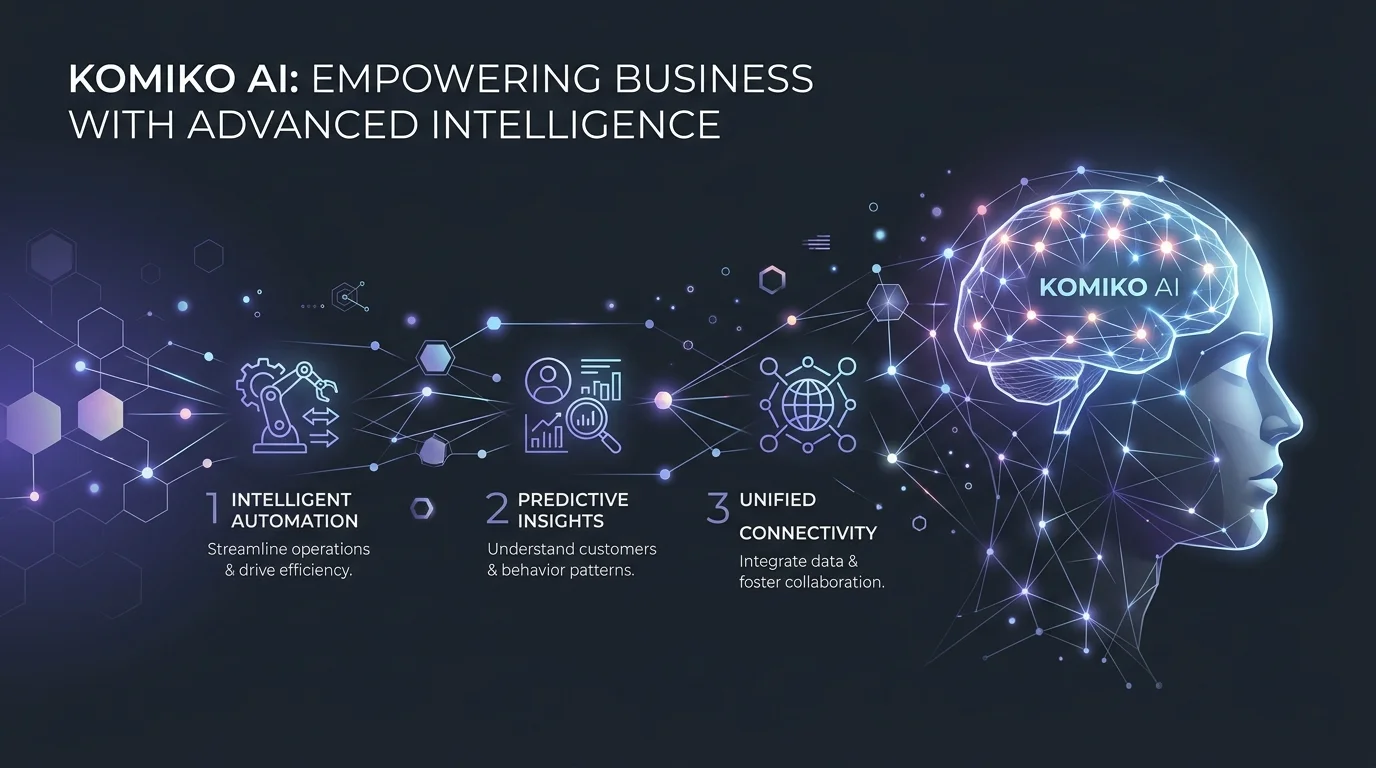
    One of the strongest things about Komiko AI is how many tools live under one roof. Instead of jumping between five different apps, everything sits inside one AI comic generator and AI manga generator hub. This saves time and keeps your creative process in one place.

    Below is a simple breakdown of the four main toolkits inside the platform.

    ToolkitWhat It DoesBest For
    AI ModelsPowers image and video generationGetting varied art styles fast
    Illustration ToolsCleans up and refines artPolishing raw sketches
    Animation ToolsTurns still art into motionBringing scenes to life
    Comic ToolsBuilds full comic pagesAssembling final panels

    AI Models

    Komiko AI runs on a mix of leading AI models rather than just one. This includes Gemini, GPT-4o, Midjourney, Kling 2.1 and Kling 1.6, Hailuo AI, Google Veo 2, Veo3, and Veo 3.1. It also taps into Wan 2.1, Wan 2.5, Wan 2.6, Wan Animate, Luma Ray, PixVerse AI, Qwen Image Edit, Nano Banana 2, AniSora, Vidu Q1 and Vidu Q2, Magi-1, Marey, Runway Aleph, Seedance, and NoobAI XL. That is a lot of firepower. Having so many models under one system means you are not stuck with a single art style. You can test manga, webtoon, or anime looks side by side.

    Illustration Tools

    This is where the OC (original character) maker lives, letting you build an original character and reuse it across many scenes. There is also line art colorization, which adds color to black-and-white sketches automatically. Sketch simplification cleans up messy pencil lines. Background removal, image upscaling, and image relighting round out the set, giving you full control over the finished look without needing a design degree. Fans of soft, painterly art styles may also want to check our Ghibli-style AI generator guide for a similar aesthetic direction.

    Animation Tools

    Static panels are great, but sometimes a scene needs to move. Komiko AI offers keyframe to animation generation, which takes two still images and fills in the motion between them. This process relies on in-betweening and frame interpolation, two techniques borrowed from traditional animation studios. There is also video upscaling and a layer splitter for separating character parts, which helps a lot when you want to animate just one piece of a character, like a blinking eye or a waving hand. If you want to see how a dedicated animation-only tool compares, our paper animator complete guide covers a similar keyframe-based workflow in more depth.

    Comic Tools

    At the center of it all sits the comic panel generator, plus a full canvas called AI Comic Studio for laying out pages. A character sheet generator keeps every version of your character consistent. This is huge for long-running stories where a character needs to look the same in episode one and episode fifty.

    How Komiko AI Works

    Using Komiko AI feels less like operating software and more like directing a small film crew. You are not drawing. You are describing. The system handles the heavy lifting of text-to-image generation while you focus on story.

    The process breaks down into three clear steps, and none of them require any drawing skill at all.

    Choose Your Scene or Job

    First, decide what the scene needs to do. Is it introducing a character? Building tension? Delivering an episode hook that makes readers want the next chapter? Naming the job of the scene before you write a single prompt saves you from wasted revisions later.

    Prompt the Panel Beats

    Next, describe the panel-by-panel story beat. This includes the setting, the character’s expression, and the action happening in frame. You also get camera angle control, so you can specify a close-up on a face or a wide shot of a battlefield. Good dialogue and pacing notes here make a real difference in the final output.

    Refine for Story Impact

    Finally, look at the draft and adjust it. Maybe the pacing feels rushed. Maybe the emotion does not read clearly enough. This refining step is where prototype episodes get sharper before you commit to finished art. Most creators run through two or three rounds here, and that is completely normal.

    Before and After: Komiko AI in Action

    It helps to see the contrast between the old way of working and the new one. The change is not small. It is a genuine shift in how fast an idea can become something visible.

    Before Komiko AI

    Before tools like this existed, writers faced what is often called the blank-page problem. A strong idea sat in a notes app for weeks because there was no fast way to see it. Hiring an artist to test a concept was expensive and slow, and many great ideas never made it past the notebook stage.

    After Komiko AI

    Now, that same idea can become a visible panel in minutes. Creators can judge mood, pacing, and visual direction before spending a single hour on final art. One creator put it well in a piece of user feedback: “I finally saw a potential use case where the character consistency really grabbed my attention.” That kind of early proof changes everything about how a project gets planned.

    Gallery and User Samples

    The platform’s gallery samples cover a wide range of genres, from cyberpunk rebels to sakura-themed slice-of-life moments. Browsing these samples before you start is a smart move. It shows you exactly what kind of results to expect, and it often sparks ideas you had not thought of yet.

    Who Uses Komiko AI?

    Komiko AI was not built for one narrow group. It serves a wide mix of creative people, but three groups get the most value out of it.

    Solo Manga and Webtoon Creators

    Solo manga creators and webtoon creators often lack a team. They are writing, drawing, and editing all by themselves. For this group, Komiko AI acts like a creative partner that never sleeps, helping test scenes fast without needing to hire outside help.

    Panel-First Storytellers

    Some writers think in sequences rather than paragraphs. These storytellers and writers benefit from panel-first storytelling, where the beat-by-beat rhythm of a scene matters more than polished art on the first pass. If your focus leans more toward anime-style character art than sequential panels, our Yodayo AI anime generator guide is a useful companion read.

    Character and Style Direction Teams

    Small studios and indie comic artists also use the platform to test character and style direction before greenlighting a bigger project. It is a low-risk way to explore options before committing real budget.

    Why Choose Komiko AI Over Other Tools

    There are plenty of image generators out there. So what makes this one different? The answer comes down to purpose. Komiko AI was designed specifically around comic and manga storytelling, not generic art.

    Reduce Wasted Drawing Time

    Every hour spent drawing a scene that does not work is an hour you cannot get back. Testing first means less waste later.

    See Character Emotion Earlier

    Facial expression and body language often make or break a scene. Seeing this early, rather than after a full illustration pass, saves real frustration.

    Compare Style Directions

    Manga, webtoon, anime, or slice-of-life. You can try them all on the same scene and pick the one that fits your story best.

    Build Pitch References Fast

    If you need to show a publisher or a collaborator what your idea looks like, a fast concept art / pitch reference beats a written description every time.

    What 100,000+ Users Are Saying

    Over 100,000+ users have tried the platform, and the feedback tells a consistent story: this tool solves a real problem, not an imaginary one. The overall rating sits at a strong 4.5/5, based on user testimonials shared across the community.

    Here is a sample of what real users have said.

    Jake M. shared that after years of searching for a comic tool that matched his creative pace, this one finally broke through his usual limits.

    Sarah L. said she has tested many AI art tools, but this was the first one where she saw a genuine professional use case, largely thanks to character consistency.

    Michael B. explained that as a busy professional, he had almost given up on creative projects, until this tool made storytelling accessible again in his limited free time.

    Alex T. pointed out that the platform balances speed with quality, especially appreciating the mix of image generation and story text support working together.

    Maya S. admitted she was skeptical of AI in comics at first, citing past controversies, but came around to seeing real value in a tool that empowers solo creators.

    Taylor H. noted that keeping characters consistent across panels is historically a hard problem, and was impressed at how well this tool handles it, even if not flawless yet.

    Komiko AI vs. Related Tools

    No single tool does everything perfectly, and it helps to know where each one shines. Below is a quick comparison of Komiko AI against some related tools in the same space. If your project leans more toward motion than static panels, our Animon AI review and our Animon AI vs competitors breakdown both cover image-to-anime-video generation in more detail.

    ToolBest Use CaseOutput Format
    Komiko AIManga and webtoon panel draftsStatic comic panels
    AI Comic Strips MakerQuick short-form comic stripsStatic strips
    Free AI Comic GeneratorNo-cost comic creation for beginnersStatic panels
    AI Manga StudioFull manga chapter productionStatic pages
    Comic to Video / Video to ComicConverting between comic and video formatsVideo and comic
    Voice Story GeneratorAdding narration to a storyAudio

    AI Comic Strips Maker

    This tool focuses on short, punchy strips rather than full episodes. It works well for quick jokes or single-page ideas, but it does not offer the same depth of panel-by-panel planning.

    Free AI Comic Generator

    Aimed at total beginners, this option strips away advanced settings. It is a fine starting point, though it lacks the model variety and character consistency tools found elsewhere.

    AI Manga Studio

    Built for longer manga projects, this tool leans into full chapter production. It pairs well with a panel-testing tool used earlier in the process.

    Comic to Video / Video to Comic

    These tools move content between formats. A finished comic can become a short animated video, or an existing video can be converted into comic panels, which is handy for repurposing content across platforms.

    Voice Story Generator

    Adding a narrated voice track to a visual story adds another layer of accessibility. This pairs naturally with AI Talking Head and AI Dance Video Generator style tools for a fuller multimedia package.

    Frequently Asked Questions

    Is Komiko AI good?
    Yes, most reviews are positive, with 100,000+ users praising its speed and character consistency, though it’s better for drafting than final polished art.

    Is Komiko AI free?
    Komiko AI offers a free tier to test the core generator, with paid plans unlocking higher output limits and advanced tools.

    What is the AI that makes NSFW art?
    Komiko AI is built for manga, comic, and story panels, not NSFW content, and most mainstream AI art platforms restrict adult content under their usage policies.

    What anime is 95% AI?
    That refers to Twins Hinahima, a 2025 anime by Frontier Works and KaKa Creation reported to use AI for over 95% of its animation cuts.

    Create Your First Comic with Komiko AI Today

    There is no better way to understand this tool than to try it yourself. Describe a character. Describe a moment. Watch it turn into a real panel in front of you.

    Whether you are one of many solo manga creators, a curious first-timer, or someone building a full manga/webtoon/anime creation platform project, Komiko AI gives you a fast, low-risk way to start. Open the tool, write your first scene, and see your story come to life today.
  • Magic Hour AI: Features, Pricing & Alternatives

    Magic Hour AI: Features, Pricing & Alternatives

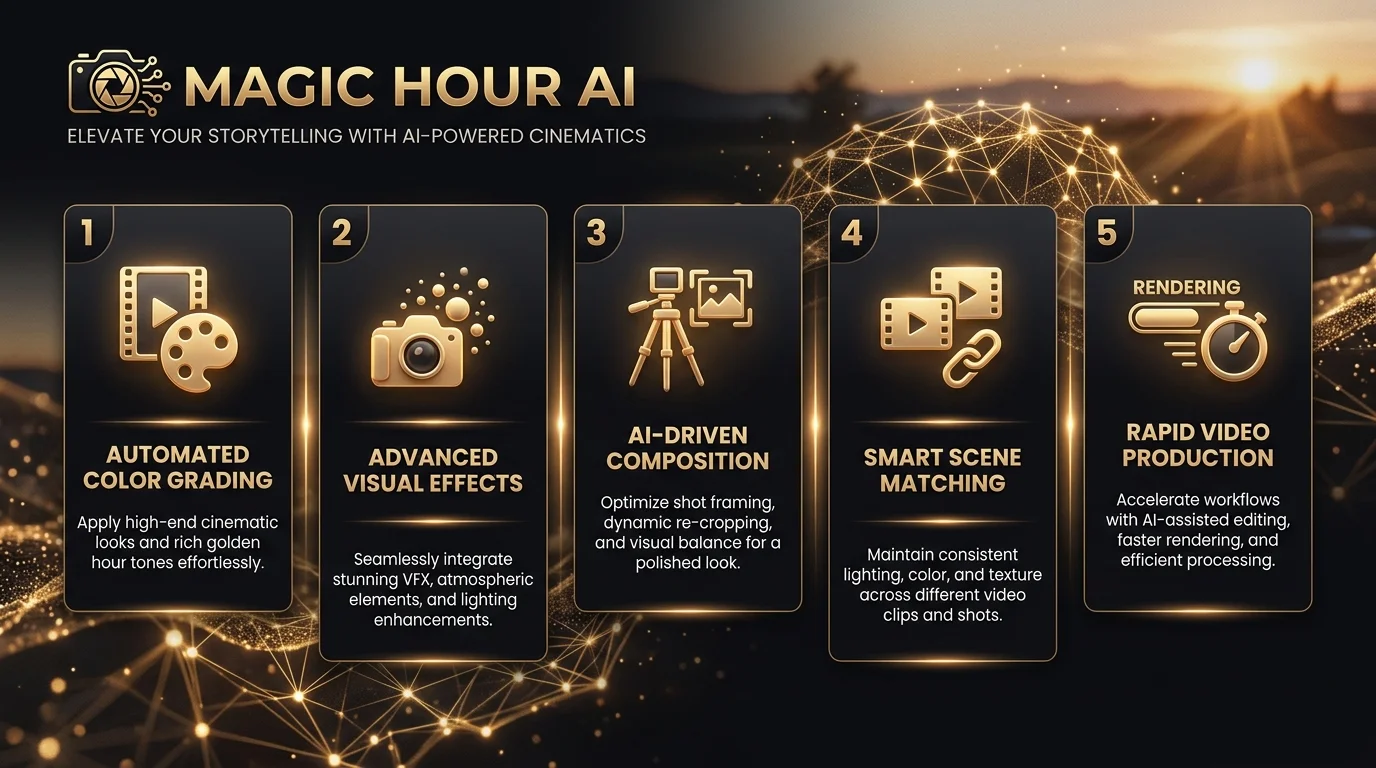
    Magic Hour AI is a browser-based creative studio that turns text, photos, and short clips into finished videos and images. It bundles more than 100 tools into one login, no camera crew or editing software needed. Whether you want an AI video generator, a quick face swap video, lip sync AI for dubbing, or an AI image generator for original artwork, it lives under one roof. Content creators, marketing teams, and e-commerce brands use it daily to skip expensive production costs. Backed by Y Combinator and used by over 3,511,698 creators, Magic Hour has become one of the most talked-about names in generative AI video production this year. This guide walks through every feature, real pricing, and honest alternatives.

    What Is Magic Hour AI?

    Think of Magic Hour as a Swiss army knife for content creation. It is not one tool. It is a bundle of over 100+ AI tools, all sitting inside a single dashboard. You get an AI video editor, an AI photo editor, and audio tools without juggling five different subscriptions.

    The platform was built for regular people, not just studios. A solo creator making TikTok clips and a marketing team at a Fortune 500 company can both use magic hour ai for very different jobs. That flexibility is exactly why brands like NBA, Meta, and Puma have used it for campaign content, alongside solo indie founders testing their first product demo. You can see the full breakdown of its plans and tools on Magic Hour AI’s tool listing.

    Key Features: Everything You Can Create with Magic Hour

    Magic Hour splits its toolkit into three buckets: video, image, and audio. Each bucket solves a specific content problem, and together they cover almost everything a modern creator or brand might need to produce.

    Video Tools

    The video side is where Magic Hour AI built its name. Face swap video lets you replace a face in any clip while keeping the original motion intact — if you want to see how it stacks up against other options, this guide to the best free AI face swap tools covers several worth trying. Image to video animation takes a still photo and adds camera movement, turning product shots into scroll-stopping ads. The talking photo tool syncs a photo’s mouth to any audio clip, and lip sync AI matches dubbed speech to existing footage, which is a favorite among teams doing localization work. Text to video generates full clips from a written prompt, while video to video and character replace let you swap or restyle existing footage entirely.

    Image Tools

    On the image side, the AI image generator produces original visuals across hundreds of styles. If you want to compare it against other options first, this roundup of the best AI image generators breaks down the top picks for 2026. The AI image editor lets you edit photos using plain text instructions instead of layers and masks, a similar approach to what’s covered in this Pixlr AI photo and video editor guide. Need a sharper photo? The AI image upscaler fixes blurry or low-resolution shots. There is also an AI headshot generator for professional portraits (see how it compares in this HeadshotPro AI headshot generator guide), an AI clothes changer for virtual try-ons, and an AI GIF generator for quick, shareable loops.

    Audio and Extra Tools

    Beyond video and images, Magic Hour includes voice cloning, a voice generator, a subtitle generator, a background remover, body swap and head swap tools, a photo colorizer, a QR code generator, and a storyboard generator. Few competitors bundle this much range into a single subscription.

    CategoryExample Tools
    VideoFace swap video, image to video, talking photo, lip sync AI, text to video
    ImageAI image generator, AI image editor, AI image upscaler, AI headshot generator
    AudioVoice cloning, voice generator, subtitle generator
    UtilityBackground remover, QR code generator, storyboard generator, photo colorizer

    How Magic Hour Works: Step-by-Step Walkthrough

    Getting from an idea to a finished export usually takes under a minute of active work. That is the whole pitch behind magic hour ai: speed without a learning curve.

    First, you pick a tool or browse the template library, which has more than 10,000+ templates sorted by platform and style. Next, you upload an image, a video clip, or simply type a prompt describing what you want. Then you adjust the style settings, whether that is camera motion for image to video, or a voice choice for lip sync AI. Hit generate, and the platform’s parallel generations feature lets you queue multiple versions at once instead of waiting in a single line. Once your result is ready, you preview it and export in HD video export, with some tools supporting 4K visuals and full cinematic scene generation.

    The whole flow uses a drag and drop editor, and one-click workflows mean you rarely touch more than three buttons before hitting export.

    Magic Hour Pricing & Free Plan: Is It Really Free?

    Yes, Magic Hour genuinely offers a usable free tier. You get free daily credits with no sign-up required just to try the core tools, which is rare among competitors that gate everything behind an account wall.

    Once you want more volume, paid plans kick in, generally landing in the ten-to-fifteen-dollar-a-month range for serious use. The credits system is what powers every generation, and unlike many SaaS tools, rollover credits carry forward month to month instead of resetting to zero. Credits are also refunded automatically if a generation fails, which is a small detail that builds real trust. That said, free-tier exports sometimes carry watermarks, and very high-resolution renders may require a paid plan. This transparency around limits is something most competitor pages simply skip over.

    Who Uses Magic Hour

    The platform’s user base is wider than most people expect, spanning six distinct groups with very different goals.

    Content creators use face swap and talking photo tools to make shareable social clips without filming anything new. Marketing teams lean on image to video and lip sync to localize campaigns across regions fast. E-commerce brands generate product photography and try-on visuals without booking a studio shoot. Agencies and studios use the tools to personalize content at scale for client campaigns, sometimes powering live activations, like the anime-style hype video the Dallas Mavericks created courtside at American Airlines Arena. Developers plug the API directly into their own apps, and educators and students use text-to-video to build explainer content for the classroom.

    Magic Hour for Developers: API & SDKs

    Developers get a REST API with official SDKs for Node, Python, Go, and Rust, so integration rarely takes more than an afternoon. A single API call can trigger an image to video job, and most teams are authenticated and generating within sixty seconds of installing the SDK.

    Scaling is built in from day one. Magic Hour advertises a 99.9% uptime SLA and usage-based pricing, meaning you pay for what you actually generate rather than a flat developer tax. That structure works whether you are sending ten requests a day or ten million, which matters for agencies and studios running client-facing tools on top of the platform.

    Magic Hour vs. Competitors (Pollo AI, Revid AI, Runway)

    No tool is the right fit for everyone, so an honest comparison matters more than a sales pitch.

    PlatformCore StrengthBest ForNotable Limitation
    Magic HourBroad toolkit, 100+ tools in one planFast, low-cost, wide variety of jobsOutputs sometimes need extra polish
    Pollo AIMulti-model integration with Veo and Kling AI, plus Pollo Agent for full auto-editingPublish-ready, structured campaign videosHigher cost for advanced models
    Revid AIShort-form, auto-generated social videosTikTok and Reels-style contentNarrower focus, less tool variety
    RunwayHigh-end cinematic generationProfessional film and VFX workSteeper learning curve, pricier

    Magic Hour wins on breadth and price. If you need one platform to do face swap, GIFs, headshots, and video generation without five separate bills, it is hard to beat. Pollo AI, with its Trustscore of 4.4 across thousands of reviews, pulls ahead when you need a more automated, agency-grade finished product using models like Veo and Kling AI — read this Kling AI review guide if you want to evaluate that model on its own. Neither platform is objectively “better.” They solve different problems.

    Pros and Cons of Magic Hour: Real User Feedback

    Real user sentiment tells a more balanced story than any marketing page. On the founder’s original launch post in r/SideProject, one early user summed it up simply: it works well but is not a full editing suite on its own. Other users on r/aivideomaking and r/socialmedia echo that the tools save serious time, particularly for creators without editing experience.

    The complaints are worth naming honestly too. Some free-tier users report running out of credits faster than expected during heavy testing. A thread in r/antiai also raised a real concern: someone said their employer created an AI video of them for marketing without asking first. That is not a Magic Hour-specific problem, but it reflects a genuine industry-wide conversation around AI ethics and consent that anyone using face swap or talking photo tools should think about before publishing.

    Testimonials collected on Magic Hour’s own site paint a more positive picture. Long-time users like Louis Brody, a veteran of the film and TV industry, and Gary Carter, a hobbyist creator, both describe sticking with the platform after trying competitors. Industry voices including Bill Tai, Akshay Ram, and Aaron Miller have also publicly shared Magic Hour-generated content, often tied to sports and entertainment branding work involving teams like the NBA.

    Tips to Get the Best Results from Magic Hour

    Small adjustments in how you use the platform tend to produce noticeably sharper output. Being specific in your prompt, rather than vague, is the single biggest lever for quality.

    When writing prompts for text to video or image to video, describe lighting, camera angle, and mood instead of just naming a subject. Starting from the template library instead of a blank canvas also saves time and usually produces more polished results, since templates already account for platform sizing and pacing. For face swap or talking photo work, use a clear, well-lit reference photo; blurry inputs are the most common reason results look off. Finally, run a couple of parallel generations with slightly different prompts rather than accepting the first output, since small wording changes can shift quality significantly.

    Frequently Asked Questions

    What is Magic Hour AI?

    Magic Hour AI is an all-in-one platform offering over 100 tools for creating and editing AI videos, images, and audio, including face swap, lip sync, and text-to-video generation.

    Is Magic Hour AI free to use?

    Yes. Magic Hour offers free daily credits with no sign-up required for basic use, though heavier usage and higher-resolution exports require a paid plan.

    How does the AI video generator work?

    You upload an image or type a prompt, choose a style or template, then the AI generates a video clip you can preview and export in HD or 4K.

    Can I use Magic Hour AI for commercial projects?

    Yes, paid plans generally allow commercial use, though it is worth checking the current terms of service for any project-specific restrictions before publishing client work.

    Does Magic Hour AI have an API for developers?

    Yes. It offers a REST API with SDKs for Node, Python, Go, and Rust, backed by a 99.9% uptime SLA and usage-based pricing for scaling.

    Final Thoughts

    Magic Hour AI earns its reputation as one of the broadest AI creative platforms available today. It bundles video, image, and audio tools that would otherwise cost five separate subscriptions, backed by a genuinely usable free tier and a developer-friendly API. It is not flawless, and some outputs need extra polish before publishing. But for creators, marketers, and developers who want speed without complexity, magic hour ai remains one of the smartest starting points in 2026.

  • FlowGPT Guide 2026: Features, Pricing & Safety Tips

    FlowGPT Guide 2026: Features, Pricing & Safety Tips

    FlowGPT sits at the center of a fast-growing corner of the internet: the prompt marketplace world. If you have ever typed something into ChatGPT and gotten a flat, boring answer, you already know why a tool like this exists. FlowGPT gives you a shortcut. Instead of guessing the right words, you borrow prompts and custom AI characters built by real users who already tested them. This guide covers what FlowGPT does, how much it costs, whether it is safe, and how it holds up against other AI chatbot builder platforms on the market today. By the end, you will know if it deserves a spot in your daily toolkit.

    What Is FlowGPT? (Overview & How It Works)

    At its core, FlowGPT is an AI prompt store and ChatGPT character store rolled into one. Users browse thousands of ready-made prompts, or they build their own using a simple visual interface for ChatGPT. It works almost like a prompt playground, letting you test ideas before committing to them.

    FlowGPT was made for writers, students, marketers, and developers who want faster results without starting from a blank page. Instead of guessing how to phrase a request, you borrow a prompt that already works. It solves a real problem: most people know AI can help them, but they do not know how to ask it the right way. If custom personalities interest you, this guide to building custom AI characters covers the same idea from a different angle.

    Who Uses FlowGPT the Most

    Freelancers, small business owners, and students make up a big chunk of FlowGPT’s user base. Each group treats the platform as a shortcut. Writers use it for essay help. Marketers use it for campaign ideas. Coders use it to speed up repetitive work.

    Key Features of FlowGPT

    FlowGPT stands out because of its community-driven design. Every prompt you see has been shaped by real feedback. This turns the platform into a live prompt engineering tool, constantly improving through use rather than sitting static like a manual.

    The platform also supports custom AI characters, which act like mini personalities built for specific tasks. One character might behave like a strict grammar teacher. Another might act like a friendly travel guide. This flexibility is why FlowGPT is often compared to an AI chatbot builder rather than a simple prompt list, similar in spirit to platforms covered in this character chatbot platform guide.

    FeatureWhat It Does
    Prompt DiscoverySearch and filter thousands of ready-made prompts
    Custom AI CharactersBuild personalities suited to specific tasks
    Community VotingHighlights trending prompts based on real usage
    CategoriesOrganizes prompts by writing, coding, marketing, and more

    Community voting matters more than people expect. It works like a built-in quality filter. If a prompt does not deliver, it quietly sinks. If it works well, it rises to the top and earns trust from new users searching for reliable tools.

    How to Use FlowGPT: Step-by-Step Setup Guide

    Getting started with FlowGPT takes only a few minutes. First, you create a free account using an email address or a social login. Once inside, the homepage feels similar to browsing an app store, with categories laid out for quick scanning.

    After signing up, you can search for prompts using keywords related to your task. You can also build your own prompt from scratch, save it, and share it with the community. Many prompts connect directly with ChatGPT or Google Gemini, so you simply copy the prompt and paste it into your preferred AI assistant. If you want a deeper dive into building your own GPT from the ground up, this custom GPT tutorial walks through the process step by step.

    Creating Your First Prompt

    Start simple. Pick a category, write a short instruction, and test it. FlowGPT lets you tweak wording instantly, almost like adjusting a recipe until the flavor feels right.

    Best FlowGPT Prompt Categories for Productivity

    Productivity is where FlowGPT really shines. The platform borrows ideas from flow theory, a concept about staying fully focused on a task without distraction. Many prompts are designed to support task management, goal setting, and better focus improvement throughout the day.

    Writers benefit from prompts built for essay writing help and grammar correction. Developers lean on code generation prompts to handle repetitive scripting work. Marketers use category-specific prompts for digital marketing campaigns, while students rely on prompts built for language learning and resume editing.

    CategoryExample Use
    WritingEssay outlines, grammar fixes, tone adjustments
    CodingScript generation, debugging help, code explanations
    MarketingAd copy, campaign brainstorming, audience targeting
    EducationLanguage practice, study guides, quiz creation

    FlowGPT for Content Creation & Digital Marketing

    Content creators treat FlowGPT like a brainstorming partner that never runs out of ideas. Instead of staring at a blank screen, you pull a prompt built for copywriting or campaign planning. This alone can save hours during a busy production week, a theme also explored in this roundup of best AI tools for content creation.

    FlowGPT also supports SEO and content-focused prompts, helping bloggers structure articles that search engines can actually understand. Some prompts even simulate a translation tool, making it easier for global marketing teams to adapt messaging across different languages and regions.

    FlowGPT vs Other AI Prompt Platforms

    Comparison shopping matters here, since FlowGPT is not the only player in town. PromptBase takes a paid-marketplace approach, charging for individual prompts. FlowGPT instead leans on free, community-shared content, which appeals to casual users who do not want to pay per prompt.

    Compared to using ChatGPT or Google Gemini directly, FlowGPT adds a layer of guidance. Native AI tools give you a blank chat box. FlowGPT gives you a prompt playground filled with tested starting points, cutting down the trial-and-error phase significantly. For a broader look at how AI writing tools stack up against each other, check this ChatGPT vs Jasper comparison.

    PlatformPricing ModelBest For
    FlowGPTFreemiumCommunity prompts, custom characters
    PromptBasePay-per-promptOne-off, polished prompt purchases
    ChatGPT (native)SubscriptionDirect conversation, no prompt library
    Google GeminiSubscriptionGoogle ecosystem integration

    Is FlowGPT Free? Pricing & Plans Explained

    Yes, FlowGPT offers a genuine free plan, though it comes with limits. Free users get a set number of AI word credits each month, along with a handful of flow boards to organize their work. It is enough to explore the platform without spending a cent.

    For heavier use, FlowGPT offers a Lite plan and a Pro plan, both following a pay-as-you-grow model. Paid tiers unlock unlimited flow boards, larger word allowances, and access to premium prompt categories. This freemium AI tool structure means you only pay once your usage actually justifies it.

    PlanMonthly WordsFlow BoardsPrice
    Free20,0005$0
    Lite100,000Unlimited$50
    Pro1,000,000+Unlimited$200

    FlowGPT Safety, Content Policy & Community Guidelines

    Safety is a fair concern for any open prompt community. FlowGPT enforces content policies meant to filter harmful or inappropriate material, though like any user-generated platform, some questionable content can slip through moderation gaps. If AI-generated text detection is a concern for your work, a tool like the one covered in this GPTZero review can help you check output before publishing.

    It is worth being selective. Stick to verified, highly-rated prompts, especially in professional or educational settings. As one long-time user put it in a community thread, “the good prompts rise fast, but you still have to use your own judgment.” That advice holds true for almost any open marketplace.

    Pros and Cons of FlowGPT

    Every tool has trade-offs, and FlowGPT is no exception. Understanding both sides helps you decide if it fits your workflow before you commit real time to learning the platform.

    ProsCons
    Free tier availableSome low-quality prompts exist
    Large, active communityModeration is not perfect
    Custom AI charactersLearning curve for new users
    Works with ChatGPT and GeminiPremium features cost extra

    Frequently Asked Questions

    What is FlowGPT used for?

    FlowGPT is used to discover, share, and build AI prompts and custom characters that work with ChatGPT and other AI models.

    Is FlowGPT free?

    Yes, FlowGPT has a free plan with limited monthly AI words, plus paid Lite and Pro tiers for heavier use.

    What is the dumbest AI chatbot?

    There is no single agreed-upon answer, since chatbot quality depends on the model, the prompt, and the task it is given.

    Which AI has no restrictions?

    Most mainstream AI tools, including ChatGPT and Gemini, apply safety guidelines, and reputable platforms generally avoid marketing themselves as fully unrestricted.

  • Smitten AI Review 2026: Features & Pricing

    Smitten AI Review 2026: Features & Pricing

    If you’ve been searching for Smitten AI, you’re likely trying to figure out one thing: is it actually worth your time and your $7.99 a month? This AI story generator has quietly become one of the most-used platforms in its category, generating over 18 million stories since its 2024 launch. But popularity alone doesn’t answer the real question. Does the writing hold up? Is your data actually private? And how does it compare to alternatives like NovelAI or Sudowrite? This review breaks down every feature, tests the platform firsthand, and lays out honest pricing tiers so you can decide with confidence, not guesswork.

    What Is Smitten AI?

    Smitten AI, also known as Smitten Stories, is an AI story generator built for adult and romantic fiction. It started as a small side project in New York City and grew into one of the most-used tools in its category. The platform focuses on speed and simplicity rather than complicated settings.

    Unlike a general-purpose AI writing assistant — the kind of tool we cover in our ChatGPT vs Jasper comparison — Smitten AI was built with one clear job. Generate short, personalized stories based on what you tell it. You are not writing a novel here. You are getting a quick, tailored piece of AI-generated fiction in seconds, ready to read and share.

    How It Works

    Using Smitten AI is refreshingly simple. You pick your point of view (POV), choose between a first-person narrative or third-person narrative, describe your characters, and hit generate. No account is required for your first two stories each day. The AI processes your prompt and delivers a complete short story almost instantly.

    Who It’s For

    This tool is built for people who want something quick and low-pressure. If you want instant, customizable romantic AI stories without learning a complex interface, Smitten AI fits well. If you want deep character memory across sessions or full novel-length writing, you will want to look elsewhere on this list.

    Key Features of Smitten AI

    The core strength of Smitten AI lies in how it combines simplicity with genuine customization. You are not stuck with generic output. Every story pulls from the details you provide, which makes the experience feel personal rather than random.

    Here is a breakdown of what the platform actually offers, feature by feature, so you know exactly what you are working with before you commit any money.

    FeatureWhat It DoesFree TierSmitten Plus
    Story GeneratorCreates a custom story from your promptYesYes
    Character ChatLets you interact with your created charactersNoYes
    Story ContinuationExtends an existing story into new chaptersNoYes
    Audio NarrationReads your story aloudNoYes
    Multilingual GenerationGenerates stories in six languagesNoYes
    Private Story CollectionSaves your stories privatelyNoYes

    Character Creation

    Character customization is where Smitten AI genuinely shines. You can set names, personalities, and physical traits before you even generate a story. The free tier gives you the basics. Upgrading unlocks deeper customization and lets the platform remember character details for future use.

    Scene & Story Customization

    Beyond characters, you also control the setting and tone. A vague prompt gives you a generic result. A detailed one, however, produces something that actually feels tailored. The more specific you are, the better Smitten AI performs. This is true of almost every AI text generation tool, not just this one — a pattern we’ve also seen when testing broader AI tools for content creation.

    Adjustable Spice/Content Level

    Plus subscribers get access to a content intensity slider. This lets you adjust how direct or subtle the story reads, moving from gentle romance toward more mature adult fiction AI territory. It is a simple slider, but it noticeably changes vocabulary and tone rather than just the amount of content.

    Story Continuation & Collections

    Here is an honest limitation worth flagging early. Story continuation lets you extend a tale with new chapters, and your private story collection keeps everything organized. However, the AI does not reliably remember small details, like a character’s eye color, across chapters. Treat continuations as loosely connected, not tightly consistent.

    Multilingual Support

    Multilingual generation covers six languages on the Plus plan. Quality varies quite a bit depending on which language you choose. Some languages read naturally, while others come across a bit stiff and mechanical. English remains the strongest output by a noticeable margin.

    Is Smitten AI Safe and Legit?

    Yes, Smitten AI is a legitimate, operating platform. It is not a scam or an abandoned side project. Platform legitimacy here is backed by real usage numbers, a public track record since early 2024, and standard third-party payment processing that you would recognize from other subscription services.

    That said, legitimate does not automatically mean private. There are real trade-offs around data privacy worth understanding clearly before you start typing personal details into any prompt.

    Data Privacy Practices

    Your stories are server-stored, not client-side encrypted like some competitors. Free tier content may be used to help train the AI further. Plus subscribers get more privacy by default, but nothing here is marketed as a fully private diary. Keep that distinction in mind, and avoid including real personal information in your prompts.

    Content Moderation & Age Verification

    Age verification requires an 18+ confirmation before you can use the platform. Content moderation filters block certain prohibited themes regardless of your subscription tier or spice setting. This keeps the platform within its own stated boundaries, even at the highest customization levels.

    Smitten AI Pricing Explained

    Smitten AI pricing follows a simple freemium structure. There is a genuinely usable free tier, plus a paid tier called Smitten Plus, and an optional day pass for people who do not want a recurring subscription model.

    Here is exactly what each tier includes, laid out side by side so there is no confusion about what you are paying for.

    PlanPriceStoriesKey Features
    Free Plan$02 free stories/dayBasic customization, no signup required
    Day Pass~$0.99–$1.99Unlimited for 24 hoursAll Plus features, one-time payment
    Smitten Plus$7.99/monthUnlimited storiesContinuation, memory, audio, multilingual

    Free Plan

    The free tier allows two stories per day with no-signup access. It is genuinely generous compared to competitors that require an account just to try the basics. However, stories are not saved, and customization stays fairly limited.

    Paid Tier Breakdown

    Smitten Plus costs $7.99/month and unlocks unlimited stories, story continuation, character memory, audio narration, and multilingual support. Every core feature that makes the platform feel complete lives behind this single, affordable tier rather than being split across multiple confusing plans.

    Is It Worth the Cost?

    Compared to NovelAI and Sudowrite, both priced around $10/month, Smitten Plus is the cheapest fully-featured option in this category. If you use the platform more than a few times weekly, the subscription pays for itself quickly. Casual users may be fine sticking with the free tier or a day pass instead.

    Where Smitten AI Falls Short

    No tool is perfect, and honest reviews say so clearly. Smitten AI has real gaps that regular users notice fairly quickly, especially once the novelty of that first session wears off.

    Let’s walk through what actually frustrates users, based on genuine testing rather than marketing copy from the company itself.

    Common Limitations

    There is no image generation, so you get text only, nothing visual. There is no support for long-form novel writing either. You also cannot edit a story mid-generation; your only real options are to regenerate it entirely or continue it forward from where it stopped.

    Repetition & Content Quality Issues

    This is the single most common complaint across user reviews. After moderate use, certain phrases start repeating themselves noticeably. This is not unique to Smitten AI. It happens with most AI text generation tools at this price point, a limitation we’ve also documented in tools like the Paragraph AI generator. Varying your prompts significantly helps reduce the pattern, though it does not eliminate it completely.

    My Hands-On Experience Testing Smitten AI

    We spent two weeks testing Smitten AI daily, pushing every setting available to see where the platform held up and where it cracked under regular use. The first few days genuinely impressed us. Character setup felt intuitive, and the writing quality read as surprisingly competent for something generated in seconds.

    By around the seventh story, though, patterns started emerging. Certain transitional phrases kept resurfacing regardless of the scenario or setting we chose. We tried building a connected story arc by feeding earlier chapters back into new prompts. The AI still forgot small but important details, like a specific location we had established two chapters earlier.

    One thing that genuinely surprised us was the platform’s handling of pacing and atmosphere. Rather than rushing toward the point, it builds tension the way a competent human writer would. That quality alone puts it ahead of several cheaper alternatives we tested for comparison.

    Our overall takeaway is straightforward. If you treat Smitten AI as a quick, disposable tool for one-off short stories, you will likely enjoy it. If you are hoping for a consistent character who remembers your entire shared history, you will hit that wall fairly fast, and no amount of clever prompting fully solves it.

    Smitten AI vs. Competitors

    Smitten AI does not exist alone in this space. Plenty of alternatives compete for the same audience, each with a different core focus. Understanding these differences helps you pick the right tool rather than defaulting to whichever one you heard about first. For a broader look at how AI writing tools stack up generally, our Jenni AI writing assistant guide covers a different corner of this space worth knowing about.

    Smitten AI vs. ChatGPT for This Use Case

    ChatGPT for NSFW content is heavily restricted by design, since OpenAI built it as a general-purpose assistant. Smitten AI, by contrast, was purpose-built for this exact use case from day one. It responds faster for this specific task and formats output as a ready-to-read story rather than a raw chat response.

    Smitten AI vs. Wattpad/AO3/Literotica-Style Platforms

    Wattpad, AO3, and Literotica are archives of human-written stories you browse and read. Smitten AI generates brand-new content instantly based on your own input. One is a library; the other is a personal writing partner. They solve genuinely different problems, so comparing them directly is a bit like comparing a bookstore to a printing press.

    Full Feature & Pricing Comparison Table

    PlatformPriceFree TierContinuationCharacter MemoryProse Quality
    Smitten AI$7.99/mo2/dayYes (Plus)LimitedGood
    NovelAI$10/moTrial onlyYesStrong (Lorebook)Excellent
    Sudowrite$10/moNoYesStrong (Story Bible)Excellent
    PerchanceFreeUnlimitedYesNoneAverage
    DreamGen$5/moDailyYesStrong (Codex)Good

    Best Smitten AI Alternatives

    If Smitten AI does not quite match what you are looking for, a few solid alternatives are worth knowing about. Each one solves a slightly different problem, so your choice really depends on what matters most to you personally. If you’d rather browse a wider set of options first, our directory of top AI tools is a good starting point.

    Alternative 1: NovelAI — Best Prose Quality and Privacy

    NovelAI offers client-side encrypted storage, meaning your content stays genuinely private. It also includes image generation alongside text, something Smitten AI does not offer at all right now.

    Alternative 2: Candy AI — Visual AI Companion Experience

    Candy AI shifts the experience toward a visual companion format rather than pure text. If you want an AI girlfriend-style experience with consistent visuals, this fits better than a text-only erotica AI platform.

    Alternative 3: DreamGen — Cheapest Paid Entry Point

    DreamGen costs just $5/month, undercutting Smitten AI on price while offering strong narrative steering tools. It is a solid pick if budget is your top priority and you do not mind a steeper learning curve.

    Frequently Asked Questions

    Is Smitten AI free?

    Yes, you get two free stories daily without creating an account. A full subscription model unlocks unlimited access.

    Is Smitten AI safe to use?

    Yes, it is a legitimate platform with standard payment processing and clear age verification requirements in place.

    How much does Smitten Plus cost?

    Smitten Plus costs $7.99 per month, making it one of the most affordable options in this category.

    Can I edit my AI-generated stories?

    No, you cannot edit mid-story. You can only regenerate the entire piece or continue it forward from that point.

    What’s the difference between Smitten AI and ChatGPT for this?

    Smitten AI was purpose-built for this exact task, while ChatGPT applies broader content restrictions by design. For a deeper dive into how general AI writing tools compare, see our ChatGPT vs Jasper writing tool comparison.

    Can I share my Smitten AI stories with someone?

    Yes, the share & publish feature lets you save stories privately or share them directly with someone else.

    What languages does Smitten AI support?

    The platform supports six languages on the Plus tier, though English output remains noticeably the strongest.

    Final Verdict: Is Smitten AI Worth It?

    Smitten AI delivers exactly what it promises. It is not trying to be everything to everyone, and that focus is actually its biggest strength. At $7.99 a month, it undercuts most competitors while still covering the core features people actually want to use regularly.

    If you want quick, customizable stories without a steep learning curve, this tool fits well. If you need long-form novel writing, strict privacy, or consistent character memory across sessions, an alternative like NovelAI or Sudowrite will likely serve you better in the long run.

  • ThotChat AI Review 2026: Features, Pricing & Safety

    ThotChat AI Review 2026: Features, Pricing & Safety

    Curiosity about AI chat companion apps has exploded, and ThotChat AI keeps showing up in the conversation. It promises something simple: a virtual character you can shape, talk to, and build a story with over time. But before handing over a card number or sharing personal details, it helps to know exactly what you’re signing up for. This guide explains how the platform actually works, breaks down what the freemium model really costs once tokens come into play, and evaluates whether its data privacy practices hold up to scrutiny. We’ll also stack it against well-known AI companion apps so you can see where it genuinely stands out and where it falls short.

    What Is ThotChat AI?

    ThotChat AI is a conversational AI platform built around one idea: letting you design and chat with your own AI character. Think of it as a cross between a chatbot and a choose-your-own-adventure book, except the story never ends unless you want it to. Users pick or build a personality, set the tone of the relationship, and start talking through text or voice.

    The platform falls into the AI companion platform category, alongside better-known names in the AI girlfriend apps space.

    Underlying Machine Learning and Artificial Intelligence models power the platform, and developers train these models to hold conversations that feel natural rather than robotic. Whether you want a slow-burn romance or a quick chat with a sarcastic sidekick, the platform adapts to your preferences and delivers a personalized conversational experience.

    How ThotChat AI Works

    Getting started is simple, even if you’ve never touched an AI chat companion before. You sign up, land on the chat interface, and either pick a pre-designed persona or build one from scratch using the character builder. From there, every message you send gets processed through natural language processing, which reads your words, tone, and context before crafting a reply.

    What makes the experience feel less mechanical is the layer of intent understanding baked into the system. The AI doesn’t just react to keywords — it tries to catch emotional tone, so a sad message gets a softer reply than a playful one. Earlier versions of the platform also used chat memory to let conversations build on previous interactions instead of resetting every session, although newer updates have reportedly reduced how much the platform remembers over the long term.

    Key Features — What You Can Actually Do Inside ThotChat AI

    Once you’re past onboarding, the real fun starts. You can shape your character’s look, voice, and personality traits down to fine detail, adjusting things like humor, warmth, or how quickly they open up to you. The roleplay side of things is where the platform earns its reputation, letting you drift into anything from a cozy coffee-shop meet-cute to a full NSFW roleplay scene, depending on your settings.

    Beyond text, the app supports text and voice chat, meaning your character can actually talk back with a synthesized voice rather than just typing. There’s also image generation for visual moments in the story, plus a basic form of memory recall so your character doesn’t forget your name mid-conversation. Here’s a quick snapshot of the core toolkit:

    FeatureWhat It Does
    Character BuilderCreate a fully custom AI character from appearance to backstory
    Voice AIAdds spoken replies, including tone and emotion
    Image GenerationProduces visuals tied to your roleplay scenes
    Memory RecallKeeps track of details across a session
    Persona TemplatesReady-made characters for quick starts

    The Onboarding Experience — From Template to Deep Customization

    The onboarding process feels intentionally low-pressure. New users can grab a pre-designed persona in under a minute or slow down and build something from the ground up using sliders and toggles. That second route is where the platform’s deep customization really shines, letting you fine-tune everything from personality intensity to how the character speaks.

    You’ll find controls for shifting a character anywhere between shy and bold, along with settings for conversational style, humor level, and emotional depth. There’s also a section for setting boundaries and hard limits, which matters a lot if you’re aiming for a slow burn romance rather than diving straight into intense content. It’s less like filling out a form and more like sketching a personality from scratch.

    Plans, Pricing & Tokens — What You Really Pay For

    Like most apps in this space, ThotChat AI runs on a freemium model.The free version gives you a limited number of daily chats, enough to test the platform without spending anything. Once you decide to upgrade, the premium plan unlocks full access to voice features, memory, and unrestricted chat length for about $9.99 per month.

    On top of the subscription, there’s a token system for anyone who wants extra features without committing to a higher tier. Token packs work on a pay-per-interaction basis, meaning you buy credits and spend them as you go. Some ultra premium voices or specialty personas cost extra credits on top of your plan, so it’s worth tracking usage if you don’t want a surprise charge. Here’s a simplified pricing breakdown:

    TierApproximate CostWhat’s Included
    Free tier$0Limited daily messages
    Premium plan~$9.99/monthFull chat, voice, memory
    Token packsPay-per-useExtra credits for premium content

    Is ThotChat AI Safe and Private to Use?

    Safety questions are fair, especially with any tool built around personal, emotional conversation. Consider data privacy first. Like most AI-driven conversational tools, the platform processes your messages on external servers, so you should avoid sharing sensitive information such as your address, financial details, or full legal name.

    Content moderation exists but isn’t perfect, since AI responses can occasionally drift somewhere unexpected depending on your prompts. The platform should be treated as an entertainment-based tool rather than a source of unverified advice for real-life decisions. Practicing responsible AI use simply means keeping sensitive information to yourself and remembering the character on your screen, no matter how convincing, isn’t a real person with judgment or accountability.

    ThotChat AI vs Other Alternatives

    The AI companion apps market is crowded, and ThotChat AI isn’t the only name in the game. Candy.ai, Kupid AI, GirlfriendGPT, FantasyGF, SpicyChat, Soulkyn, OurDream.ai, and Lovescape all compete for the same audience, each with a slightly different flavor. Some lean heavily filtered, while others lean into fully uncensored AI chat.

    Compared to CharacterAI, which enforces stricter content rules, ThotChat AI positions itself as more open when it comes to NSFW AI content. The difference between filtered vs unfiltered chat experiences is really the deciding factor for most users choosing between these competitor alternatives. Here’s how they generally compare:

    PlatformCustomizationVoice AIContent FilteringPrice
    ThotChat AIHighYesLow~$9.99/mo
    Candy.aiHighYesMedium~$12.99/mo
    Kupid AIMediumNoHigh~$11.99/mo
    SpicyChatMediumLimitedLowVaries

    Pros and Cons — What Stands Out and What Doesn’t

    There’s plenty to like about ThotChat AI, starting with how flexible the interactive roleplay feels. The AI builds on your story instead of just replying to it, which creates a genuine immersive experience similar to what you’ll find in our Sakura AI character chat guide. Voice replies add another layer, and the character customization options go deeper than a lot of competitors offer, letting you shape a companion that actually feels distinct.

    That said, it’s not flawless. The premium plan feels close to mandatory if you want the full experience, since the free tier runs out fast. Long-term narrative continuity is also weaker than advertised, meaning your character might forget older details unless you remind them. A few users have also flagged upsell complaints, saying the push toward spending credits can feel a bit aggressive at times.

    Who Is ThotChat AI Best For?

    This platform tends to suit adults looking for digital intimacy or a creative outlet through storytelling. If you enjoyed CharacterAI or a platform like Janitor AI but got frustrated with strict filters, ThotChat AI’s more open approach might feel like a breath of fresh air. It also works well for anyone who simply enjoys world-building, since the character builder rewards people willing to spend time shaping a personality.

    On the flip side, if you’re after something strictly platonic, professional, or filtered, this probably isn’t your best match. The NSFW roleplay option is a core part of the platform’s identity, so those wanting a squeaky-clean chatbot experience should look elsewhere.

    What Users Are Saying — Real Reviews & Feedback

    Sentiment across community feedback channels like Reddit and Discord tends to be mixed but leans positive overall. Sources such as AI Girlfriend Scout and CompanionGuide AI point to praise for the platform’s depth of character customization and its human-like responses, with many describing the roleplay as feeling less scripted than rivals.

    On the flip side, recurring complaints mention the token system feeling confusing at first, along with occasional memory slips during longer sessions. Review platforms like Trustpilot show a general trend of solid ratings, though a portion of user reviews note that costs can add up quickly for anyone leaning heavily on tokens.

    Frequently Asked Questions

    Is ThotChat AI free?

    There’s a free version available, though it comes with daily limits. Full access to voice, memory, and NSFW features requires the paid plan.

    Is ThotChat AI safe to use?

    It’s generally safe for casual entertainment, provided you avoid sharing sensitive personal details and treat it as a fictional experience rather than a source of real advice.

    Is ThotChat AI available in the USA?

    Yes, the platform is accessible to US users and widely discussed across American AI Chatbot communities online.

    Can I create my own character on ThotChat AI?

    Absolutely. The character builder lets you customize appearance, personality, and conversational habits from the ground up.

    Final Verdict — Is ThotChat AI Worth Trying?

    If you’re after a customizable AI chat companion with room for NSFW roleplay, flexible personality design, and minimal filtering, ThotChat AI is worth exploring. Just go in with realistic expectations about pricing and memory limitations, and treat it as the entertainment-based tool it’s designed to be.

    Related Reads

    Curious about similar tools? Check out our full breakdown of Crushon AI and other virtual companions, or browse our other AI companion platform reviews linked throughout this guide for more options before you commit to a subscription.

  • What Happens When AI Becomes Your Team’s First Draft Writer?

    What Happens When AI Becomes Your Team’s First Draft Writer?

    With shorter timelines, expanded editorial calendars and ever-increasing requests for highly valuable content; it’s no wonder that most content teams now use artificial intelligence (AI) to help them write the first drafts of their work faster than ever before!

    To make things even simpler, typically, the AI will provide some basic assistance to get the ball rolling and then the team will finish up by editing and polishing it from that point.

    However, there are many unexpected and complicated issues that can arise when using AI to provide the first draft of a piece of content. If you are not fully informed of these possible problems, the long-term value of the content you create could be significantly diminished over time.

    Your Team Starts Catching Problems Rather Than Creating

    Drafts written with the help of artificial intelligence make the writers invest time evaluating more than creating the draft. This adds a significant new level of responsibility to a creative process generally under-evaluated by teams.

    An AI checker can now act as an additional quality control step in the workflow of an editorial team. An editor can quickly identify parts of a piece that are generic, repetitive and unengaging.

    Since AI-generated drafts follow a familiar pattern, all drafts seem to read alike. The challenge is the repetitive style and not poor grammar.

    Editors need to be trained to be able to determine whether a draft has the appearance of a ‘constructed from parts’ versus ‘written’. Mastering the art in this area requires a commitment of thought and resources.

    Originality Becomes a Real Concern, Not Just a Theoretical One

    There’s a risk of originality when using AI to create a first draft. AI’s databases are made of huge amounts of data already in existence, and as such, it produces output that has the potential to create an editorial risk for the publisher and writer.

    To ensure quality, teams must address plagiarism before publishing. However, removing plagiarism from AI text requires a more nuanced approach than for human work.

    A human writer has already put their own creative slant on ideas they have borrowed from others, whereas the AI simply rearranges the same idea or familiar sentences, making it seem as if the material was borrowed from someone else, regardless of whether it is or not.

    To avoid this, editors need to look beyond surface checks and rewrite any content that they identify as derivative, include original thoughts, and ensure the final draft is written in their team’s voice.

    Output Volume Goes Up, But Consistency of Voice Goes Down

    AI allows for rapid writing. What once took 3 hours can now be done in 1 hour. The challenge of producing so many drafts quickly, without being monitored, poses its own set of issues for brands.

    When an AI creates drafts from different types of topics, they all tend to have a different and inconsistent voice.

    You will see that varying prompts create varying tones, meaning that without a style guide or review, there will be a sense of disconnection between AI-created content and the audience.

    Because of all these inconsistencies, human editors must put in a lot of effort translating AI-generated drafts into the brand’s voice.

    This heavy lifting requires skilled editors who understand the brand, as well as the authority to correct AI-generated drafts.

    Subject Matter Expertise Gets Exposed Very Quickly

    Although authors have access to a competent framework for argument formulation and topic summarisation from an AI draft, true competence cannot be achieved through AI drafts alone.

    In highly specialised areas such as medicine, finance, or technology, it is immediately apparent that an expert’s work is, and should be, of significantly greater precision and dependability than an AI.

    The reader will easily see that there are vague generalisations and that the information presented is constructed as opposed to understood. For this reason, experts should always be employed to review the material when creating an AI draft.

    The AI draft establishes the foundation for creating the document; however, it is up to a qualified expert to provide the details of the document. If there are no in-house experts, the AI draft presents a false sense of completion, resulting in no confidence in the reader.

    Your Brief-Writing Skills Become the Most Important Variable

    What the majority of teams overlook is that the quality of the input given to AI will influence the quality of the output.

    A vague prompt will generate a non-specific draft; however, a well-structured and detailed brief is a good foundation to produce an original piece of content or document.

    This means that all the creative planning for the piece falls squarely on the shoulders of the brief writer, who must determine the appropriate angle, tone, structure, and way to differentiate the content before writing.

    With brief writing now being the most essential part of creating content, teams that distribute resources toward developing templates and training are producing significantly better results with AI than teams that do not.

    When teams use prompts as a shortcut, they end up with empty content. Brief writing is where all the creativity happens; everything else is just about executing.

    Your Editing Pipeline Needs to Be Rebuilt Around AI Outputs 

    Before, the majority of editorial workflows catered to human authors and had sequential progression through the process from first draft to final product. However, when AI creates the first draft, these editorial processes must be adapted.

    Now, the first pass of reviewing content must occur earlier in the process and must go into much more detail than before. The editor must not only be responsible for editing grammar and continuity in the document.

    The editor should also review and verify the factual accuracy of the document; this is because AI tends to provide false or fabricated information regarding facts. The editor also needs to check to see if the document’s structural arrangement is correct and supplies something of unique value.

    It is the unique value that creates the greatest challenge for the editor; determining unique value requires human judgement that AI cannot supply, therefore, the role of the editor has increased.

    The Content Strategy Layer Becomes Non-Negotiable

    AI content creation very quickly turns into a game of numbers. Producing many pieces of content without any type of strategic direction won’t create an audience or build credibility, but will only fill your calendar with completed tasks.

    Developing a successful team means realizing that AI will take a stronger strategy than ever before. Each individual piece of newly created content must have a defined purpose or reason for existing, a defined audience, and a defined way to be measured.

    The determination of what topic to write about, how to find interesting angles on the topic, how to solve the reader’s needs, and how to create a piece that adds value cannot be done without utilizing human reasoning.

    If your team uses AI for the purpose of escaping difficult strategic issues, you may find that the quantity of content produced will go up; however, your total value of content will remain unchanged.

    Writer Morale Shifts in Ways No One Talks About Openly 

    The introduction of artificial intelligence as a first-draft writing tool has changed the perception human writers have towards their own work in an emotional way; team members typically don’t notice this until it’s too late.

    A writer’s years of experience in perfecting the art can leave them feeling more like robots editing documents than actual artists creating original content.

    The emotional engagement of the writer experiences a significant decline due to the fact that once the writer is not the first point of contact for judgment, creative risk-taking will cease to exist. They’re likely going to find their next job somewhere that provides them with total creative freedom.

    If you want to keep your top talent, you need to recognize the impact of their contribution on the final product, assure them that they will maintain creative control, and reward them for their actual writing abilities, not how quickly they can edit an already written document.

    SEO Performance Becomes Harder to Predict

    Many teams mistakenly think that increasing the amount of content published on a site quickly results in better search engine results. The current search engines use complex algorithms to compute rankings, and content volume is no longer a successful way to improve rank.

    While some companies create drafts from AI and edit them, the resulting content typically ends up being broad rather than offering detailed insights. Most content produced by AI repeats general information already found online and does not provide original ideas.

    Current search engines are looking for content that provides more than just the basics, so they are rewarding content that provides answers to unique questions and that is backed by the author’s expertise, showing credibility.

    Publishing modified AI drafts with no unique value will, in all likelihood, result in a drop in your ranking – today’s search engines do not view the quantity of articles on your website as being equal to the quality of content.


    Feedback Loops Between Teams Start to Break Down 

    Through typical collaboration, there is a productive outcome of developing mutual comprehension of the topics involved.

    There is a reciprocal educational relationship between the parties: the author acquires subject matter knowledge, and the expert develops a capability to communicate a more straightforward version of their complex information.

    While using AI to create a first draft may eliminate this collaborative learning loop, there is no longer any intellectual negotiation occurring that serves to refine both the information being produced and the team’s collective knowledge base as it pertains to content development.

    Long-term dependence on AI has resulted in teams using the AI frameworks to create outputs without also developing the internal knowledge required to assess or enhance the outputs.

    Successful teams actively maintain these human exchanges as investments in building shared knowledge, as opposed to viewing them as wasted efforts.

    Final Thoughts

    AI-generated drafts allow for quicker content creation but will require increased amounts of editing. The volume of content will increase, but maintaining the quality of content will necessitate a commitment from the content professional to invest time to maintain that quality.

    Content professionals need to change their roles to meet the demands of a new, faster method of working.

    Successful teams do not outsource all of their work. They recognize the limitations of AI and place a high value on the contribution of humans. They work quickly but are equally focused on producing high-quality output.

    The first draft will be created by AI, but the expertise of your team will shape the final product.

  • Swipey AI Review 2026 | Is This App Worth It?

    Swipey AI Review 2026 | Is This App Worth It?

    Swipey AI is changing how people think about digital companionship. Rather than asking you to build one perfect partner and stick with them forever, it hands you a feed of characters and lets curiosity do the rest. Swipe right, start chatting, move on if it doesn’t click. That’s the entire loop, and it’s proven far more addictive than most people expect. This app leans into casual AI dating instead of long-term bonding, which makes it a fundamentally different experience from apps built around one steady AI relationship. Whether you’re AI-curious, easily bored, or just looking for lighthearted companionship entertainment, Swipey AI offers a low-pressure way to explore dozens of personalities without ever feeling locked in.

    Swipey AI is an AI girlfriend app built around one simple idea: browsing beats building. Instead of spending twenty minutes customizing a partner from scratch, you scroll through a feed of character profiles, swipe right on the ones that catch your eye, and start talking right away. It’s often described as Tinder for AI personalities, and that comparison is fair.

    The app leans hard into casual AI dating, meaning there’s no pressure to commit to one chatbot personality. Some users treat it like a fun distraction. Others use it to test the waters before trying a deeper AI relationship app. Either way, the discovery-based app experience is the whole point.

    Key Features of Swipey AI

    Swipey AI packs a handful of standout features into a simple, swipe-first layout. Below is a quick breakdown of what makes the app tick.

    FeatureWhat It Does
    Personality RosterHundreds of unique AI character profiles, each with its own voice and quirks
    Instant MatchingStart chatting the moment you swipe right, with no setup screens
    Flexible Chat StylesSwitch between light small talk and more intense conversations at your own pace
    Profile BrowsingShort bios and taglines that hint at each personality before you match

    Endless AI Personality Roster

    Every profile on Swipey AI hides a different chatbot personality. You might match with a sarcastic scientist one minute and a gentle poet the next. This variety is what separates a real AI character roster from a single-bot app.

    Instant Matching, Zero Setup

    Most AI chat app platforms make you build a character before you say a single word. Swipey skips that step entirely. You swipe, you match, and the conversation starts instantly, which suits anyone who wants companionship entertainment without the homework.

    Flexible Conversation Styles

    Conversations on Swipey AI can stay completely platonic or shift toward more personal territory. The app supports uncensored AI chat, but it never forces the tone. You decide how each chat unfolds, one swipe at a time.

    Discovery-Based Profile Browsing

    Profile cards give you just enough detail to spark curiosity. A name, a short tagline, and a hint of personality are usually enough to make you swipe. This is the engine behind the app’s discovery-based app experience.

    How Swipey AI Uses AI

    The technology behind Swipey AI is what makes the swipe-based AI dating model actually work. Each AI personality runs on language models trained to hold a consistent voice, so a sarcastic character stays sarcastic across dozens of chats. That consistency is the difference between a gimmick and genuine roleplay AI.

    Memory continuity is where the app gets more interesting. Free users get basic recall within a single conversation, while paying users unlock deeper memory across sessions. This matters if you want an AI relationship that feels like it’s actually paying attention, rather than resetting every time you open the app.

    Who Swipey AI Is For

    Swipey AI works best for people who enjoy variety over commitment. If you get bored easily, or you’re simply curious about AI companionship without wanting to invest emotional energy into one bot, this app fits naturally. It also works well as a lighter alternative for readers who found apps like GirlFriend GPT a bit too focused on one steady relationship.

    That said, Swipey isn’t built for everyone. Anyone hoping for a single, deeply bonded digital romance with strong emotional bond development over months might find the swiping format shallow. For that kind of experience, a platform built around one ongoing character, similar to what’s covered in this GirlFriend GPT review, tends to be a better match.

    Swipey AI Pricing & Plans

    Swipey AI runs on a freemium model, so you can swipe, match, and chat with a solid range of characters without paying anything. The free tier is generous enough to give you a real feel for the app before committing to a subscription.

    The premium subscription sits in the $10 to $30 per month range, and it unlocks unlimited swipes, exclusive characters, and stronger memory continuity across chats. Below is a simple side-by-side of what each tier includes.

    PlanPriceWhat You Get
    Free$0Limited swipes, basic characters, short-term memory
    Premium$10–$30/monthUnlimited swipes, exclusive personalities, deeper memory, faster responses

    Swipey AI vs Alternatives

    Swipey AI isn’t the only name in this space, and it helps to see how it stacks up. The table below compares it against a few well-known AI companion platforms, including Dondi.ai, Candy.ai, and LoveScape.

    AppCore MechanicBest ForEmotional Depth
    Swipey AISwipe-based matchingVariety and quick explorationLight to moderate
    Candy.aiCharacter chatBalanced chat and visualsModerate
    Dondi.aiCharacter chatVisual-first companionshipModerate
    LoveScapeRelationship simulationLong-term digital romanceDeep

    If you want something closer to a sustained bond rather than constant swiping, it’s worth reading this Candy.ai review or this OurDream AI review, since both lean further into depth over discovery. Fans of older names like Replika will also notice Swipey trades long-term memory for breadth and novelty instead, which is a very different trade-off.

    Safety, Content Controls & Trust

    Swipey AI gives users control over how far a conversation goes. NSFW AI chat and other adult content (AI) options exist on the platform, but nothing is switched on by default. You choose the tone of each chat, which keeps the experience from feeling pushy or invasive.

    This kind of user-controlled setup is becoming standard across NSFW AI chat platforms, and it matters for trust. Before subscribing to any AI chat app, it’s worth checking how a platform handles data privacy, billing transparency, and content settings, since these details vary more than most people expect between competing apps.

    How to Get Started with Swipey AI

    Getting going on Swipey AI takes only a few minutes. First, download the app or visit the site and create a free account using an email address. Next, set your basic preferences, since these help shape which AI personalities show up first in your feed.

    After that, start swiping. Right swipes open an instant chat, and there’s no waiting period or approval step involved. Most new users are chatting with their first match within two or three minutes of signing up, which is fast even by AI chatbots for roleplay standards.

    Frequently Asked Questions

    Is Swipey AI free to use?

    Yes. The free tier lets you swipe, match, and chat with a range of characters. A premium subscription unlocks unlimited swipes and extra features.

    Does Swipey AI support NSFW or uncensored chat?

    Yes, uncensored AI chat is available, but the tone of every conversation is controlled by the user, not forced by the app.

    How is Swipey AI different from other AI girlfriend apps?

    Most AI girlfriend app platforms focus on one deep bond. Swipey flips that by encouraging AI matchmaking across many different personalities instead of just one.

    Does Swipey AI remember past conversations?

    Basic memory works within a single chat for free users. Paid users get stronger memory continuity across multiple sessions.

    Is Swipey AI worth trying?

    If you’re curious about AI companionship but don’t want to commit to one bot, it’s a low-risk way to explore some of the best AI girlfriend apps on the market today. For a broader look at similar platforms, the guides on Sakura AI, Joyland AI, and Crushon AI are good next reads.

  • How PushWiki Works: Complete 2026 Guide for Beginners

    How PushWiki Works: Complete 2026 Guide for Beginners

    The internet is packed with information. Yet finding a clear, simple answer feels harder every single year. You search one topic and land on ten confusing tabs. Most sites bury you in jargon or repeat the same tired fluff. That gap is exactly why so many people want to know how PushWiki works. This digital knowledge platform promises something rare: organized answers you can actually use. It skips the heavy technical talk and delivers beginner-friendly content in plain words. In this guide, you’ll see the step-by-step process, key features, main topics, and safety facts. By the end, you’ll know if this knowledge-sharing website fits your needs. Let’s dig in.

    What Is PushWiki?

    PushWiki Com is a digital knowledge platform built to make learning easy. Instead of drowning you in technical terms, it explains topics in clear and simple language. Think of it as a friendly guide that hands you easy-to-understand information without the headache. It works as a knowledge-sharing website where content stays organized and readable.

    The goal is simple. It wants to simplify complex digital topics so beginners feel welcome. Whether you’re curious about SEO or blogging, the platform breaks things down. That focus on beginner-friendly content is what pulls readers in. It respects your time and gives you quick answers. If you want a deeper look, this complete guide to PushWiki’s features and knowledge covers even more ground.

    A Modern Digital Knowledge Platform

    A digital knowledge platform collects information in one tidy place. Pushwiki Com does this by grouping related articles together with logical structure and formatting. You don’t hop between random pages. Instead, structured content builds knowledge step by step, so learning feels smooth and natural.

    What Makes PushWiki Different from Traditional Wikis

    Old-school wikis like Wikipedia pile on dense text and heavy citations. That’s great for research but rough for beginners. As a collaborative knowledge platform, PushWiki flips this. It picks human-friendly content over walls of data. This PushWiki vs Wikipedia breakdown shows exactly how the two compare for quick answers.

    How PushWiki Works: Step-by-Step

    So, how does PushWiki work in real life? It follows a clean four-step path. You search, you read, you explore, and you learn. No sign-ups. No paywalls blocking your way. This smooth flow is the heart of its user experience.

    Here’s the simple journey most readers take:

    StepWhat HappensWhy It Helps
    1. SearchType your topic or questionFinds answers fast
    2. ReadOpen a clean, sectioned articleEasy to follow
    3. ExploreClick related linksLearn deeper
    4. LearnGo at your own speedNo pressure

    Searching for a Topic

    It starts at the search bar. You type a keyword or a full question. The platform pulls up matching articles right away. This step-by-step guidance means you skip the endless scrolling and land on reliable and trustworthy information quickly.

    Opening and Reading an Article

    Each article opens with a short intro. Then it splits into neat sections with clear headings. Short paragraphs keep things light. This organized and readable content helps you grab the main point without getting lost.

    Exploring Related Topics

    Finished one article? Good news. Internal links let you explore related topics with a single click. So blogging basics might lead you to WordPress setup. This web of links keeps your learning connected and flowing.

    Learning at Your Own Pace

    There’s no clock ticking here. You can learn at your own pace, pausing or revisiting anytime. Because the site is accessible anytime, you fit learning around your day. This freedom makes online education feel less like homework.

    How PushWiki Organizes Its Content

    Behind the easy feel sits smart planning. Pushwiki Com groups content into clear clusters. This structured knowledge hub design means related ideas live near each other. You never feel like you’re wandering a maze.

    Good content planning drives the whole thing. The team keeps a steady format and plain wording. That consistency builds trust and makes the modern educational website simple to browse. It’s structure working quietly in the background.

    Structured Topic Categories

    Content sits inside tidy structured learning platform categories. So SEO, blogging, and marketing each get their own space. This website structure helps you find what you need. It also shows how one topic links to the next.

    Beginner-Friendly Article Format

    Every article follows a familiar shape. First an intro, then sections, then a wrap-up. This beginner-friendly learning approach removes guesswork. You always know where the key points hide.

    Simple, Readable Language

    No fancy words for the sake of it. The writing uses a warm conversational tone and short lines. That clear and simple language means even tricky subjects click fast. Readability sits at the center of everything.

    Key Features That Power PushWiki

    A few standout features make the platform shine. Together, they turn scattered learning into a smooth ride. From wide coverage to smart linking, each one boosts the user experience.

    Here’s a quick look at what powers it:

    FeatureWhat It Does for You
    Wide topic rangeOne multi-topic content library for many needs
    Easy navigationFind answers in seconds
    Regular updatesKeeps content quality fresh
    Cross-linked articlesConnect ideas naturally

    Wide Range of Topics

    This is a true multi-topic content library. Tech, business, marketing, and general knowledge all live here. So you don’t need five different sites. One stop covers your digital skills and everyday curiosity.

    User-Friendly Navigation

    The clean layout is a joy. Menus and search make user experience feel effortless. You spend time learning, not hunting for the right button.

    Regular Content Updates

    The web shifts fast, especially internet trends and tech. Frequent updates keep content quality high. Fresh info means you’re not reading advice from five years ago.

    Cross-Linked Articles

    Smart internal links tie articles together. Reading about content optimization? A link nudges you toward search rankings next. This web builds your online visibility knowledge piece by piece.

    Main Topics You’ll Find on PushWiki

    The topic list is wide but focused. It leans into skills that matter in today’s digital world. From search engine optimization to marketing, there’s plenty to explore. Each area connects to the next.

    Here’s how the main subjects link together:

    TopicWhat You LearnConnects To
    SEORankings, keywordsContent optimization
    BloggingWordPress, hostingWebsite creation
    MarketingBranding, audienceOnline growth
    TechTools, trendsGeneral knowledge

    SEO and Search Engine Learning

    SEO is a headline topic. You learn keyword research, ranking signals, and organic traffic growth. The platform shows how SEO connects to content optimization. If you’re brand new to this, these search engine basics explain the core ideas in plain terms.

    Blogging and Website Creation

    Want to start a blog? This section covers WordPress setup, hosting services, plus themes and plugins. It proves how blogging leads to website creation. To pick the right tools fast, check these best AI website builders for 2026.

    Digital Marketing and Online Growth

    Here you meet digital marketing and branding strategies. Topics include audience building and social media influence. You’ll see how digital marketing supports online growth. This fuels the wider creator economy and online business growth.

    Technology and General Knowledge

    Beyond marketing, you’ll find tech guides and internet trends. New tools, apps, and AI basics all appear. This keeps the platform useful as one of the freshest online learning platforms around.

    Who Should Use PushWiki?

    This platform isn’t just for pros. It welcomes anyone chasing knowledge. Because it uses self-learning resources and plain words, the door stays open wide. Let’s see who benefits most.

    The short answer? Almost everyone. But four groups get the biggest wins from its educational blogging platform style.

    Students and Beginners

    Students love quick, clear notes. The beginner-friendly content explains ideas before deep study. It’s a perfect first stop for self-education on tough school or tech topics.

    Bloggers and Content Creators

    Content creators need fast background research. The platform hands them practical explanations on demand. So writers grab facts, then get back to creating.

    Small Business Owners

    Owners often juggle everything alone. They learn digital marketing and websites here without hiring pros. It saves both money and stress.

    General Readers

    Just curious? That’s fine too. Anyone can browse and enjoy easy-to-understand information. No expert badge required to start learning.

    Benefits of Using PushWiki

    The perks go beyond just facts. This platform saves effort and builds real confidence. Because everything is accessible anytime, learning fits your busy life. That’s a genuine time-saver.

    More than speed, it changes how you feel about learning. Complex stuff stops feeling scary. That confidence is the quiet magic behind why PushWiki is becoming popular.

    Saves Research Time

    Instead of ten tabs, you get one clear answer. This saves time and gives quick answers. Your afternoon stays free for real work.

    Easy to Understand

    The clear and simple language does heavy lifting. Hard topics turn friendly. You finish articles feeling smarter, not confused.

    Accessible Anytime, Anywhere

    Since it’s web-based, it’s accessible anytime. Phone, laptop, or tablet all work. Learn on the bus or on your couch.

    Encourages Continuous Learning

    One article pulls you toward the next. This gentle flow supports lifelong online education. You keep growing your digital skills naturally.

    Is PushWiki Safe, Legit, and Accurate?

    A fair question: is PushWiki Com safe and legit? Overall, it works as an honest online knowledge-sharing platform. It focuses on education, not scams or hype. Still, smart readers should always stay alert. For a full trust check, this PushWiki legit 2026 review digs into the details.

    Website credibility depends on a few signals. Clear structure, steady updates, and useful info all point to a solid site. Pushwiki Com checks these boxes. But no single site should be your only source.

    Here’s a quick way to judge any information source:

    Trust tip: Check if the site is transparent, updated, and consistent. Then cross-check big decisions with an expert or an official source like Google Search Central for SEO facts.

    Understanding Website Credibility

    Strong website credibility shows in the details. Good formatting, honest writing, and fresh content all matter. These signs suggest reliable and trustworthy information. They separate helpful sites from junk.

    How PushWiki Maintains Content Quality

    The platform guards content quality through structure and updates. Organized articles and plain wording keep standards high. This steady care builds reader trust over time.

    Why Readers Should Still Think Critically

    Even great sites need your judgment. Use critical thinking for money, health, or legal topics. Compare sources and verify claims. Treat the site as a strong start, not the final word.

    Why PushWiki Is Growing in 2026 and Beyond

    Why is PushWiki Com becoming popular right now? The answer ties to bigger shifts online. People crave clarity in a noisy web. A structured learning platform delivers exactly that.

    Search engines feel this shift too. They reward sites that truly help users. So platforms built on helpful content climb higher. This same trend shows up in this FindRemind vs Wikipedia comparison, where simpler answers often win.

    The Rise of Structured Learning Platforms

    Readers are tired of chaos. They want guided, organized paths. Online learning platforms with clear structure win their loyalty. That demand keeps growing fast.

    Search Engines Reward Helpful Content

    Google now favors real value over keyword tricks. It looks at user experience and informational search intent. Sites answering questions well earn better organic traffic growth. PushWiki fits this model neatly.

    The Future of Organized Digital Information

    As data explodes, organization becomes gold. A digital information platform that sorts knowledge saves everyone time. This makes tools like PushWiki more valuable each year.

    Frequently Asked Questions

    What is PushWiki mainly used for?

    What is PushWiki Com used for? It’s mainly used for learning digital topics simply. Readers explore SEO, blogging, digital marketing, and tech. The platform gives easy-to-understand information for beginners and pros alike, all in one convenient spot.

    Is PushWiki free to use?

    Yes, the platform is generally free to browse. You can read articles without a subscription fee. This open access makes it a handy, low-cost way to build digital skills anytime you need help.

    Is PushWiki good for beginners?

    Is PushWiki Com good for beginners? Absolutely. It shines here. The beginner-friendly learning approach uses clear and simple language and step-by-step guidance. Newcomers can grasp tricky ideas without feeling lost or overwhelmed by heavy jargon.

    Does PushWiki only cover SEO topics?

    No, it covers much more. Alongside search engine optimization, you’ll find blogging, website creation, digital marketing, and general tech. This multi-topic content library suits readers with many different interests and goals.

    Is PushWiki safe and legit?

    It works as a legit educational blogging platform focused on learning. Its website credibility rests on organized, updated content. Still, use critical thinking and verify important facts with official sources before making big decisions.

    Why is PushWiki becoming popular in 2026?

    People want simple, organized and readable content over messy tech guides. Search engines also reward helpful content. Together, these trends push more readers toward this structured learning platform each and every month.

    Final Thoughts

    So now you know how PushWiki works, top to bottom. It keeps learning simple, organized, and truly welcoming. You search, read, explore, and grow at your own speed. Behind the scenes, smart structure and content planning make it all feel easy.

    In a web full of noise, that clarity is refreshing. Whether you’re a student, blogger, or small business owner, this digital knowledge platform meets you where you are. Give it a try, explore a topic you love, and see how much simpler learning can feel. Happy exploring!

  • PushWiki.com vs Wikipedia: Quick Answers Compared

    PushWiki.com vs Wikipedia: Quick Answers Compared

    Searching for a quick answer online usually leads to one of two places: Wikipedia, the world’s largest free encyclopedia, or a smaller content site like PushWiki.com. They look similar, but they’re built very differently. Wikipedia runs on crowdsourced encyclopedia editing, open licensing, and a public citation trail that lets you check where its facts come from. PushWiki.com is a content platform written by a small team, closer to a blog than a wiki, despite the name. Understanding that difference matters more than picking a “winner.” This guide breaks down how each one handles fact-checking, speed, depth, and trustworthiness, so you know exactly where to look next time you need an answer fast.

    If you’ve already compared other quick-answer sites, this is the same kind of question we tackled in FindRemind vs. Wikipedia: which gives better answers — the short version is that “encyclopedia vs. content platform” is a recurring theme across most of these lookup tools.

    What Are PushWiki.com and Wikipedia?

    Wikipedia is a free, crowdsourced encyclopedia run by the nonprofit Wikimedia Foundation. Anyone can propose an edit, every article carries a revision history, and the site currently holds more than 6.9 million English-language articles. It’s one of the most visited websites in the world, and it functions as a genuine primary source vs. secondary source reference point for millions of readers daily.

    PushWiki.com is a different kind of website. Based on its own public description and independent reviews, it’s a content platform that publishes articles on topics like SEO, blogging, and digital marketing, written by a small internal team rather than an open community. It doesn’t use community-edited content, doesn’t carry an open license like Wikipedia’s, and doesn’t publish citations the way an encyclopedia does. That’s not a flaw. It just means it’s closer to a blog or digital magazine than to a wiki, despite the name.

    For a deeper look at whether PushWiki.com holds up to scrutiny on its own, our full breakdown in Is PushWiki.com legit? 2026 review covers its ownership, content practices, and user trust signals in more detail.

    How PushWiki.com and Wikipedia Are Built

    Wikipedia runs on consensus-based editing. Registered and anonymous contributors write and revise articles together, disagreements get worked out on Talk page discussions, and unresolved conflicts can escalate to the Arbitration Committee, a body of elected volunteers who rule on serious editing disputes. Site moderators (called administrators) patrol recent changes, and bots flag likely vandalism within minutes on high-traffic pages.

    PushWiki.com works more like traditional web publishing. A small team drafts and edits articles internally, which means faster turnaround and a consistent voice, but it also means there’s no public edit history, no open anonymous editing, and no community dispute-resolution process to check. If you’re deciding which model to trust for a specific claim, knowing this difference upfront saves you from comparing two things that were never built the same way.

    If you want the full picture of what PushWiki.com actually publishes and how its content is organized, see PushWiki.com: complete guide to features and knowledge (2026).

    Accuracy and Credibility: Which Source Can You Trust More?

    Wikipedia’s biggest strength is transparency. Every claim is supposed to trace back to a citable source, articles flag when neutrality is disputed, and the site’s own source reliability guidelines rank outlets from generally reliable to deprecated. That said, Wikipedia is still not considered a peer-reviewed source, and lower-traffic articles can sit uncorrected for a long time. Teachers routinely tell students not to cite it directly for exactly this reason — not because it’s a non-credible source, but because an encyclopedia (any encyclopedia) is a starting point, not a primary reference.

    PushWiki.com doesn’t publish the kind of sourcing trail that lets a reader independently verify claims the way Wikipedia’s citation system does. That makes it reasonable for general, low-stakes reading, but it’s not built for academic or research-grade use. If accuracy under scrutiny is what you need, Wikipedia’s open citation model — flawed as it can be — still gives you something to check. A blog-style site generally doesn’t.

    We ran a similar credibility check on another quick-answer platform in Is FindRemind legit or a scam?, which is worth a look if you’re generally trying to figure out how to vet these smaller answer sites before trusting them.

    Speed and Ease of Finding Quick Answers

    For a fast lookup, both sites load quickly and work fine on mobile. Wikipedia’s mobile app and “quick facts” info boxes are built specifically to surface a short answer without forcing you to read the whole article, which makes it genuinely strong for quick answers to factual questions like dates, definitions, or basic biography.

    If your question is “what year did X happen,” Wikipedia’s structure gets you there faster. Your question is “how do I do X,” a guide-style site like PushWiki.com can actually be more useful.

    If you rely on Wikipedia often and want a faster reading experience without ads or clutter, our Wikiwand extension review (2026). Itcovers a tool built specifically to speed up that workflow.

    Depth of Content: Quick Facts vs. In-Depth Coverage

    Wikipedia’s depth comes from scale. Popular topics often have thousands of words, dozens of citations, and linked sub-articles for related concepts. Niche or breaking topics get thinner coverage until more contributors weigh in, which is a real limitation of the crowdsourced encyclopedia model.

    PushWiki.com’s depth comes from focus instead of scale. Its content sits in a narrower set of categories, mostly digital marketing and web-related topics, and articles there are written as structured guides rather than reference entries. Neither approach is “more in-depth” across the board — it depends entirely on what you’re looking up.

    Licensing and Copyright: Can You Reuse the Content?

    Wikipedia text is published under the Creative Commons Attribution-ShareAlike license, and older content is also available under the GNU Free Documentation License (GFDL), a form of copyleft licensing. In practice, that means you can copy, adapt, and redistribute Wikipedia content — including commercially — as long as you credit the source and license your version the same way. This is why sites like Fandom wikis can legally reuse Wikipedia-style content: it’s genuinely open-source content.

    PushWiki.com, like most standard blogs and content sites, operates under normal copyright by default unless it states otherwise on its own terms page. That means you generally can’t republish its articles without permission. If reusable, freely licensed content is what you need, Wikipedia’s licensing model is the one built for that purpose.

    Community and Contributor Trustworthiness

    Wikipedia’s trust model relies on numbers. Thousands of active editors watch high-traffic pages, and content moderation catches most bad edits within minutes to hours. It’s not perfect — smaller-language Wikipedias and low-traffic English articles have had real problems with unnoticed misinformation / disinformation, and editorial bias / ideological bias disputes are common on politically sensitive topics. Recent scrutiny, including public criticism from figures like Elon Musk and Wikipedia co-founder Larry Sanger, has focused on exactly this: whether Wikipedia’s sourcing lists and neutral point of view (NPOV) policy are applied consistently across contested subjects.

    PushWiki.com sidesteps the open-editing risk simply by not being open-edited. There’s no vandalism to catch because there’s no public edit access, but that also means there’s no outside check on what the internal team publishes beyond their own editorial process. Trustworthiness here comes from a different source: a small, accountable team instead of a large, self-policing crowd.

    If you’re weighing PushWiki.com against other small content platforms in this same category, sites like FindRemind rounds up a few comparable alternatives and how they each handle editorial trust.

    PushWiki.com vs. Wikipedia: Head-to-Head Comparison Table

    FeaturePushWiki.comWikipedia
    Content typeBlog-style guides and articlesEncyclopedia entries
    Who writes itSmall internal teamOpen community of volunteers
    Editing accessClosed (staff-written)Open (anyone can propose edits)
    Citation systemNot publishedRequired, inline citations
    LicensingStandard copyrightCC BY-SA / GFDL (open license)
    Best forGuides, how-to explainersQuick facts, general reference
    Academic useNot designed for citationNot citable directly, but sources are

    Which One Should You Use for Quick Answers? (Final Verdict)

    For a fast factual lookup — a date, a definition, a basic overview — Wikipedia remains the stronger tool because of its citation trail and open licensing. For a beginner-friendly walkthrough on a digital marketing or web topic, PushWiki.com’s guide format can be genuinely more readable. Neither one replaces the other, because they were never solving the same problem.

    If your question requires a truly academic sourcing standard, though, neither site is the final stop. Use Wikipedia to find the primary sources cited at the bottom of the article, then go read those directly. That’s the same advice any teacher would give you, and it still holds up in 2026.

    Frequently Asked Questions

    Is Wikipedia left wing or right wing?

    Wikipedia doesn’t have an official political stance, but critics across the spectrum have raised editorial bias / ideological bias concerns on contested topics, and this has become a bigger public debate recently, including congressional letters from lawmakers like Ted Cruz, James Comer, and Nancy Mace questioning the site’s neutrality.

    Why do teachers say don’t use Wikipedia?

    Because an encyclopedia — any encyclopedia — is a summary of other sources, not a primary source vs. secondary source itself, so teachers want you to read the original citations Wikipedia links to instead.

    Why are wikis leaving Fandom?

    Many independent wiki communities have moved off Fandom in recent years over concerns about intrusive ads, loss of editorial control, and disagreements with the platform’s monetization model, choosing to self-host instead.

  • Is PushWiki.com Legit? An Honest 2026 Review

    Is PushWiki.com Legit? An Honest 2026 Review

    Stumbling across PushWiki.com for the first time leaves a lot of readers with the same nagging question. Is it actually trustworthy, or just another site chasing clicks? You’re right to pause and check before you trust what you read. New information websites launch every week, and not all of them earn your confidence. This honest 2026 review digs into how PushWiki.com works, what kind of content quality it offers, and whether it holds up against real trust signals. We’ll walk through its safety record, its strengths, its weaknesses, and where it actually fits in your research routine. No guesswork, just a clear, evidence-based answer you can rely on.

    Is PushWiki.com Legit? An Honest 2026 Review

    You found a link to PushWiki.com. You read an article. Now you’re asking yourself one simple question: can I trust this site? You’re not alone. Thousands of people search “Is PushWiki Com legit” every month, and for good reason. New websites pop up daily, and not all of them deserve your trust. This 2026 review breaks down everything you need to know before you rely on PushWiki.com as a source.

    We’ll look at how the site works, what it publishes, and whether it holds up against real trust signals. No guessing. No fluff. Just a clear, honest answer. If you want a broader walkthrough of its features first, this complete guide to PushWiki.com’s features and knowledge base covers the platform in more depth.

    What Is PushWiki.com?

    PushWiki.com is best described as a content platform rather than a traditional wiki-style platform. It functions like an information website that publishes articles across several topics instead of focusing on one. Think of it as a broad informational resource built for readers who want quick, readable content without digging through technical jargon.

    Overview of the Platform

    At its core, PushWiki.com works like a knowledge platform. It organizes articles into categories so visitors can browse easily. The site leans on simplified content and organized writing, which makes it friendlier to casual readers than academic-style resources. This is not an editorial publishing website with a large named staff. It looks more like a smaller blog network focused on accessibility over depth.

    When and Why It Launched

    PushWiki.com gained traction in 2025 and into 2026, riding a wave of demand for simple, fast answers online. People are tired of bloated articles. They want structured content that respects their time. This is exactly the gap PushWiki Com appears to be filling, positioning itself as a beginner-friendly platform for everyday learning.

    How PushWiki.com Works

    Using PushWiki.com feels familiar if you’ve used any modern blog. You land on a page, scan the headings, and either keep reading or move to a related article. The site relies on content organization to keep users engaged, grouping similar topics so one article naturally leads to another.

    This kind of topic organization matters more than people realize. A confusing layout drives readers away in seconds. PushWiki.com, by most accounts, avoids that trap. It prioritizes navigation and user experience, which helps explain why it keeps showing up in search results.

    Site Structure and Navigation

    The layout follows a simple pattern. Categories sit at the top. Articles use short paragraphs and clear headings. This structure supports structured learning, letting readers move from a basic idea to a deeper one without getting lost. Good navigation is one of the strongest credibility factors a site can have.

    Content Categories Explained

    Articles are grouped by subject, not posted at random. You’ll typically find technology, business, tutorials, and general knowledge sections. This kind of content organization turns a random pile of articles into something closer to a real knowledge hub, even if it isn’t a formal knowledge base in the academic sense.

    What Type of Content Does PushWiki.com Publish?

    PushWiki.com covers a wide range of subjects, which is typical for a multi-category content platform. This variety is part of its appeal, but it also means quality can shift from one article to the next. Readers should treat each piece on its own merit rather than assuming the entire site shares one expert voice.

    Below is a quick breakdown of the main content types you’ll come across.

    Content TypeWhat It CoversBest For
    Technology contentSoftware, apps, online toolsCurious beginners
    Business and finance contentOnline income, startups, trendsAspiring entrepreneurs
    Tutorials and guidesStep-by-step how-tosPractical learners
    General knowledge articlesEveryday topicsCasual readers

    Technology and SEO

    Technology content on the site often touches search engine optimization (SEO), covering ideas like search rankings and organic traffic. It’s written for everyday users, not developers, which fits the site’s overall educational value.

    Business and Digital Marketing

    You’ll also find articles on digital marketing, online business, and online growth. These pieces usually explain concepts in plain terms, supporting digital marketing education for people just starting out rather than seasoned professionals.

    Tutorials and How-To Guides

    Tutorials and guides make up a large chunk of the site. They break tasks into small steps, which supports self-learning and online education for readers who prefer doing over reading theory.

    General Knowledge Topics

    Beyond tech and business, general knowledge articles round out the site. These cover daily life topics, adding to its identity as a broad informational resource rather than a niche authority.

    Is PushWiki.com Safe to Use?

    This is the question most people actually care about. Safety isn’t just about viruses or malware. It includes online safety, safe browsing, and how the site treats your data while you read.

    Based on available information, PushWiki.com doesn’t show the obvious red flags tied to a fraudulent website, such as aggressive pop-ups demanding personal details or fake download buttons. That said, no reader should take safety for granted. Privacy protection is something you manage yourself, every time you browse, not something any single site guarantees for you. For comparison, see how a similarly structured site fared in this Is BrumeBlog.com safe and legit review.

    Domain and Security Signals (SSL, age, ownership)

    Before trusting any information website, check a few basics yourself. Look for SSL encryption, shown by the padlock icon in your browser. Check domain age using a free WHOIS lookup tool. Older domains with consistent activity tend to carry more domain credibility than brand-new ones. Ownership transparency also matters, even when it isn’t always easy to find.

    Red Flags vs. Trust Signals

    A trustworthy website usually shares a few traits in common. A legal website typically has visible contact information, a privacy policy, and consistent publishing history. Red flags include hidden ownership, broken links, and no way to reach the team behind the content. Weigh these signals together rather than judging a site by just one factor.

    Is the Information on PushWiki.com Reliable?

    Information reliability depends on what you’re using the content for. If you want a quick overview of a topic, PushWiki.com often does the job well. If you need precise data for a business decision, you’ll want backup sources.

    Information accuracy also connects directly to information verification. Good sites name their sources or at least point toward further reading. Based on public reviews, PushWiki.com doesn’t always do this consistently, which means fact-checking falls on you as the reader. The same caution applies to other niche platforms, as we found while researching whether Zaubee is a legit business listing site.

    Source Verification and Author Credibility

    Author credibility is one weak spot worth noting. Articles often lack visible author bios or clear editorial policy details. This matters because source verification becomes harder when you can’t tell who actually wrote the piece or what expertise they bring.

    How Current and Accurate the Content Is

    Freshness counts, especially in fast-moving fields like technology content. Outdated SEO advice, for example, can do more harm than good. Always check publish or update dates before applying anything you read, particularly around topics tied to search engine optimization (SEO).

    Pros and Cons of PushWiki.com

    Like any content platform, PushWiki.com has clear strengths alongside real limitations. Looking at both sides honestly gives you a fuller, more useful picture than a one-sided take ever could.

    Key Advantages

    The site offers beginner-friendly content written in plain English. It’s free to access, covers many topics in one place, and uses readable content formatting that respects your time. For casual learning, it works as a solid starting point.

    Notable Drawbacks

    On the downside, content depth can feel thin on complex subjects. Content consistency varies between articles, and the lack of clear authorship hurts overall website credibility. Treat it as a starting point, not a final word.

    How PushWiki.com Compares to Other Knowledge Platforms

    Not every information source plays the same role. Comparing PushWiki.com against other formats helps you understand exactly where it fits, and where it doesn’t, in your personal research routine.

    PushWiki vs. Traditional Blogs

    Traditional blogs usually reflect one person’s voice and experience. PushWiki.com, by contrast, behaves more like a multi-category content platform, pulling in broader topics rather than a single niche. This gives it range but costs it some personal authority.

    PushWiki vs. Established Wikis

    Real wiki-style platforms, like community-edited encyclopedias, rely on collaborative editing and citation requirements. PushWiki.com doesn’t appear to follow that model. It reads more like a standard knowledge platform built by a small editorial team, not a crowd-sourced knowledge base. A similar gap shows up in our breakdown of whether FindRemind is legit or a scam, another platform that blurs the line between a wiki and a content site.

    How to Evaluate Any Information Site Like PushWiki.com

    The skills you build here apply far beyond one website. Learning to judge content quality properly protects you across the entire internet, not just on this one page.

    Below is a simple framework worth keeping in your back pocket.

    Trust FactorWhat to CheckWhy It Matters
    Author infoBylines, biosConfirms accountability
    Publish dateRecencyAvoids outdated advice
    Sources citedLinks, referencesSupports fact-checking
    Site designProfessional layoutHints at investment
    Contact detailsAbout page, emailConfirms it’s a legal website

    Common Mistakes Readers Make

    People often confuse good design with information accuracy, assuming a polished site must be correct. Others dismiss smaller sites automatically, ignoring genuinely useful educational resource material simply because the brand isn’t well known.

    A Quick Trust Checklist

    Use critical thinking every time, no exceptions. Practice independent research by checking claims against two or three other sources. Treat any single article, including ones from PushWiki.com, as a starting point rather than a final answer. This same checklist helped us evaluate whether Henof.com is safe and legit in a separate gaming-focused review.

    Who Should (and Shouldn’t) Use PushWiki.com?

    PushWiki.com suits casual readers, beginners, and anyone wanting a fast introduction to a new topic. If you’re exploring blogging, website creation, or basic WordPress, hosting, and themes concepts for the first time, the site’s structured learning style can genuinely help.

    It’s a poorer fit for professionals needing citation-grade research, or for decisions involving health, legal, or financial stakes. In those cases, lean on licensed experts and primary sources instead. Think of PushWiki Com as a map, not the destination.

    Final Verdict: Is PushWiki.com Legit?

    So, is PushWiki Com legit? Based on everything reviewed here, it behaves like a legitimate, if modest, content platform rather than a fraudulent website. There’s no clear evidence pointing to a Pushwiki Com scam, but there’s also no strong proof of deep editorial rigor.

    Use it the way you’d use a friendly explainer, not a textbook. Pair it with VPN protection and data encryption habits to guard your online safety, especially if you’re concerned about ISP monitoring while browsing lesser-known sites. Tools like FastestVPN can add that extra layer of privacy regardless of which information site you’re reading. For another recent verdict on a similarly debated platform, see our WinProAI.com review on whether it’s legit or a scam.

    Frequently Asked Questions

    What is PushWiki.com?

    PushWiki.com is an information website that publishes articles across technology, business, tutorials, and general knowledge topics, aiming to make learning simple and accessible.

    Is PushWiki.com a scam?

    There’s no solid evidence supporting a Pushwiki Com scam claim. It functions like a standard multi-category content platform, though readers should still verify important claims independently.

    Is PushWiki.com safe to browse?

    Generally, yes. The site doesn’t display common scam warning signs. Still, practice basic safe browsing habits, and consider a VPN for extra privacy protection on any unfamiliar site.

    Can PushWiki.com be used as a research source?

    It works well for casual learning and quick overviews. For serious or professional informational search intent, treat it as a starting point and confirm details elsewhere through proper cross-checking.

    Is PushWiki.com good for beginners?

    Yes. Its beginner-friendly content and simplified content style make it approachable for anyone new to topics like digital marketing, SEO learning, or basic online business concepts.

    Is PushWiki.com worth using in 2026?

    For quick, free, easy-to-digest information, yes. As part of a balanced research habit that includes fact-checking and independent research, PushWiki.com earns a reasonable place in your reading list.